H
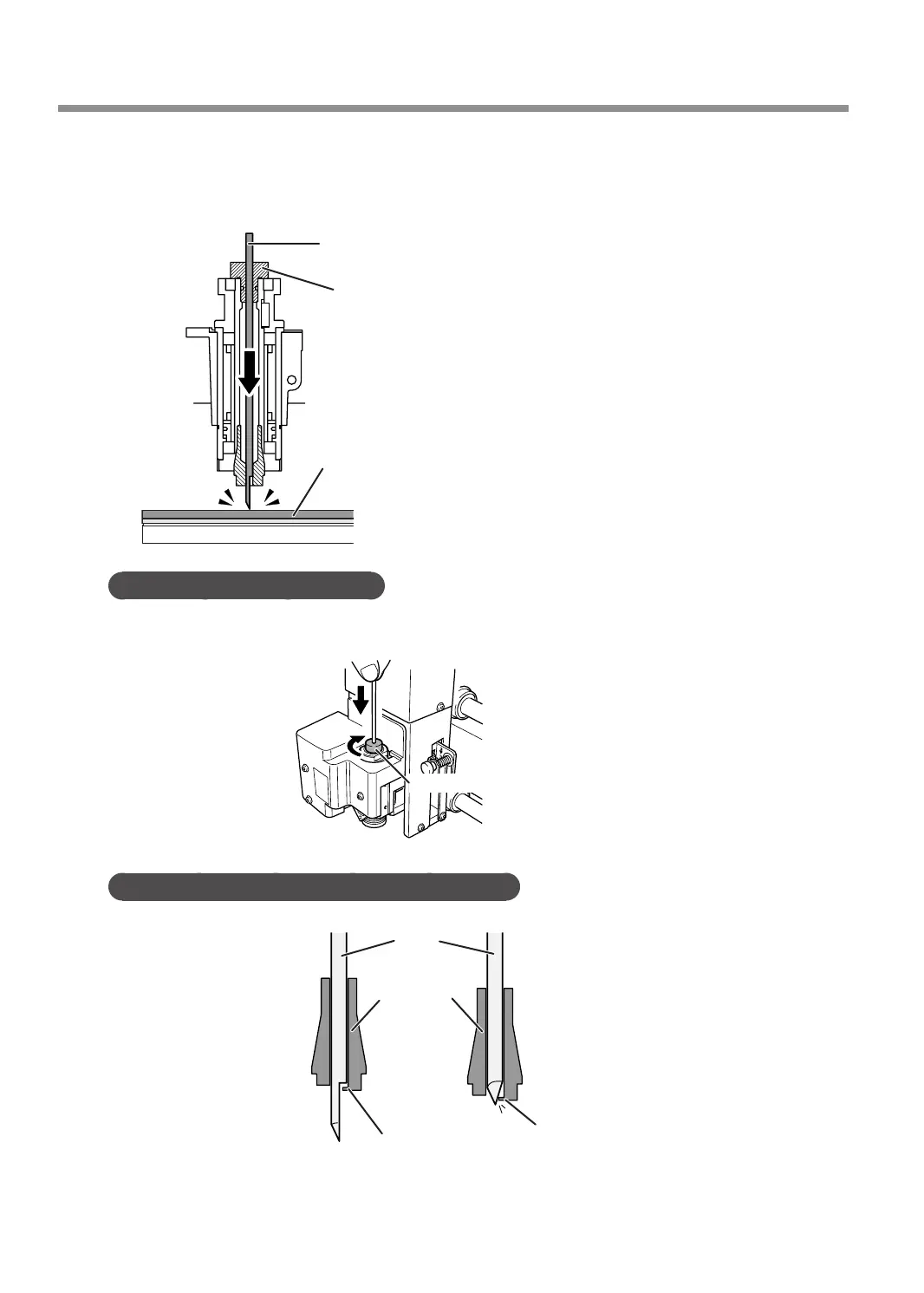
Insert the cutter into the cutter holder and bring the tip of the cutter into contact with the
surface of the workpiece.
Placing a thin sheet of paper on the workpiece can prevent damage to the workpiece when the cutter
touches it. However, take the thickness of the paper into account when you set the Z-axis origin.
Cutter
Cutter holder
Workpiece
Point: If cutter insertion is difcult
If the cutter catches on the solid collet and is dicult to insert, loosening the cutter holder makes insertion easier.
Note that inserting it forcibly may result in damage to the workpiece. After inserting the cutter, tighten the cutter
holder again.
Loosen the cutter holder
MEMO: When using a ø4.36 mm (0.17 in.) solid collet
Be careful to orient the cutter correctly. If insertion is dicult, try turning the cutter until it is smoothly inserted.
Cutter
Solid collet
Protrusion
Protrusion
Not Good
Good
Using Various Tools
110
Chapter 5 Various Engraving Methods



 To Next Page