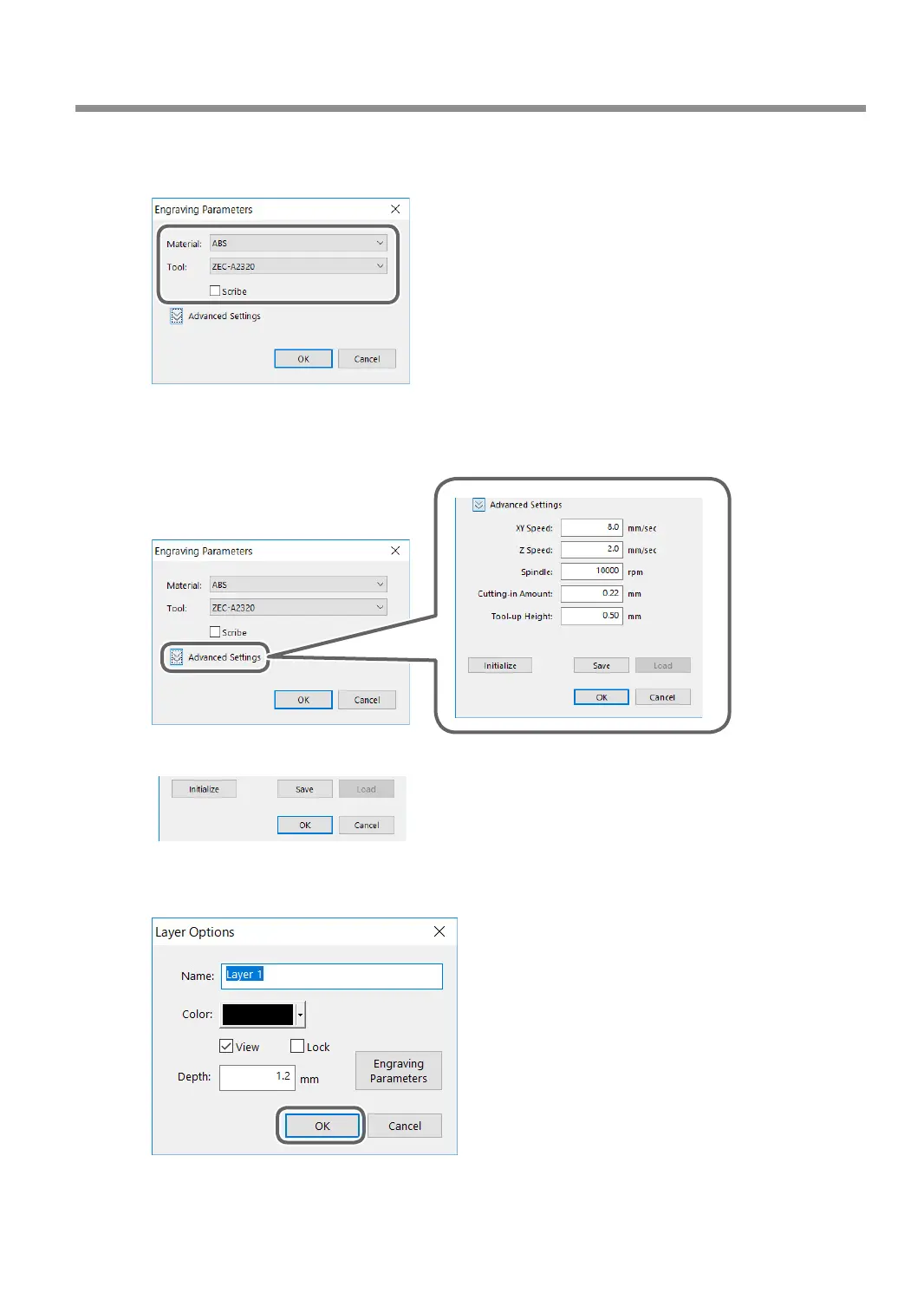
3 Set the [Material] and [Tool].
Conrm that the [Scribe] check box is cleared.
4 Click [Advanced Settings].
5 Set each item according to the engraving conditions.
" P. 96 "Detailed Settings on the [Engraving Parameters] Screen"
6 Click [OK].
The [Engraving Parameters] screen closes.
H
Click [OK].
" P. 54 "Step 5: Starting Engraving"
Using Various Tools
113
Chapter 5 Various Engraving Methods



 To Next Page