C
Press [ENTER/PAUSE].
The spindle head moves to the machine origin.
D
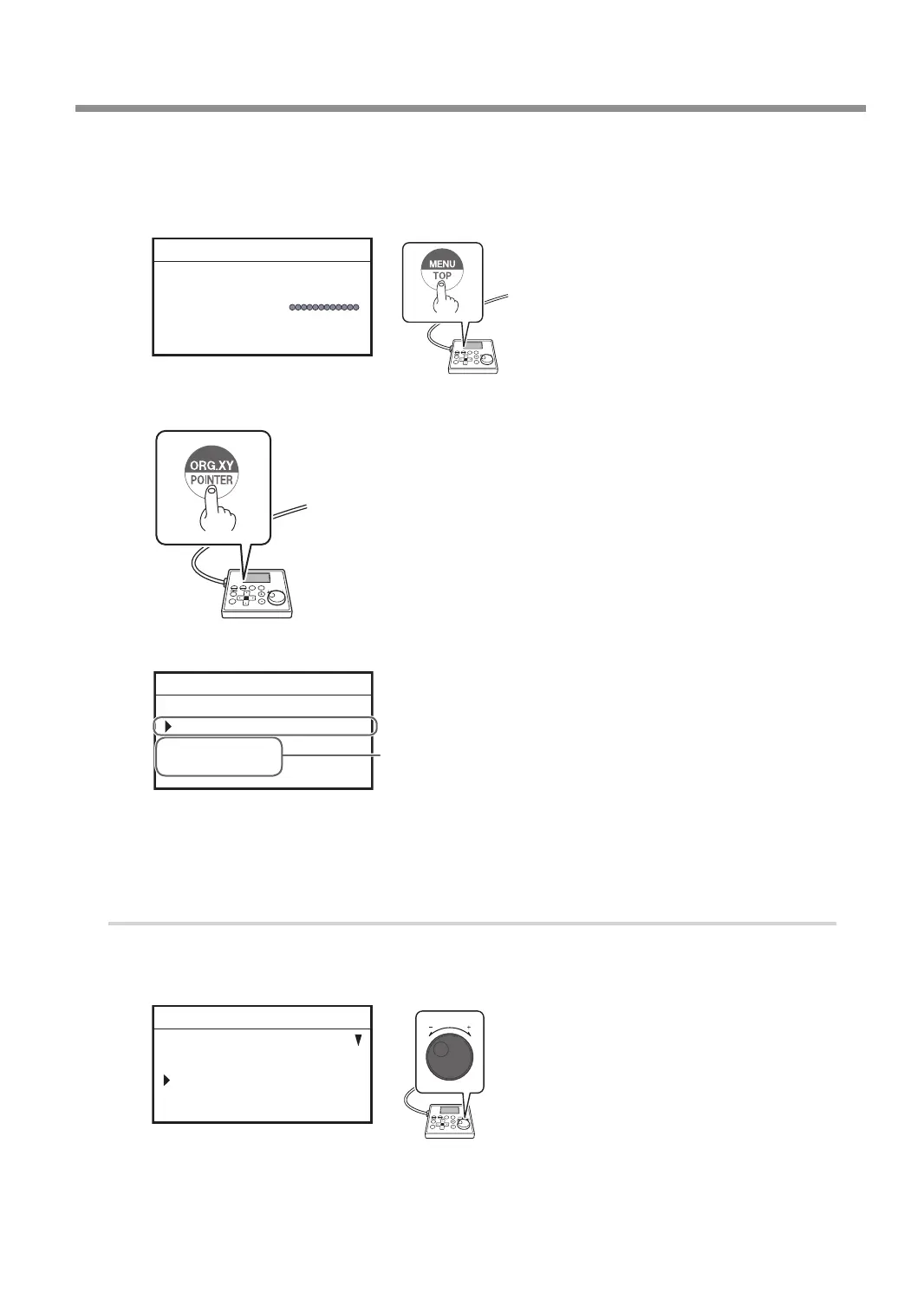
Press [MENU/TOP] several times to display the main screen.
X 51.00mm
Y 37.00mm
Z 0.00mm S 5000rpm
012345678901234567 READY
E
Press [ORG.XY/POINTER].
F
Using the [Dial], select [XY] for the target axis.
ORIGIN SET XY
XY X Y
X 00.00mm
Y 00.00mm
012345678901234567 READY
The machine coordinate is displayed.
Target axis
G
Press [ENTER/PAUSE].
The machine origin is set to the user origin, and you are returned to the main screen.
2.
Install the parallel cutter and set the Z origin.
A
Press [MENU/TOP].
B
Turn the [Dial] and select [CENTER].
MOVE
VIEW POSITION
CENTER
USER ORIGIN XY
012345678901234567 READY
Surface Leveling of the Workpiece Table
115
Chapter 5 Various Engraving Methods



 To Next Page