C
Press [ENTER/PAUSE].
The spindle head moves to the center of the workpiece table.
D
Perform steps 1 to 4 in P. 104 "Using a Character Cutter/Parallel Cutter (without Nose Unit)".
3.
Execute the engraving data for surface leveling.
A
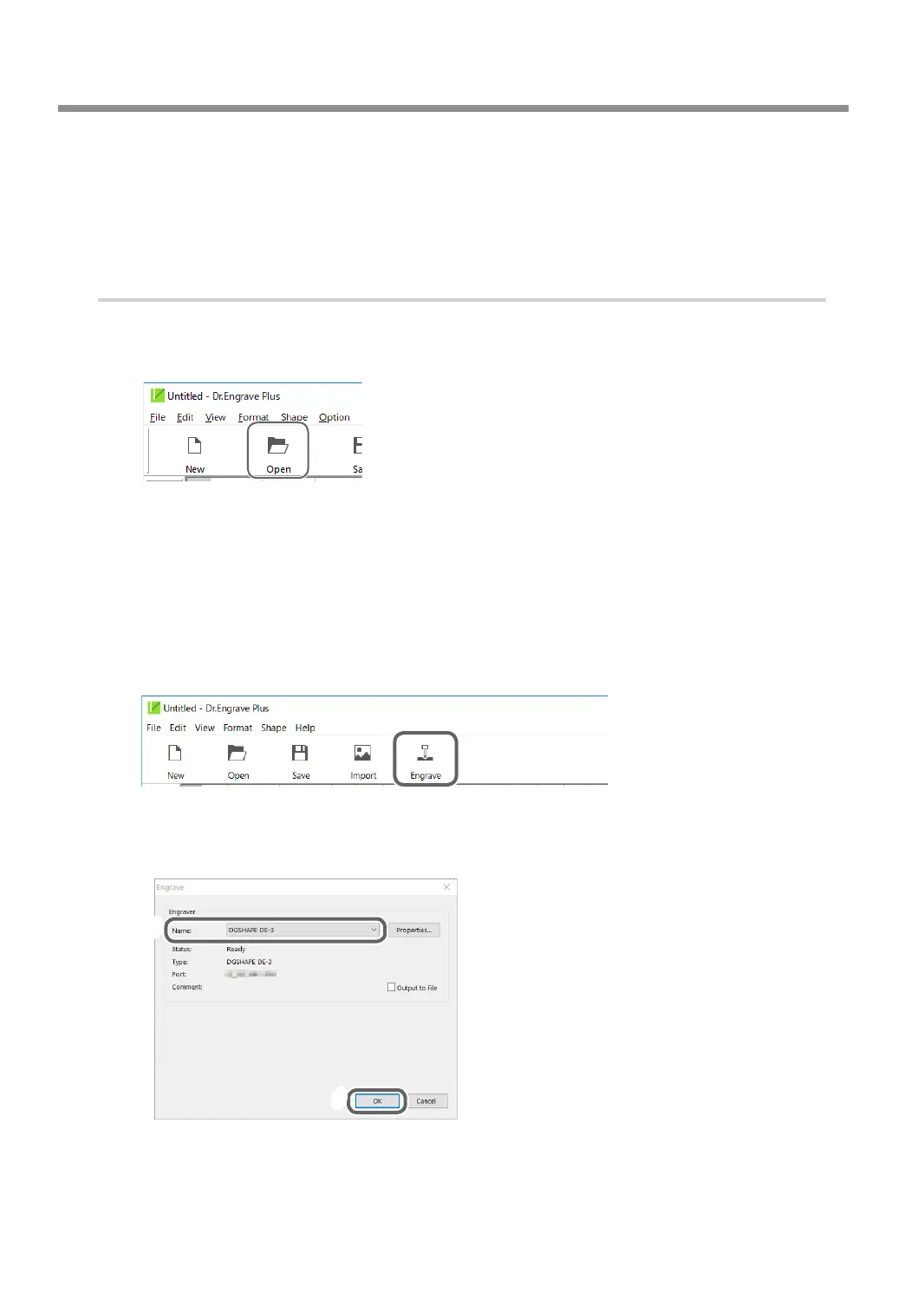
Start Dr. Engrave Plus.
B
Click [Open].
C
Open [the drive on which Dr. Engrave Plus is installed]* - [ProgramData] - [DGSHAPE
Corporation] - [Dr. Engrave Plus] - [Sample].
* This is most commonly the [C drive] or [D drive].
D
Select "Surfacing.dpd," the surface leveling le.
E
Click [Open].
F
Click [Engrave].
G
Select [DGSHAPE DE-3] for the [Printer Name].
H
Click [OK].
G
H
The surface leveling starts. Change the number of rotations and feeding speed as necessary
during surface leveling.
" P. 56 "Adjusting the Tool Feeding Speed and the Number of Rotations during Engraving (Override)"
Surface Leveling of the Workpiece Table
116
Chapter 5 Various Engraving Methods



 To Next Page