G
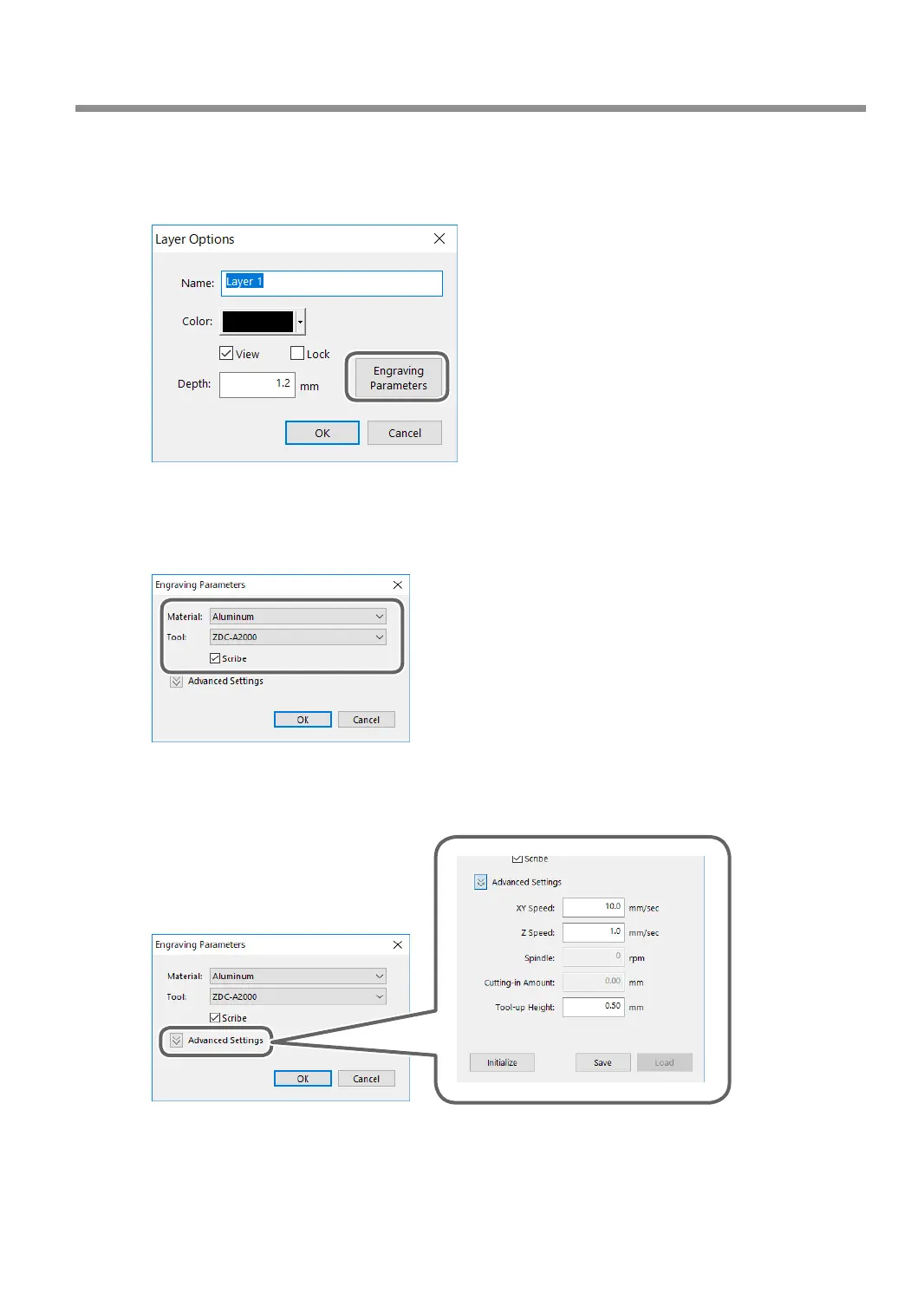
Set each condition.
1 Click [Engraving Parameters].
* Because the automatic Z control feature is used, there is no need to set the [Depth].
2 Set the [Material] and [Tool].
When you select a diamond scraper (ZDC-A2000 or ZDC-A4000), the [Scribe] check box is
selected.
Selecting the [Scribe] check box stops the spindle when engraving.
3 Click [Advanced Settings].
4 Set each item according to the engraving conditions.
" P. 96 "Detailed Settings on the [Engraving Parameters] Screen"
Using Various Tools
95
Chapter 5 Various Engraving Methods



 To Next Page