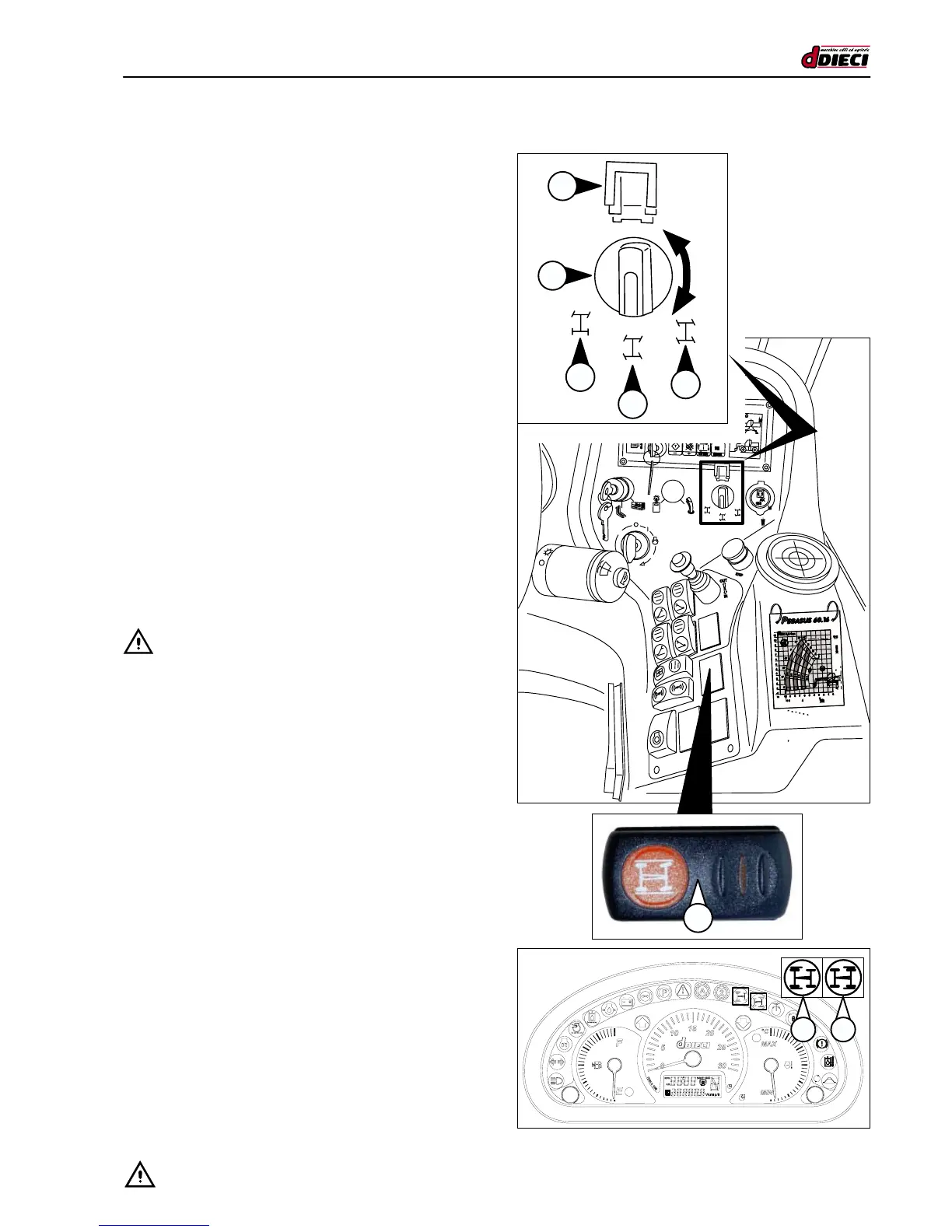
WHEELS ALIGNMENT SELECTOR
(g.66/C Pos.”3”)
The selector (g.66/C Pos.”3”) enables the front and rear
wheels signal device aligned with the frame.
Te optical signal is given via two LEDs on the dashboard.
the LED “1” (g.67/C) signals the alignment of the front axle
wheels, the LED “2” (g.67/C) signals the alignment of the
rear axle wheels.
For wheels alignment:
1. Go to a free area with solid and levelled land.
2. Press the wheels alignment button and hold it until align-
ment has been completed.
3. Position selector “1” (fig.66/C) in the position marked
with “B” (g.66/C) on the functions sticker.
4. Turn the steering wheel, observing the rear wheels align-
ment LED (g.67/C Pos.”2”), until it switches on.
5. In these conditions, the rear axle wheels are aligned with
the chassis.
6. Position selector “1” (fig.66/C) in the position marked
with “A” (g.67/C) on the functions sticker.
7. Turn the steering wheel, observing the front wheels
alignment LED (g.67/C Pos.”1”), until it switches on.
8. In these conditions, the front axle wheels are aligned
with the chassis.
- ATTENTION:
Periodically it is advisable to align the wheels (8-10 hours)
depending on the continued use of the vehicle.
(g.66/C)
(g.67/C)
3
1 2
2
1
A
B
C



 To Next Page