C
B
A
D
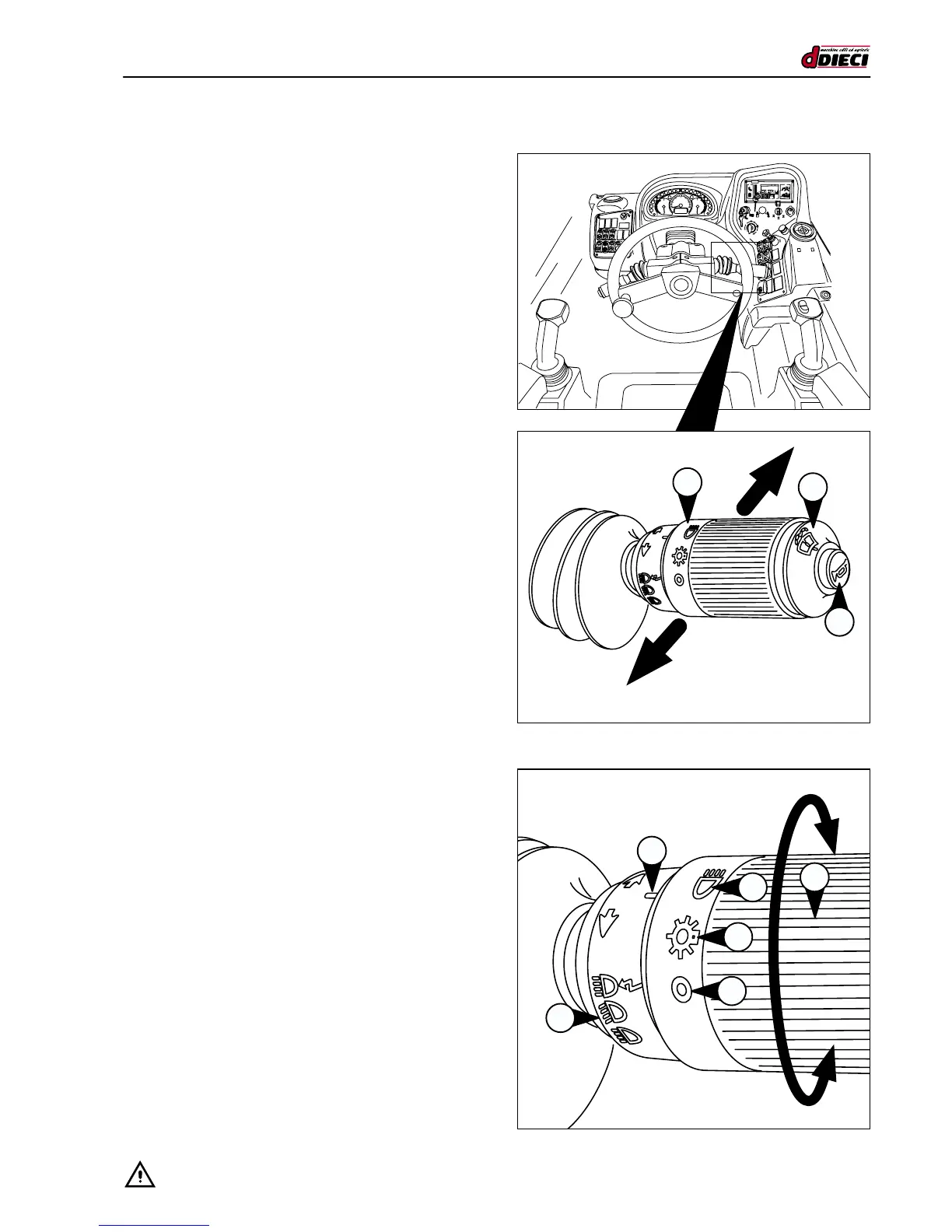
(g.26/C)
(g.25/C)
L
R
3
2
1
E
1
MULTIFUNCTION LEVER
Direction indicators
- Pull the lever towards you to indicate a right turn
(g.25/C Pos.“R”).
- Push forwards to indicate a left turn (g.25/C Pos.“L”).
The indicators only function when the ignition switch is in the
‘instruments on’ position (g.22/C Pos.“1”).
A pilot light in the instrument cluster signals that the indica-
tors have been enabled.
Push button functions
- The intermediate push button on the knob enables the
front windscreen wiper (g.25/C Pos.“2”).
- The push button on the end of the knob activates the
horn (g.25/C Pos.“3”).
Switching the headlights on
Turn the knob “1” (g.26/C) to switch on the headlights.
The symbols on the knob near the arrow (g.26/C Pos.“D”)
indicate that the lights are:
- Off (g.26/C Pos.“A”).
- Side lights (g.26/C Pos.“B”).
- Dipped headlights (g.26/C Pos.“C”).
The high beam headlights (g.26/C Pos.“E”) are enabled by
shifting the lever upwards for individual ashes, and shifting
downwards for continuous use.



 To Next Page