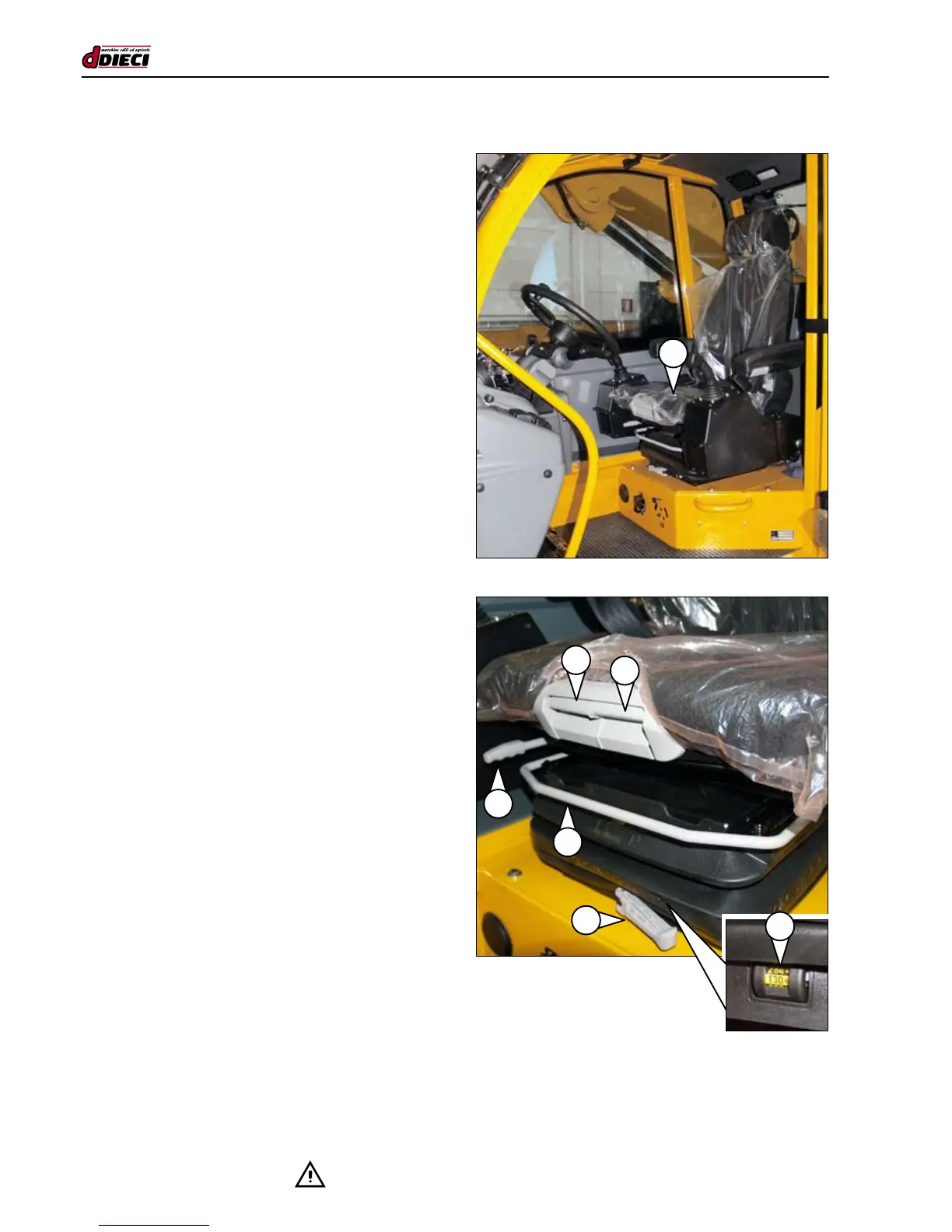
A
A
C
B
D
(g.13/C)
(g.12/C)
F
E
SEAT
(g.12/C)
DIECI supplies various types of seat model depending on
customer requirements. The machine is equipped with a
“dead man” safety system, featuring an electric microswitch
in the driver’s seat. The microswitch is located inside the cu-
shion where the driver is seated (g.12/C Pos.“A”).
The engine can only be switched on if the forward drive/re-
verse lever is in the neutral position “N” and the operator is
seated correctly in the driver’s seat.
Seat adjustment
(g.13/C)
The seat allows various types of adjustment:
A - Lengthwise seat assembly adjustment (g.13/C).
B - Lengthwise seat adjustment (g.13/C).
C - Seat cushion inclination (g.13/C).
D - Lengthwise seat cushion adjustment (g.13/C).
E - Degree of suspension adjustment (g.13/C).
F - Backrest inclination adjustment (g.14/C).
G - Lumbar cushion adjustment (g.14/C).
H - Armrest adjustment (g.14/C).
The seat is assembled on a lengthwise sliding assembly so
it shifts forwards/backwards together with the boom control
levers. The Operator can choose the best driving position
according to his/her physical features.
- Act on lever “A” (g.13/C) to adjust the control unit leng-
thwise by sliding the unit along the guides. When in the
desired position, release the lever. Move the lever slight-
ly to check the locking pin is secured in its housing.
- Act on lever “B” (g.13/C) to adjust the seat lengthways
by sliding the seat along the guides.
When in the desired position, release the lever.
Move the lever slightly to check the locking pin is secu-
red in its housing.
- To tilt the seat cushion, act on handle “C” (g.13/C) and
force the front of the cushion.
- To change the seat cushion position, act on handle “D”
(g.13/C) and slide the cushion along the guides. When
in the desired position, release the lever. Move the lever
slightly to check the locking pin is secured in its housing.
- To adjust the degree of suspension turn lever “E”
(g.13/C). Check the adjustment through the transparent
window “F” (g.13/C).
For optimum adjustment, the weight indicated in the tran-
sparent window should correspond to the operator’s weight.


 To Next Page