MightyMo/MiniMo User’s Guide 5-47
Part # 400030-C
Customizing System Settings Chapter 5: System Setup
To set up data logging, follow these steps:
1. Select the blue Setup button in the title bar. The Mo Setup menu
will open.
2. Select the System Settings button. The System Settings menu
will open.
3. Select the Data Logging button. The Data Logging menu will
open.
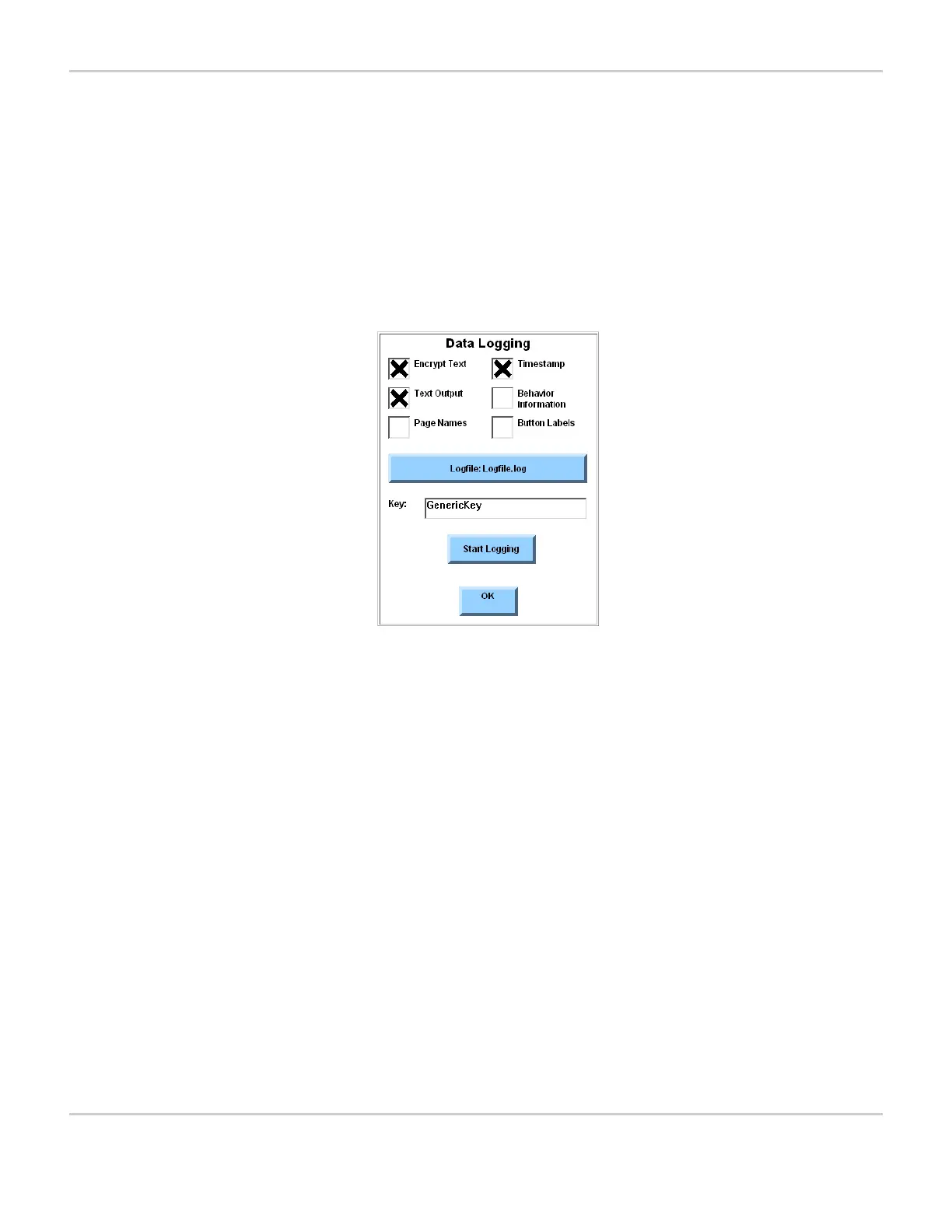
DATA LOGGING MENU
The menu lists the data tracking options, displays the current
name and key for the log file and shows the controls for starting or
stopping logging.
4. To maintain the privacy of any text entered by the user, select the
Encrypt Text check box. (Also be sure that you specify an
encryption key as described in step 7 before closing the Data
Logging menu, )


 To Next Page