MightyMo/MiniMo User’s Guide 1-17
Part # 400030-C
Terms You Should Know Chapter 1: Introduction
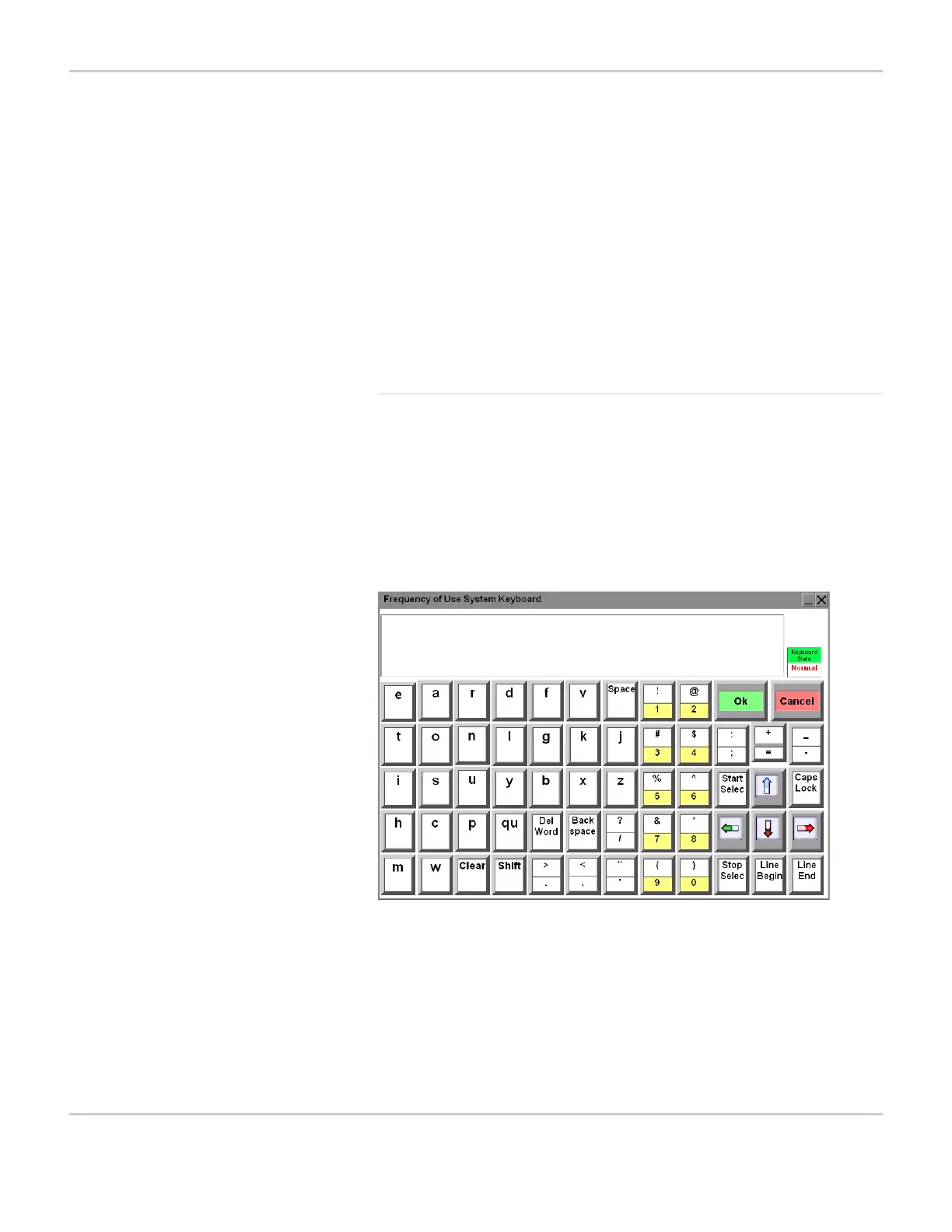
Frequency of Use System Keyboard
The Frequency of Use system keyboard is designed specifically for
individuals that use the scanning selection method. When this
keyboard is selected in the Advanced Settings tab pane of the
Interface Features menu (refer to Select a System Keyboard on
page 5-29 for more information), it will be presented whenever you
are required to enter text information or when you select a text box.
FREQUENCY OF USE SYSTEM KEYBOARD
Cancel Close the system keyboard without
accepting the content that you have entered
into the text window.
Return Move the cursor to the beginning of the next
line.
Clear Clear the content from the text window.
Cursor Arrows Use the cursor arrows in the bottom right
corner to move the placement of the cursor
in the text window.


 To Next Page