MightyMo/MiniMo User’s Guide 2-5
Part # 400030-C
Hardware Features Chapter 2: Hardware
The MightyMo/MiniMo speaker emits sound through the holes
located beside the support leg.
Immediately above the speaker openings is a small circular opening
labeled
®, though which you can access the Reset button. This
button enables you to perform a hard reset of your device if you are
directed to do so by a DynaVox Technologies Technical Support
representative.
The bottom of your device also features two sets of strap attachment
points. They enable you to attach the carrying straps that are
provided with your device. See Carrying Your Device on page 2-22
for more information.
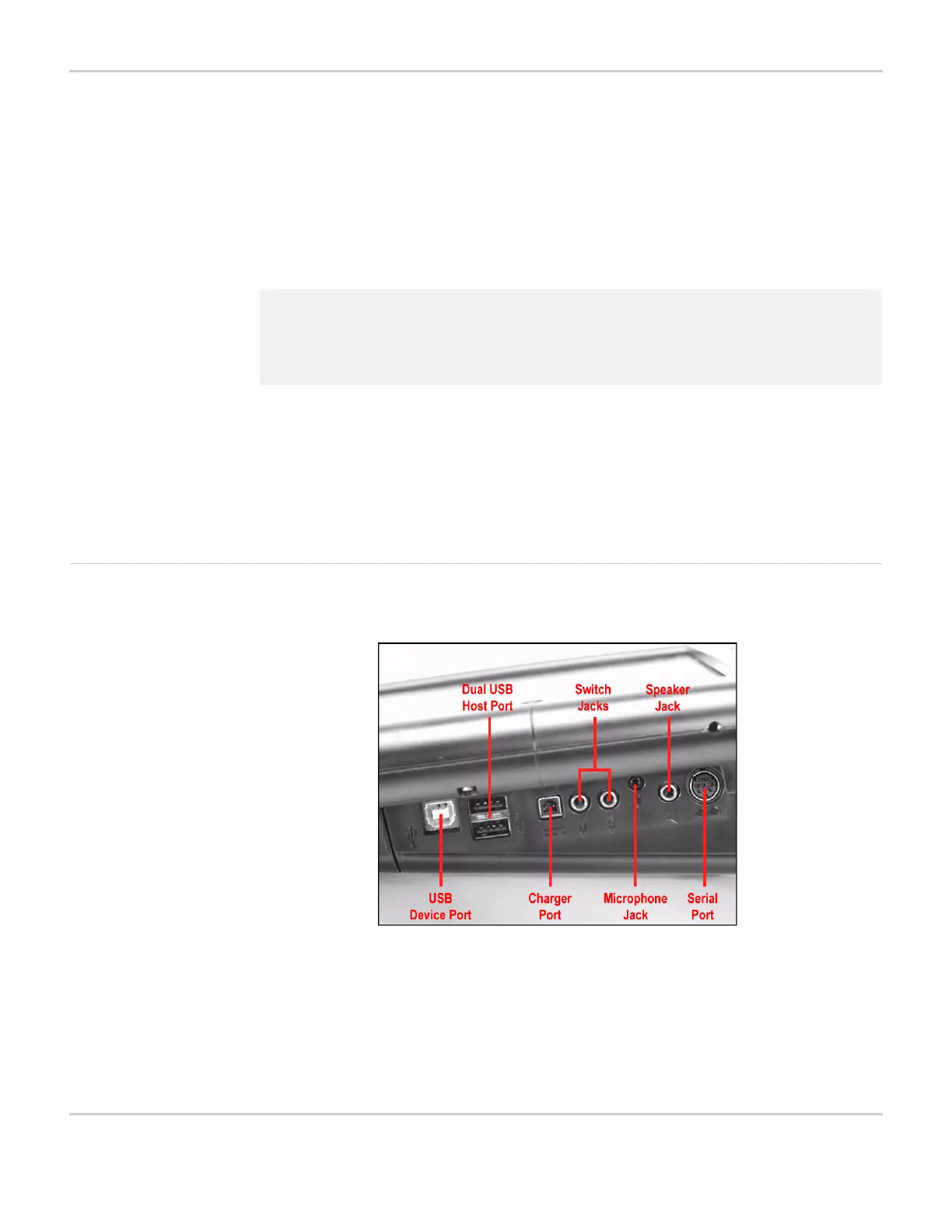
Right Side of the Device Look at the right side of the device.
RIGHT SIDE OF DEVICE - PORT LOCATIONS
2 Note: To avoid losing information you may have added to your
MightyMo/MiniMo, do not use the Reset button until instructed to
do so by a DynaVox Technologies Technical Support
representative.



 To Next Page