MightyMo/MiniMo User’s Guide 1-15
Part # 400030-C
Terms You Should Know Chapter 1: Introduction
always displayed beside the directory name, directories are often
called folders.
• Expansion Box - Expansion boxes are small boxes that are used
to expand and compress directories (folders) within a viewport.
These boxes appear to the left of the folder name. When the folder
is compressed, the box will feature a plus [+] sign. Selecting the
box once will expand the folder and display its contents. When the
folder is expanded, the box will feature a minus [-] sign. Selecting
the box again will hide the contents of the folder.
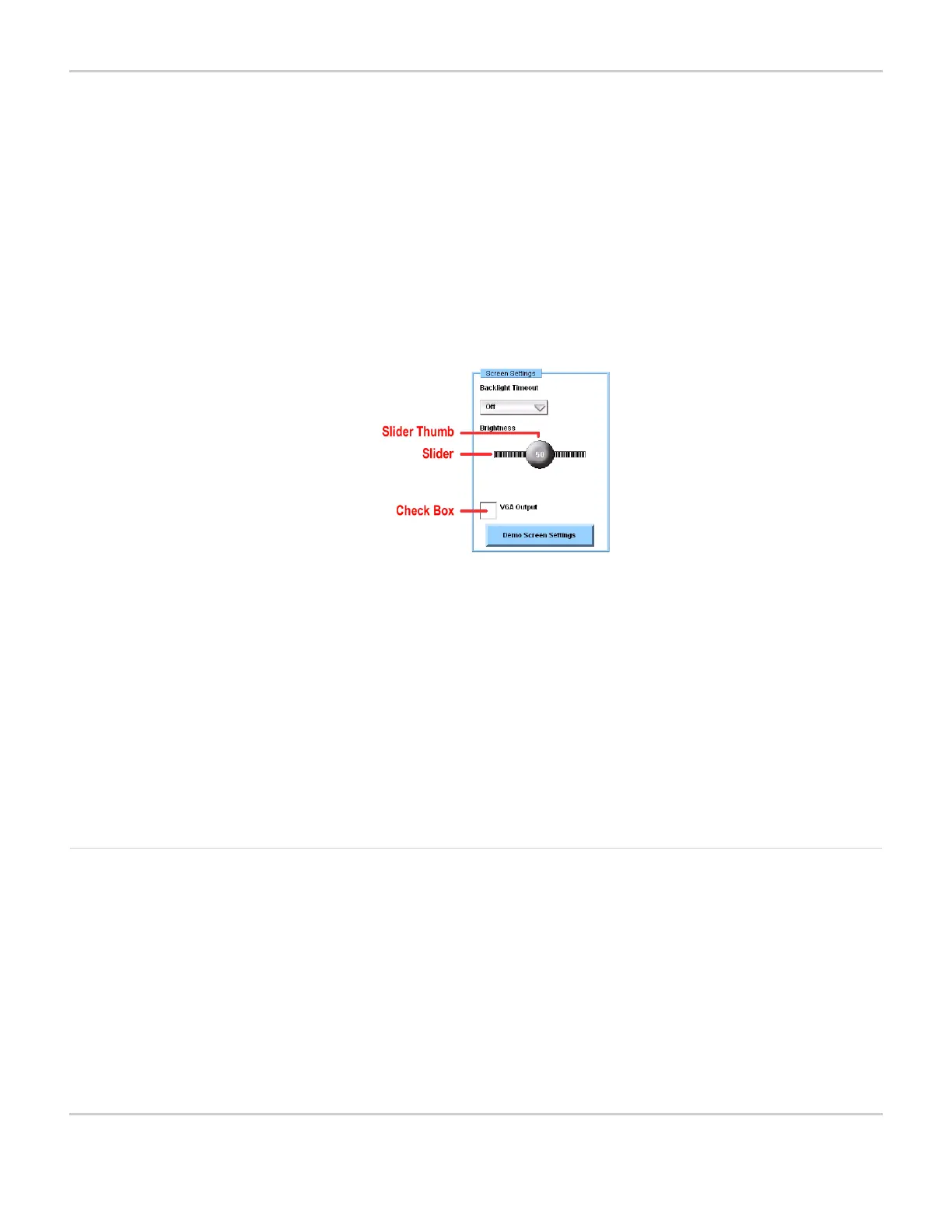
SLIDER BAR WITH THUMB AND CHECK BOX
• Slider - A slider is a vertical or horizontal bar that shows the
current setting of a function, such as volume or screen brightness,
within a possible range of settings. The slider settings can be
adjusted by moving a slider thumb along the bar.
Check Box - A check box is a small box beside a text label that
identifies the option. When the check box is selected, an X appears
inside the box and the option is enabled. When the check box is
empty, the option is disabled.
Keyboards When you are using or programming a MightyMo/MiniMo device, a
keyboard popup will open when you are required to enter text
information or when you select a text box. The MightyMo/MiniMo
software provides a number of system keyboards, each designed for
different cognitive levels and selection methods. They contain
standard alphanumeric keys, as well as keys for commands that are
specific to the MightyMo/MiniMo software. You can select the system
keyboard that best suits your needs. Refer to Select a System
Keyboard on page 5-29 for more information.



 To Next Page