MightyMo/MiniMo User’s Guide 7-7
Part # 400030-C
Using the Select a Symbol Menu Chapter 7: Working with Symbols
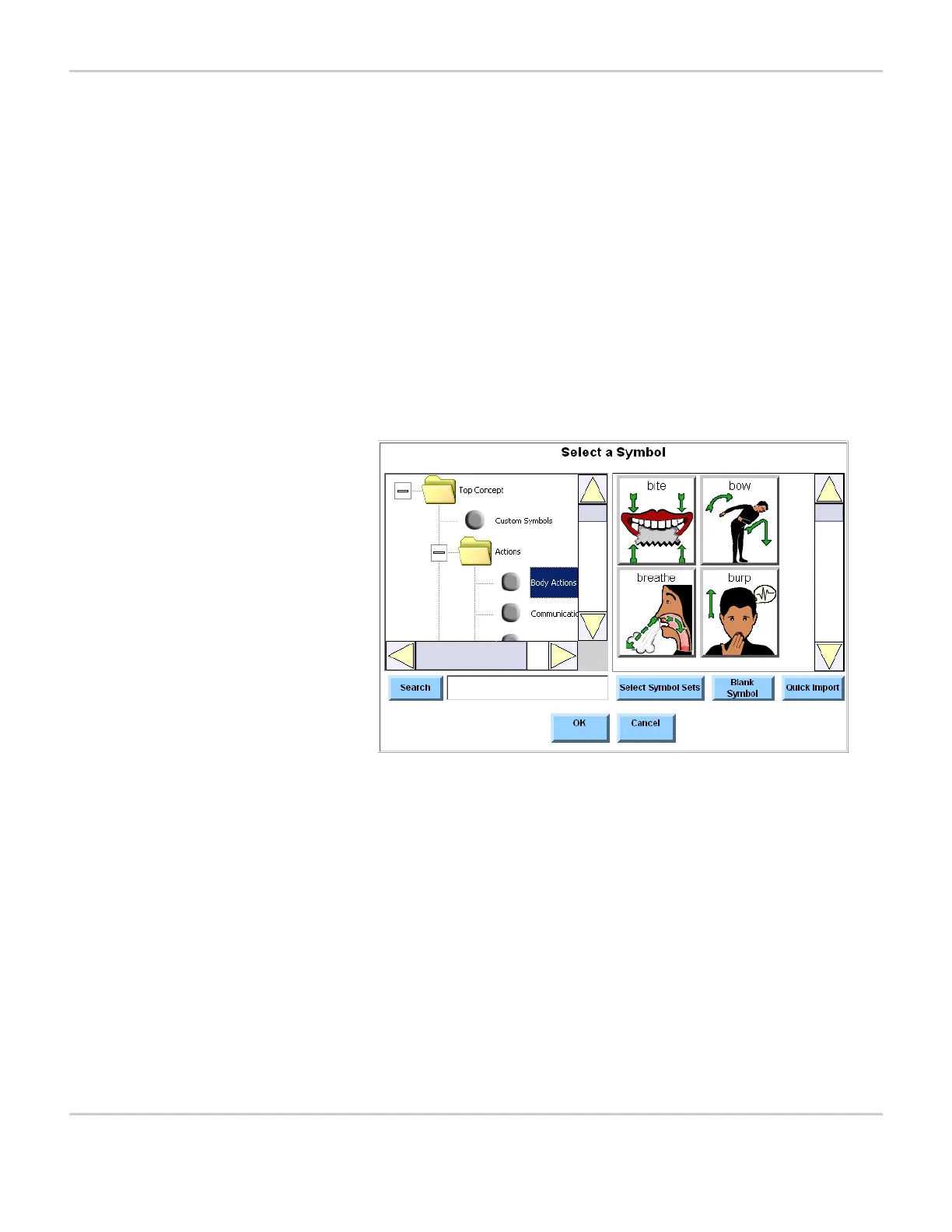
USING THE SELECT A SYMBOL MENU
All of the symbols for your MightyMo/MiniMo device can be managed
using the Select a Symbol menu. To open the Select a Symbol menu,
follow these steps:
To open the Select a Symbol menu, follow these steps:
1. Select the green Modify button in the title bar. The button will turn
red when it is selected.
2. Select any button on the current page. The Modify Button menu
will open.
3. Select the Symbol button. The Select a Symbol menu will open.
SELECT A SYMBOL MENU


 To Next Page