3-8 DynaVox Technologies
Chapter 3: Using DynaVox Language Application Page Sets About Page Sets
set uses photographs of food and common household items on its
six-button pages.
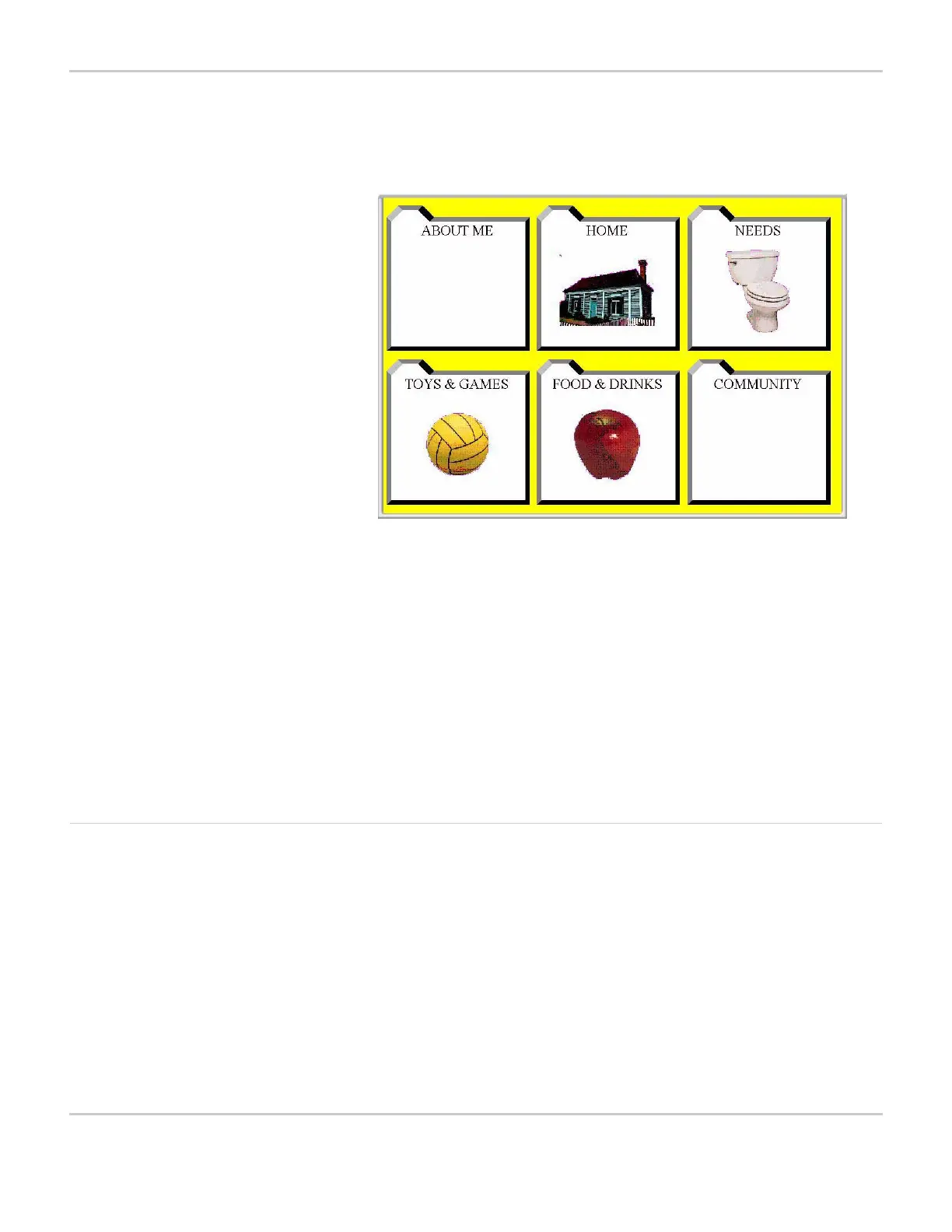
VIRTUAL MASTER PAGE: 06 VIRTUAL MAIN
The master page links to pages that provide vocabulary for home,
school and the community. Please note that many buttons in this
page set have no symbols. These buttons should be customized with
photographs that apply directly to the individual using the page set. In
addition, the Virtual symbol set that is available on the
MightyMo/MiniMo software contains hundreds of symbols to allow
buttons in this page set to be customized quickly. For information on
using custom pictures as symbols, see Use a Digital Picture as a
Symbol on page 7-11.
Gateway Jumpstart MightyMo/MiniMo devices also offer Gateway Jumpstart, a
developmentally-based series of page sets designed for DynaVox by
Joan Bruno, Ph.D., CCC-SLP. The Gateway page sets included in the
MightyMo/MiniMo accommodate the fundamental communication
needs of young users as well as the communication needs of
adolescent and adult communicators who demonstrate an expressive
language impairment. Consistency in the design of the page sets
ensures that a user can seamlessly move from a basic page set to
the next level of complexity while maintaining his or her
communicative competence.



 To Next Page