MightyMo/MiniMo User’s Guide 2-3
Part # 400030-C
Hardware Features Chapter 2: Hardware
HARDWARE FEATURES
This section is a visual introduction to the hardware features of the
MightyMo/MiniMo device.
Top of the Device First, examine the top of the device.
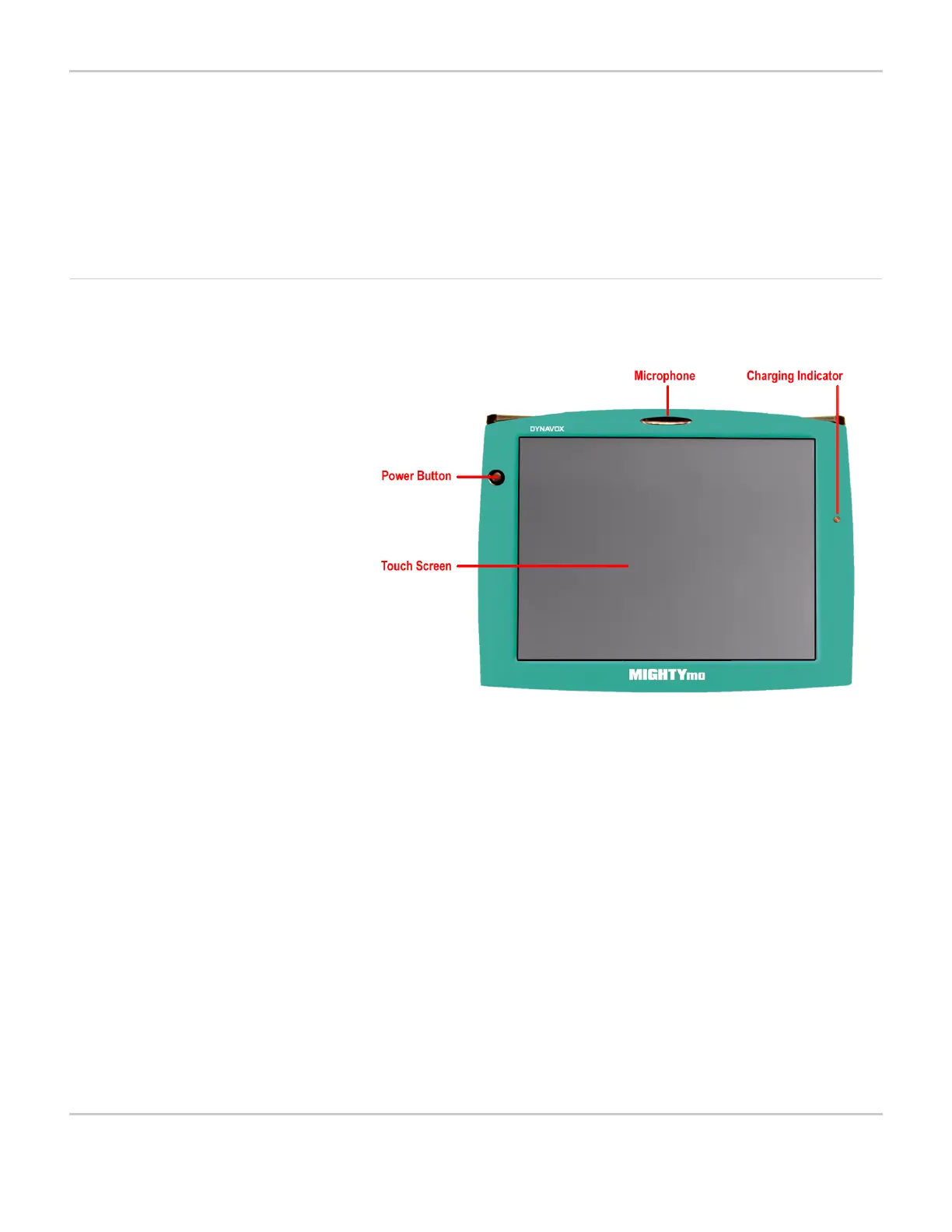
TOP OF THE DEVICE (MIGHTYMO)
As shown in the picture, the primary feature of your DynaVox
MightyMo/MiniMo device is the built-in touch screen, which allows
you to interact with displayed objects.
On the MightyMo device, the touch screen provides a resolution of
800 by 600 pixels. On the MiniMo device the screen resolution is 640
by 480 pixels.
Next, examine the plastic casing surrounding the touch screen on the
front of the device. Three important hardware features are located
here:
• The circular power button is located at the upper left of the touch
screen. Use this button to turn the device on and off.
• The device’s built-in microphone, which is used to record sound, is
located directly above the touch screen behind a small, oval
indentation. This microphone is omni-directional (that is, it picks up
sound from all directions).



 To Next Page