2-4 DynaVox Technologies
Chapter 2: Hardware Hardware Features
• A small round charging indicator is located to the right of the touch
screen. This indicator displays an amber light only when the device
is being charged.
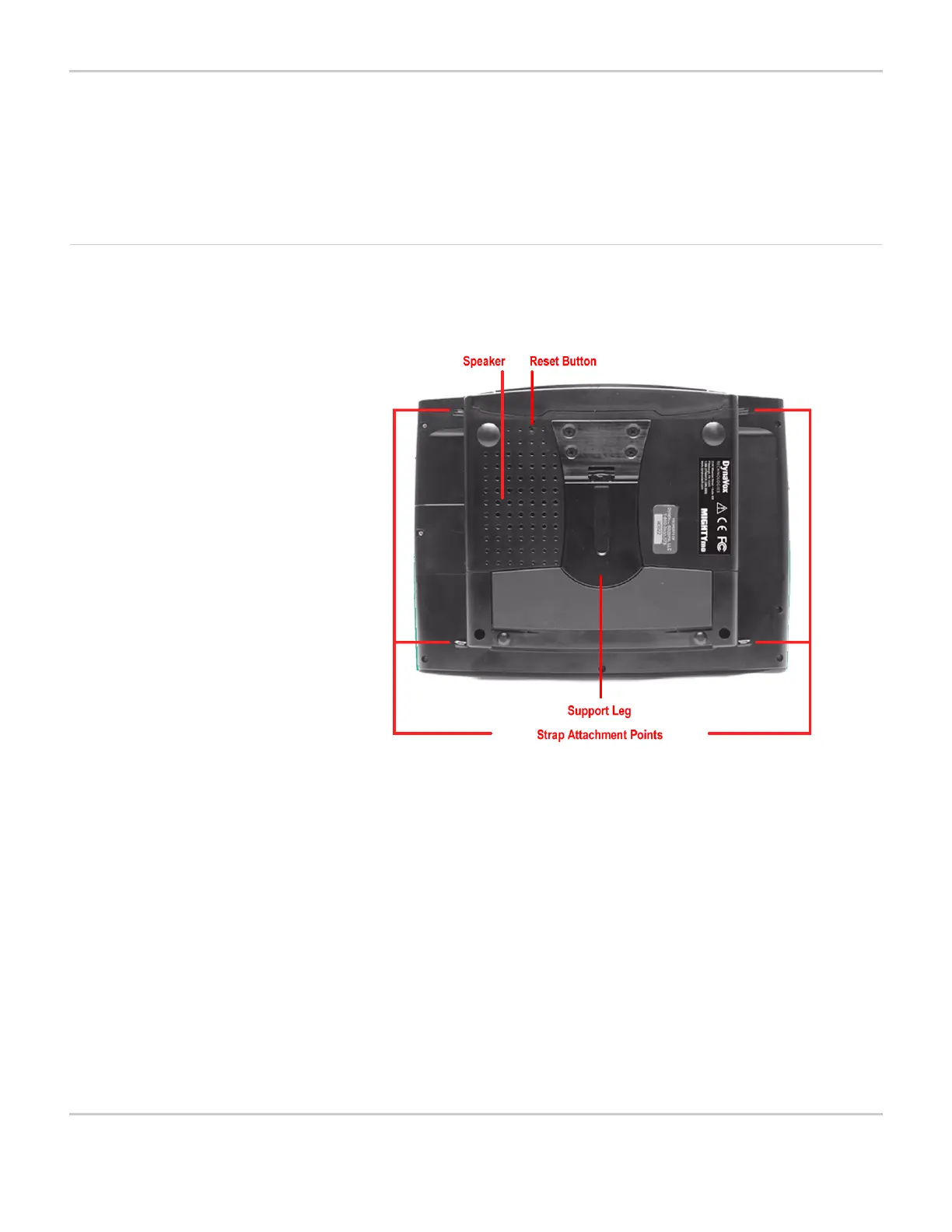
Back of the Device Turn the MightyMo/MiniMo upside down and examine the back of the
device.
BACK VIEW OF DEVICE (MIGHTYMO)
The support leg can be extended when you want to use the
MightyMo/MiniMo as a tabletop device. To open the support leg,
insert your fingers into the indentation beneath the leg and pull
upward. The support leg will hold your device at a convenient angle
for viewing. When the support leg is not open, magnets hold it
securely closed.
Notice the labels at the bottom of the device, which display the
DynaVox Technologies logo, website address, phone number and
mailing address. Pay special attention to the small, rectangular
sticker that is visible when the support leg is extended. This label
shows your device’s unique nine-character serial number. You will
need this number if you call the DynaVox Technologies Technical
Support Center or if you need to arrange service for your device.



 To Next Page