MightyMo/MiniMo User’s Guide 2-7
Part # 400030-C
Hardware Features Chapter 2: Hardware
Front of the Device Look at the front of your device.
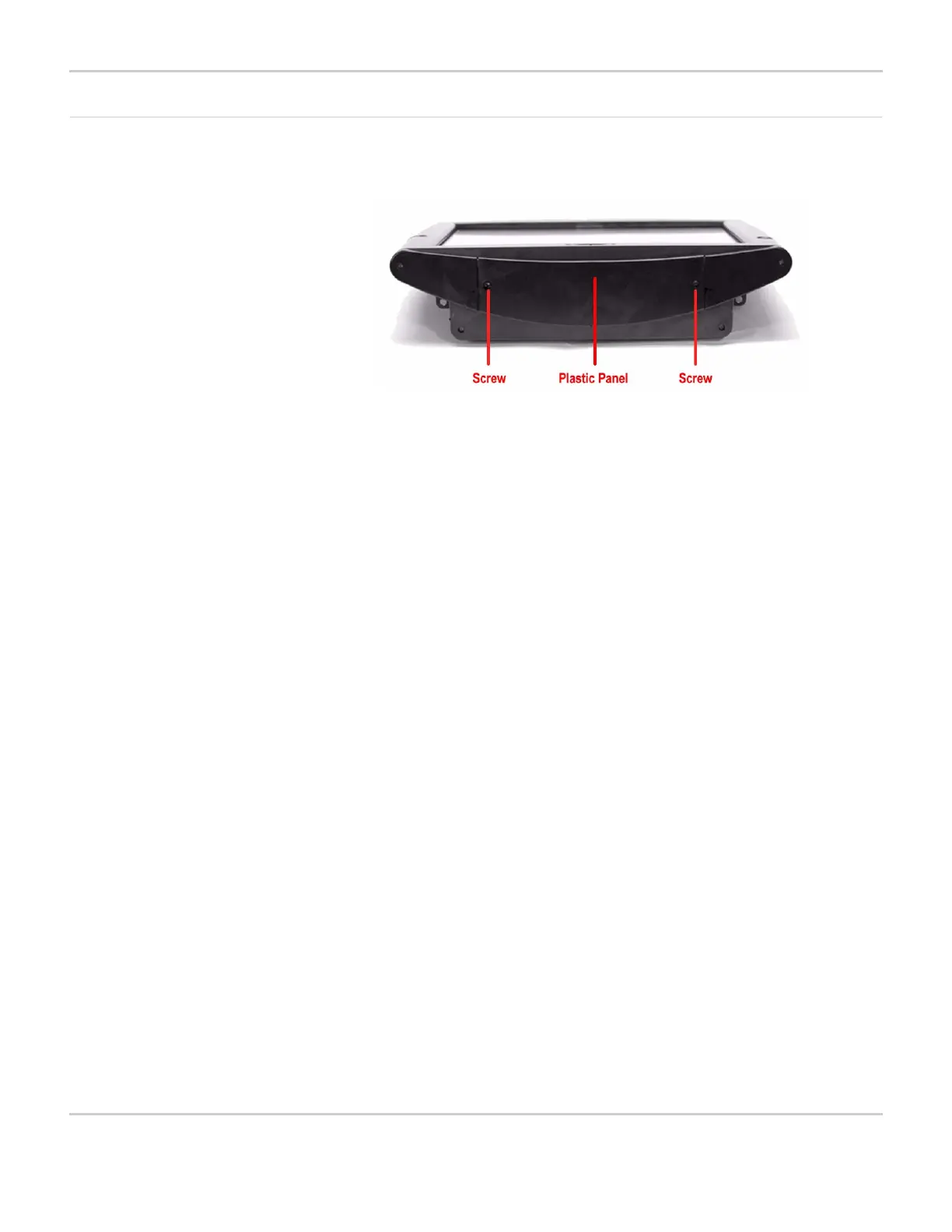
FRONT OF DEVICE (MIGHTYMO)
As shown in the picture, the front side of the device is covered with a
removable plastic panel. If you use a screwdriver to remove the two
screws in the plastic panel, you can lift the panel away from the
device.
Once the panel has been removed you will be able to see the
device’s main data storage card and an empty slot for an optional
secondary storage card.
The data storage card is a 256 MB CompactFlash storage card that
stores all the files and other information you create and save on your
device. An optional secondary storage card can provide additional
memory for file storage on your device, or the opportunity to share
files and data with others who use a MightyMo/MiniMo device.
Located behind the bottom of the panel area is an infrared device,
which enables you to use your MightyMo/MiniMo to control home
appliances such as televisions or stereos. The device can also be
used to control other appliances that may be equipped with infrared
X-10 control modules. The infrared device is designed to perform with
the removable plastic panel in place.



 To Next Page