2-6 DynaVox Technologies
Chapter 2: Hardware Hardware Features
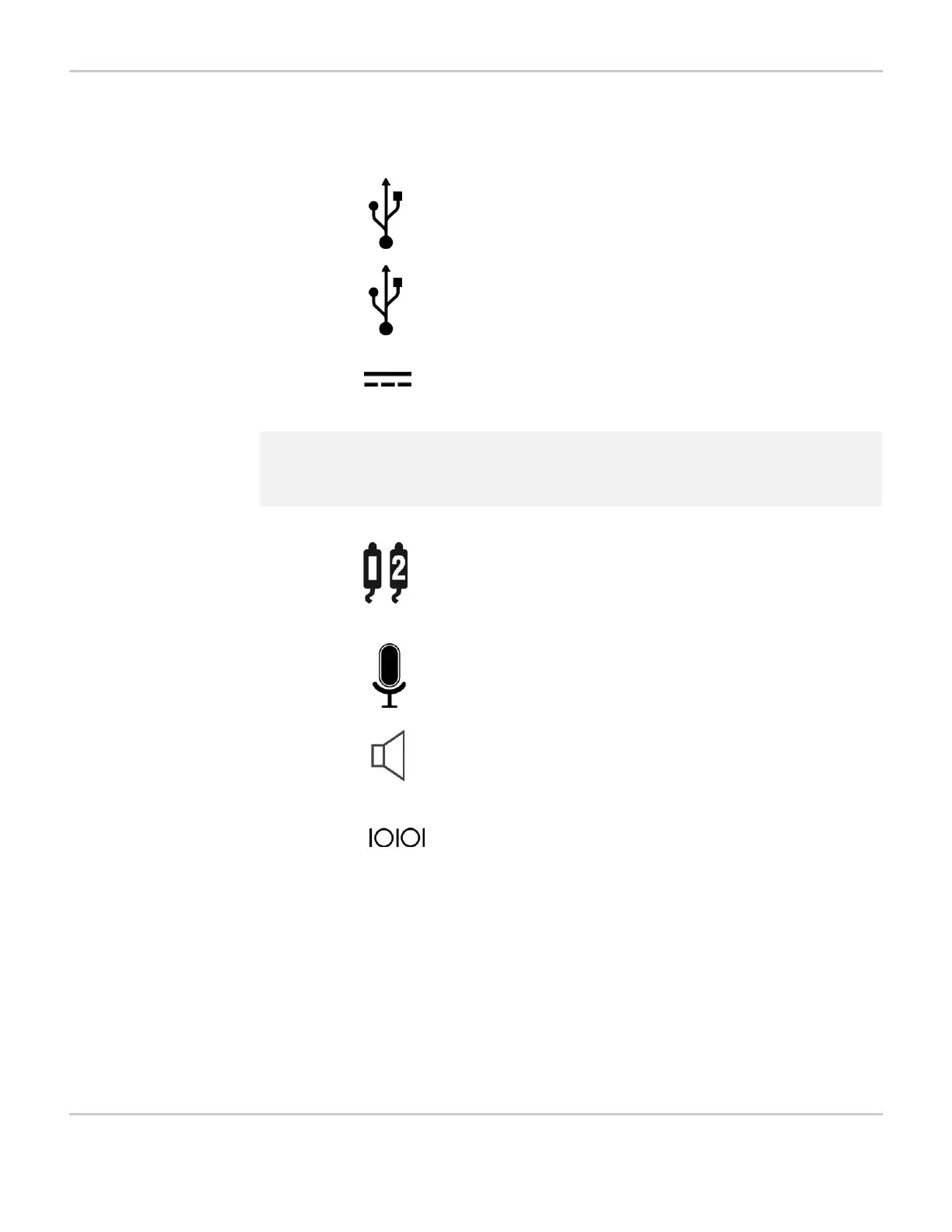
The right side features eight ports that are each labeled with a
symbol. This section describes each port in order, from left to right.
The first port is the USB device port. This square port can be
used with a USB cable to connect the MightyMo or MiniMo
device to another USB-capable device.
The second port is the dual USB host port. The two USB
connectors in this port enable your device to host the
connection of USB-capable accessory equipment such as a
computer mouse, a keyboard, a removable storage device or
a printer.
The third port is the charger port. Use this port to plug in the
DC power adapter/charger that came with your device.
!
Caution: Never connect any other power adapter to your MightyMo/MiniMo
as it could cause serious damage to your device.
Each of the two switch ports can be used to plug in a single
switch for scanning access or to connect an external power
switch. See Scanning Selection Method on page 5-6 or
Setting Up an External Switch for Power On on page 5-43
for more information.
The small round microphone port can be used to connect an
optional external microphone to your MightyMo/MiniMo
device.
The round 1/8-inch stereo speaker port can be used to
connect optional listening devices such as a speaker or
headset for use with auditory scanning cues, or an extra
speaker to enhance the output of the device’s built-in
speakers.
The last port on the right is an 8-pin mini-DIN serial port, which
has no function on the MightyMo/MiniMo.



 To Next Page