EPSON WF-C5790/WF-C5790a/WF-C5710/ET-8700/WF-C5210/WF-C5290/WF-C5290a Revision A
Configuration and operating principles Product Configuration (Name of Each Part) 31
Confidential
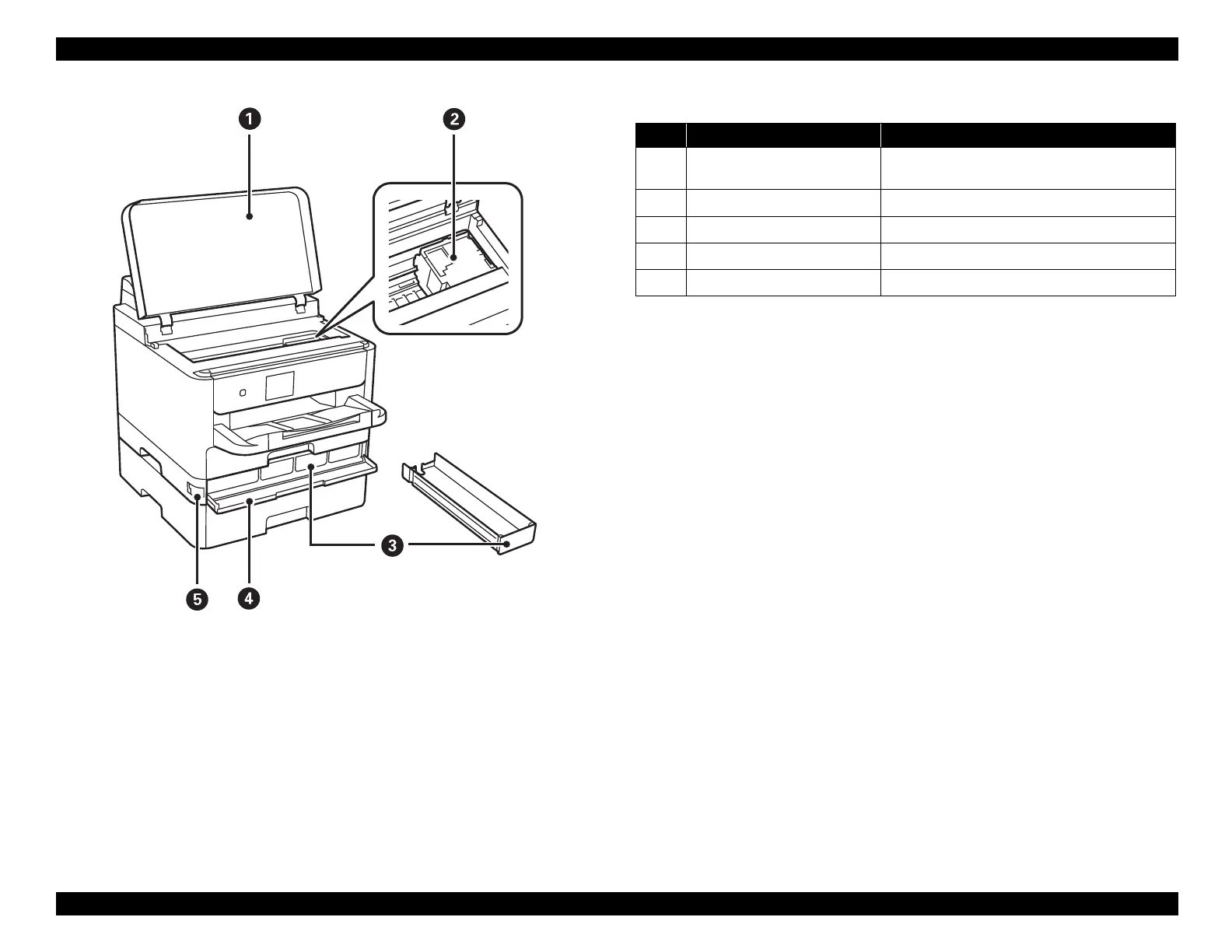
Figure 3-9. Name of Each Part
Table 3-9. Name of Each Part
No. Name Description
1 Printer cover (J)
Open when removing jammed paper inside the
printer.
2 Printhead Fires ink.
3 Ink supply unit tray Sets an ink supply unit.
4 Front cover (A) Open when replacing ink supply units.
5 Front cover lock Locks the front cover.















 To Next Page