33
MB1 User Manual
© 2016 Expert Electronics
FRONT PANEL DESCRIPTION
13) MIC 2 - Jack for dynamic microphones.
Connect a dynamic microphone to MIC 2 (e.g. the MD-15 accessory supplied with the
transceiver).
The Input is designed for a microphone impedance of 400 ... 600 Ohm.
14) F1...F10 - Functional assignable buttons.
Manage the functions assigned to the F1...F10 buttons (more details in Functional buttons
using) .
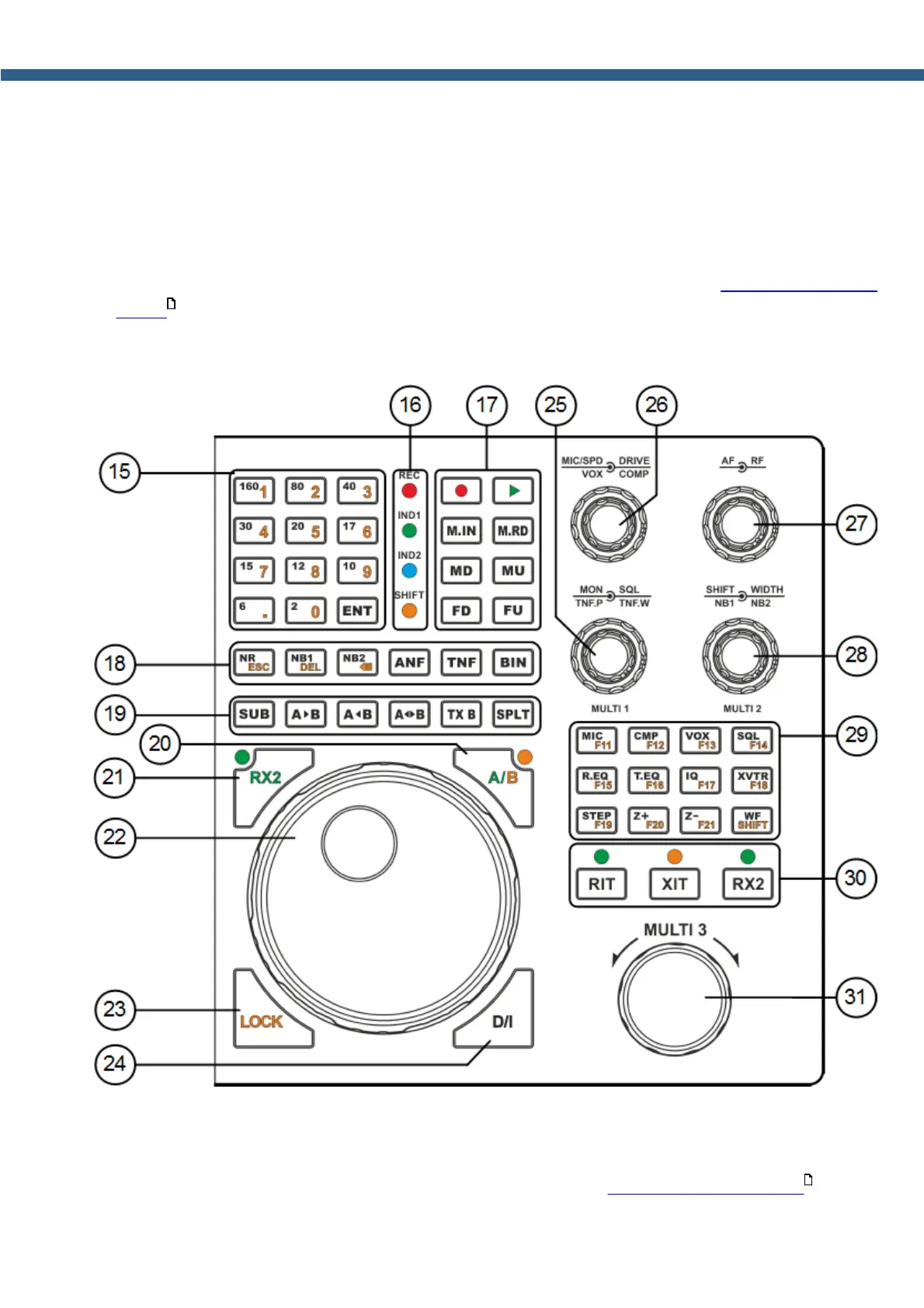
15) 160...2 - Band selection buttons.
Press the corresponding button to go to the desired band range.
Band buttons have a three position memory (more details in Using the band memory ).
170
153



 To Next Page