6. Enter the time to live (TTL) directly into the TTL: field or use the Up and Down arrows to
change the value for that field.
7. Select a quality of service (QoS) level from the DiffServe QoS Level: drop-down
list. Choices range from Best Effort (unmanaged network traffic, lower quality
streams) to Highest (CS5) (with managed network traffic and higher quality streams).
8. Enable or disable SAP (Session Announcement Protocol) by selecting or deselecting
the SAP Enabled: check box. When SAP is enabled, the SMP351 publicizes
the availability of a stream to decoder/players. SAP periodically multicasts session
description information on an industry standard multicast address and port, which
makes setting up a receiving decoder easier.
9. If SAP is enabled, specify an advertising interval (in seconds) by entering a number
into the Advertise Interval: field or using the using the Up and Down arrows to
change the value.
10. If desired enter descriptive text of your choice in the Session Name:,
Description:, Keywords:, and Author Name: fields.
To configure pull streaming:
11
2
2
3
3
4
4
5
5
6
6
7
7
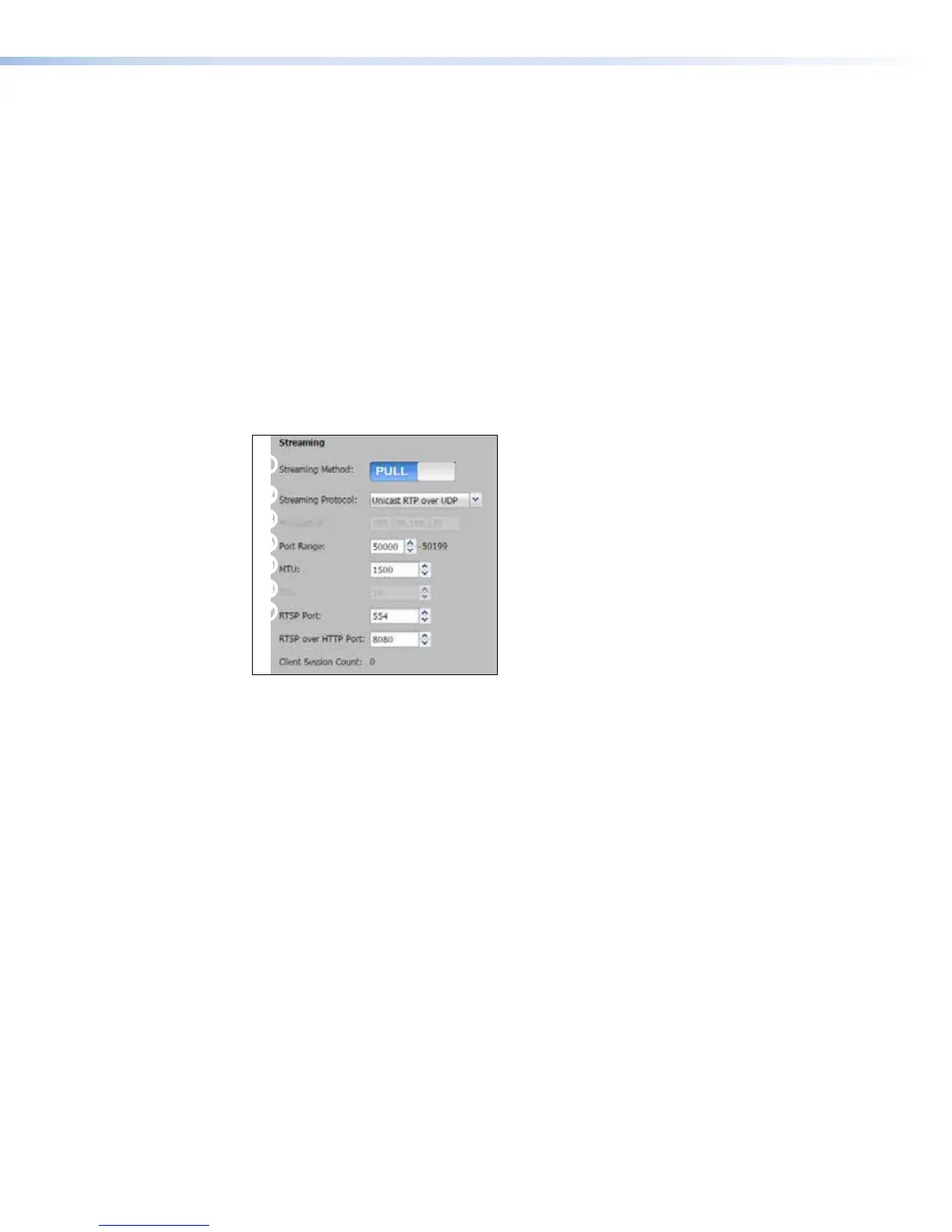
Figure 65. Streaming Method, Pull Streaming Configuration
1. Slide the Streaming Method: control to Pull.
2. Select the streaming protocol type (Unicast RTP over UDP or Multicast over
UDP) from the Streaming Protocol: drop-down list.
3. If you selected Multicast over UDP:
• Enter the IP address in the Multicast IP: field.
• Enter the time to live (TTL) in the TTL: field or use the Up and Down arrows to
change the value for that field.
4. Select the virtual port number for the stream by typing a number into the Port Range:
field or use the Up and Down arrows to change the value. The default port number is
6000.
5. Set the MTU (maximum transmission unit length), the maximum network packet size (in
bytes) that the protocol and network layer can pass onwards. Enter a number into the
MTU: field or use the Up and Down arrows to change the value.
The default is 1500 bytes.
6. Set the port numbers as needed in the following fields:
• RTSP • RTSP over HTTP • RTP
Enter a number in each field or use the Up and Down arrows to change the values. See
the streaming reference section (Streaming Method Overview) starting on page 192
for more information.
SMP351 • Web-Based User Interface 98



 To Next Page