Basic Scanning
147
Scan
4
Grayscale
Scans a document in grayscale. Adds shades to monochrome, creating intermediate
tones that change gradually. Suited to documents containing gradations that cannot be
reproduced with monochrome (2-color).
Black
Scans a document in monochrome 2 tone. You can select the document type in the
[Original Type].
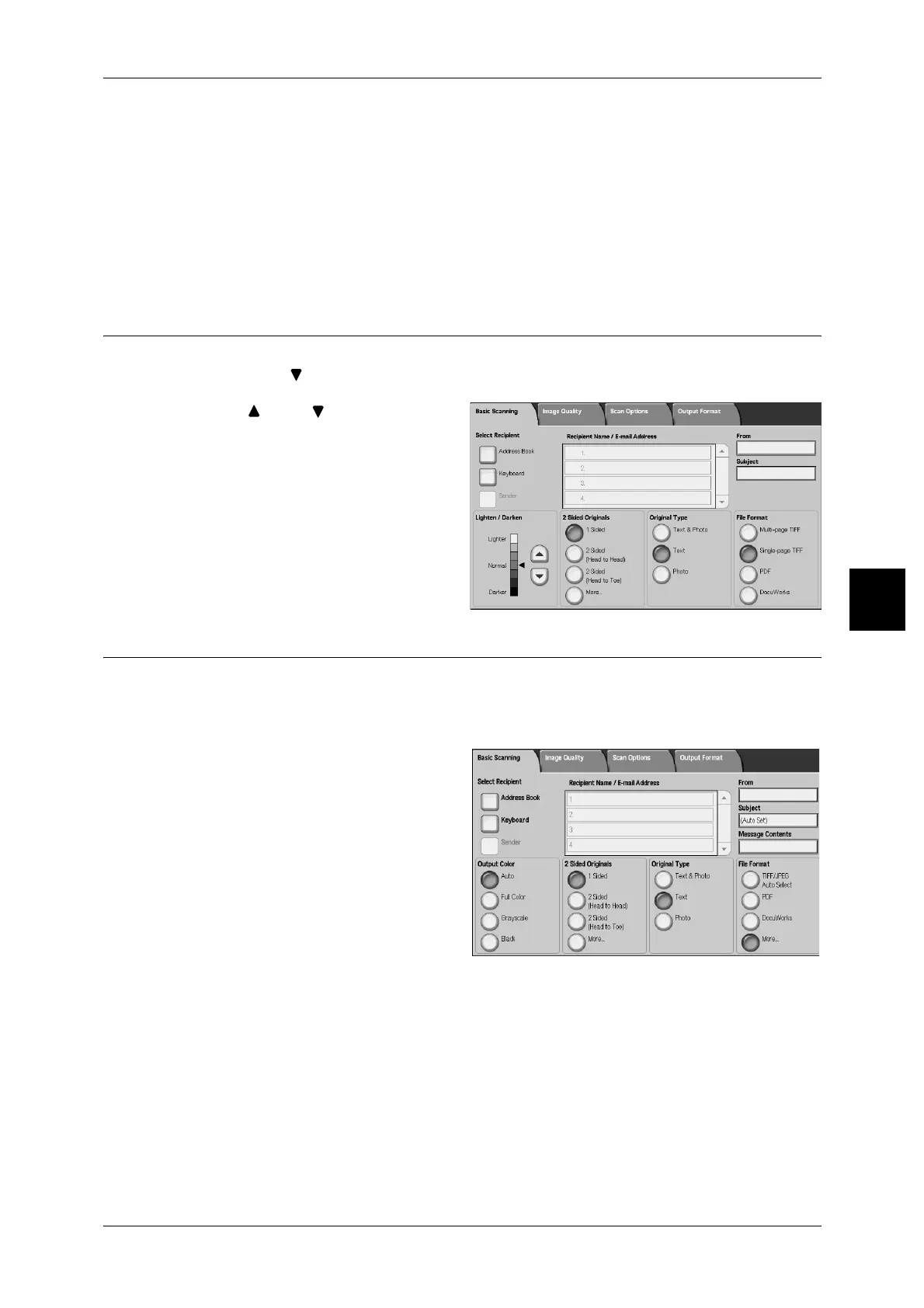
Lighten/Darken (adjusting the Scan Density)
You can adjust the scan density to one of seven levels. The scanning is darker when
you move [ ] to the left and lighter when you move it to the right.
1 Use [ ] and [ ] to adjust the
settings.
2 Sided Originals (Scans Both Sides of the Document)
You can automatically scan both sides of a 2 sided document.
By setting the binding style, front/back information can also be included in the scanned
data.
1 Select any item.
Note • The screen at right is from
DocuCentre 9000.
1 Sided
Select to scan only 1 side of the document.
2 Sided (Head to Head)
Selected when both sides of a 2 sided document are in the same position.
2 Sided (Head to Toe)
Selected when both sides of a 2 sided document are in opposite positions.



 To Next Page
 Loading...






