E-mail Settings
365
Setups
10
Response to Read Status (MDN)
When requesting read status (MDN) is received, set whether or not to respond.
Off
Do not respond.
On
Automatically notify to the sender that the e-mail has been opened when the e-mail is
treated.
Read Status (MDN)
When an e-mail is sent from the machine, select whether request the recipient to return
the read status.
Off
The read status (MDN) feature cannot be used.
On
All users are permitted to use the read status (MDN) feature.
Auto Print Delivery Confirmation Mail
Select whether to automatically print transmission result e-mails (DSN response/MDN
response).
Off
Transmission result e-mail are not printed.
On
Transmission result e-mail are automatically printed regardless of the result.
Print when delivery fails
Printing only when the transmission failed.
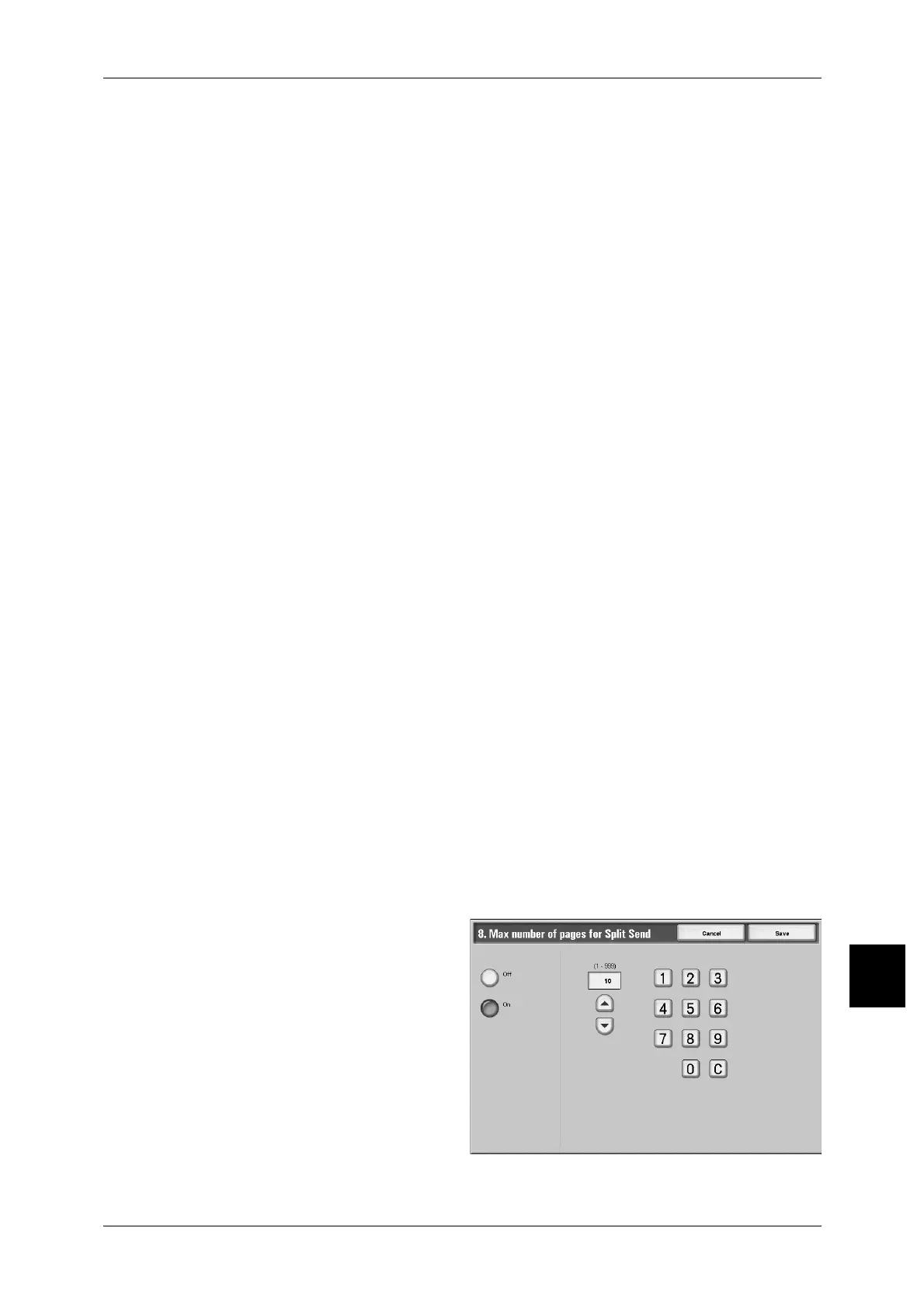
Page size for Split Send
Select whether to split the attachment data into pages for transmission.
When split for transmission, set the number of pages.
Important • It is only possible to split into multiple-page files when the output file format is specified as
PDF, DocuWorks or multiple - page TIFF.
1 Select [Max number of pages for
Split Send].
2 Select [Off] or [On].
3 When [On] is selected, set the
number of pages.
Off
The attachment data is not split for
transmission.
On
Set a value from 1 to 999pages, in 1page increments.



 To Next Page
 Loading...






