18-8 18. GE Fanuc
18.1.4 90 Series (Ethernet TCP/IP)
Communication Setting
Editor
Make the following settings on the editor. For more information, see “1.3.2 Ethernet Communication”.
IP address for the V9 unit
- When specified on the screen program:
[System Setting] [Hardware Setting] [Local Port IP Address]
- When specified on the V9 unit:
Local mode [LAN Setting]
Port number for the V9 unit (for communication with PLC)
[System Setting] [Hardware Setting] [PLC Properties] [Communication Setting]
IP address and port number (No. 18245) of the PLC
Register on the [PLC Table] in [System Setting] [Hardware Setting] [PLC Properties] [Target Settings].
PLC
Parameters
Calendar
This model is not equipped with the calendar function. Use the built-in clock of the V series.
Available Device Memory
The available setting range of device memory varies depending on the PLC model. Be sure to set within the range available for
the PLC to be used. Use [TYPE] when assigning indirect device memory for macro programs.
Indirect Device Memory Designation
For the device memory address number, specify the value obtained by subtracting “1” from the actual address.
Item Setting Remarks
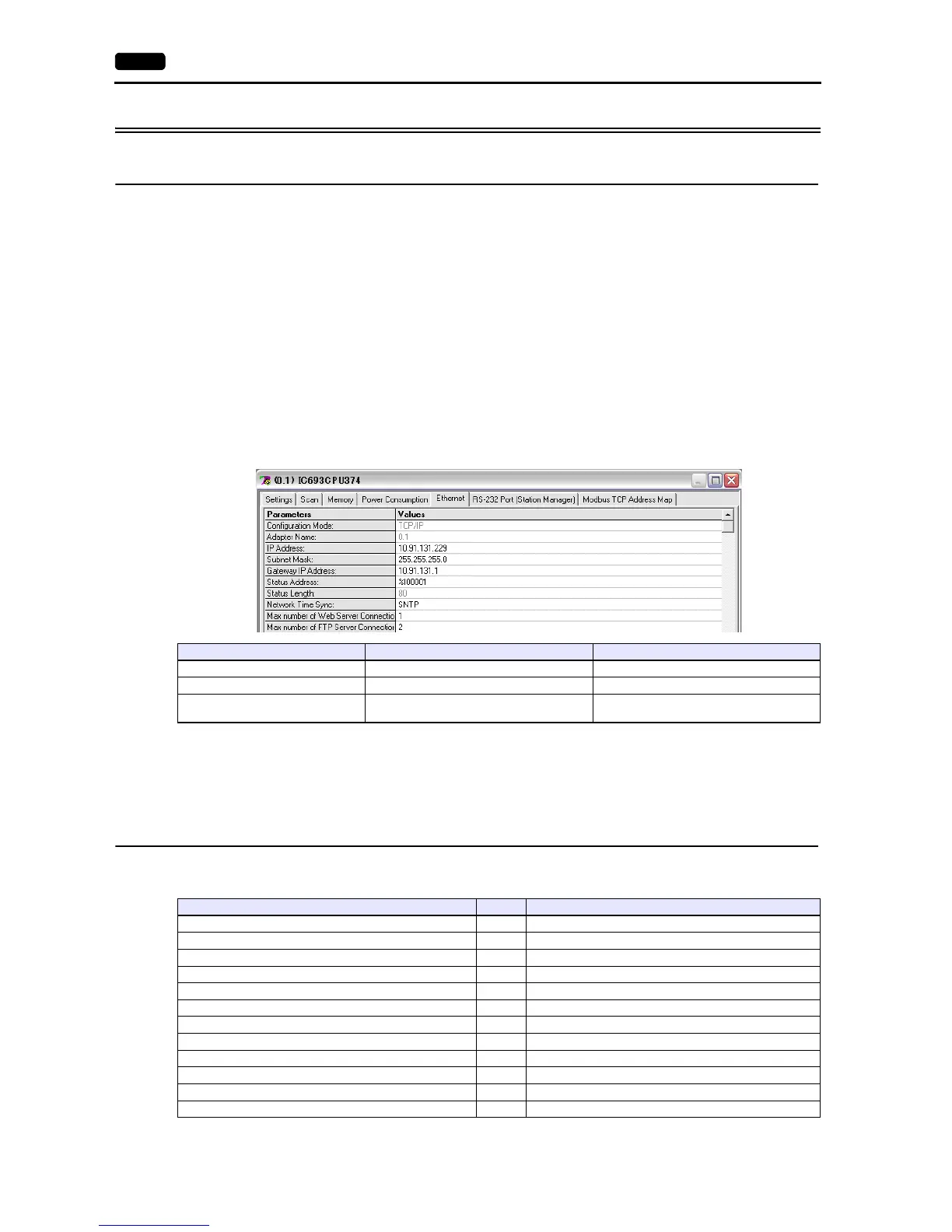
IP Address Set the IP address of the PLC.
Subnet Mask Set the subnet mask of the PLC.
Gateway IP Address
Make settings in accordance with the network
environment.
Device Memory TYPE Remarks
R(register) 00H
I(input) 01H
Q(output) 02H
M (internal relay) 03H
G(global relay) 04H
AI (analog input) 05H
AQ (analog output) 06H
T (temporary memory relay) 07H
S (system status) 08H Read only
SA (system status) 09H
SB (system status) 0AH
SC (system status) 0BH



 To Next Page