4-14 4. Azbil
4.2.9 DMC50 (COM)
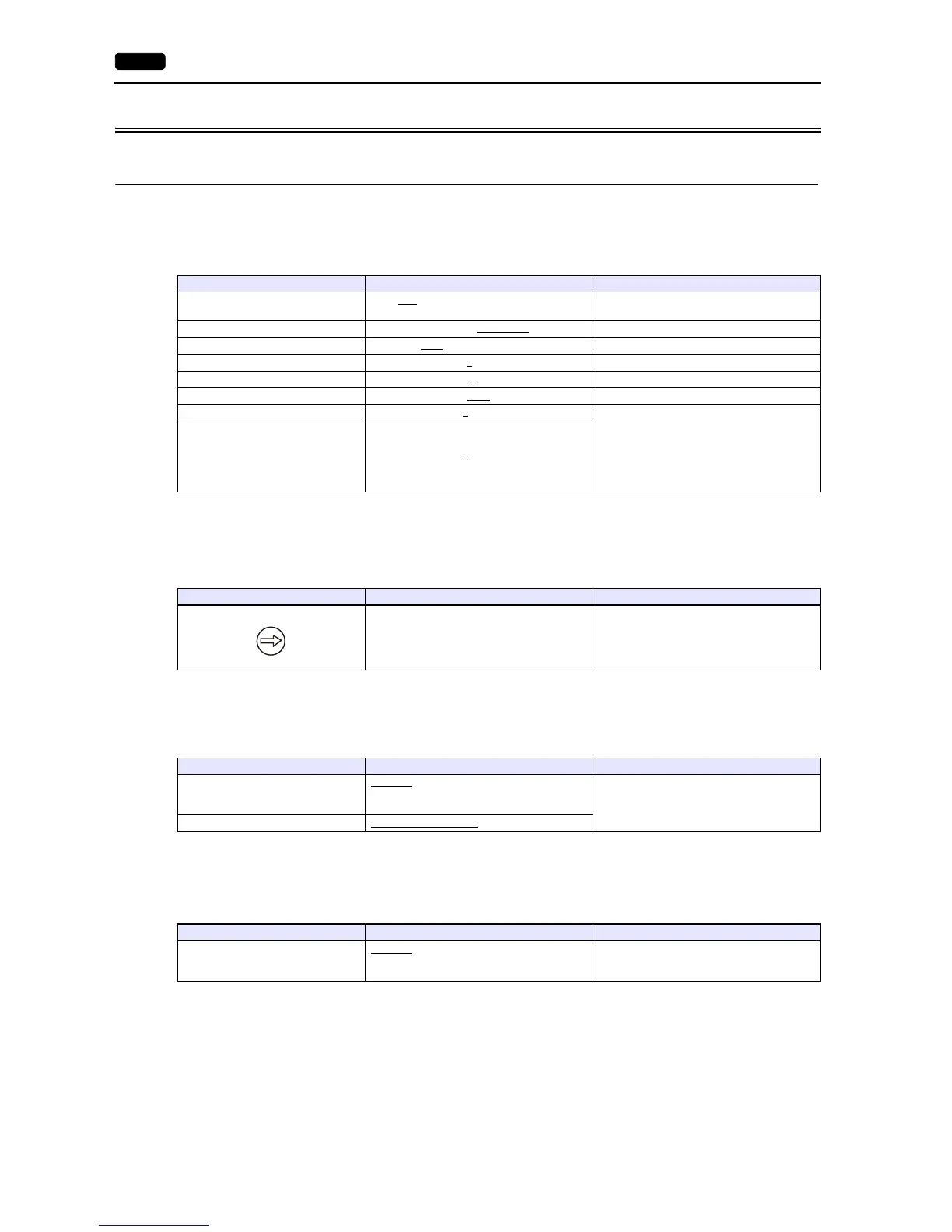
Communication Setting
Editor
Communication setting
(Underlined setting: default)
Controller
Rotary address for module address
COM module: RS-485 port 1
Make the following settings on the PC loader.
(Underlined setting: default)
CTRL module: Display communication port
Make the following settings on the PC loader.
(Underlined setting: default)
* The display communication port is a dedicated port for 1 : 1 communication.
Item Setting Remarks
Connection Mode
1:1 / 1:n
/ Multi-link2 / Multi-link2 (Ethernet) /
1:n Multi-link2 (Ethernet)
Signal Level RS-232C / RS-422/485
Baud Rate 9600 / 19200 / 38400 bps
Data Length 8
bits
Stop Bit 1
bit
Parity Even
Targe t Por t N o. 1 to 16 When connecting to the COM module:
Station number: COM module
Sub-station number: CTRL module
When connecting to the CTRL module:
Station number: CTRL module
Sub-station number: 0
Sub-station No. 0
to 16
MODULE ADDRESS Setting Remarks
1 to F Communication is disabled when “0” is set.
Setting Items Contents Remarks
Baud rate (port 1)
9600 bps
19200 bps
38400 bps
Protocol (port 1) 1: CPL communication
Setting Items Contents Remarks
Baud rate for display communication
port
9600 bps
19200 bps
38400 bps



 To Next Page