20-2 20. Hitachi Industrial Equipment Systems
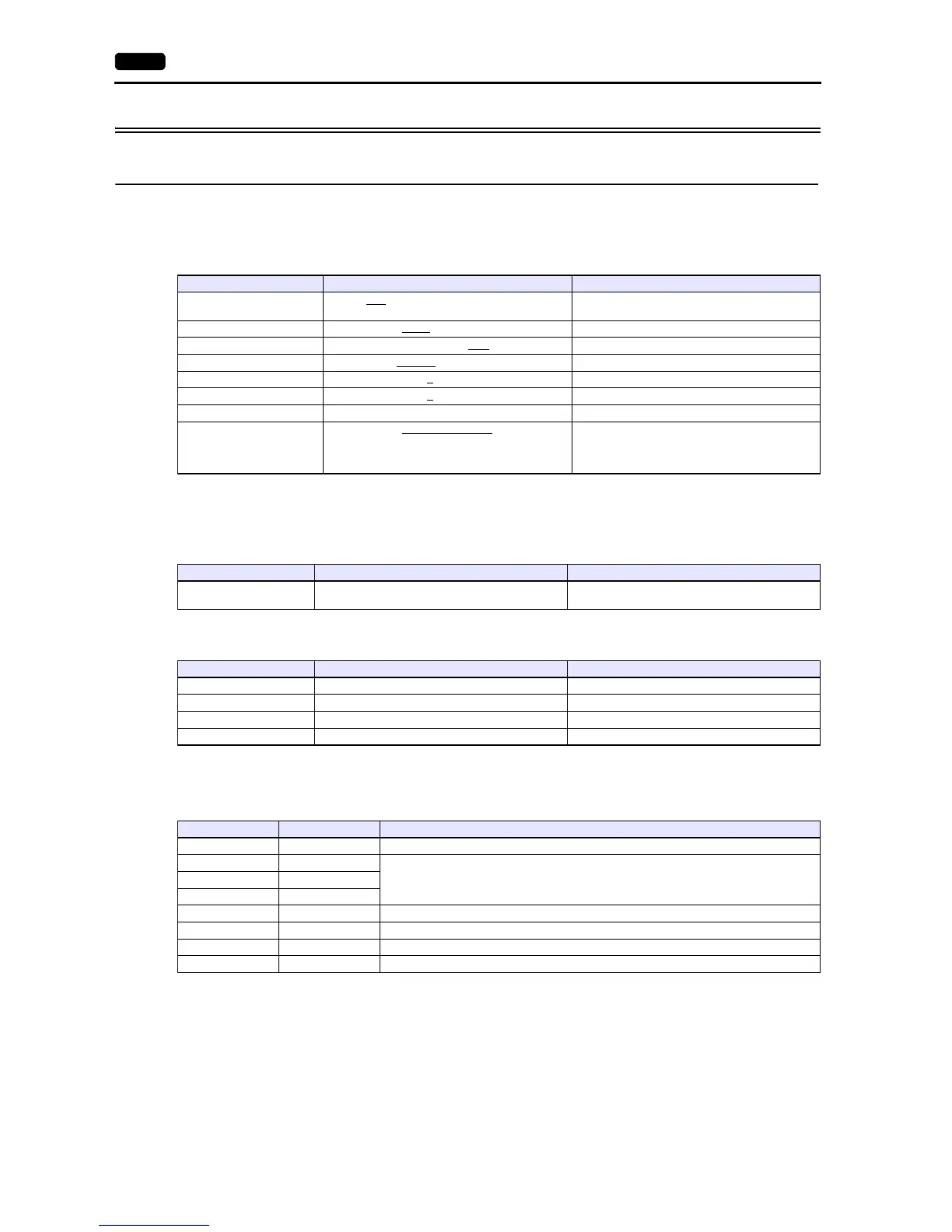
20.1.1 HIDIC-H
Communication Setting
Editor
Communication setting
(Underlined setting: default)
COMM-2H
ST No. switch
MODE switch
* When connecting to both RS-232C and RS-422, set MODE switch to 9.
DIP switch
Item Setting Remarks
Connection Mode
1:1 / 1:n
/ Multi-link2 / Multi-link2 (Ethernet) /
1:n Multi-link2 (Ethernet)
Baud Rate 4800 / 9600 / 19200
/ 38400 / 57600 / 115K bps
Parity None / Odd / Even
Signal Level RS-232C / RS-422/485
Data Length 7
/ 8 bits
Stop Bit 1
/ 2 bits
Target Port No. 0 to 31
Transmission Mode
Protocol 2 with port
Protocol 1 without port
Protocol 2 without port
Protocol 1 with port
Protocol 2 achieves higher communication speed,
compared to protocol 1.
ST No. Setting Remarks
10
1
, 10
0
0 to 31
If a value greater than 31 is set, the unit works as the
station No. 31.
MODE RS-232C RS-422
0 Transmission control protocol 1 with port -
2 Transmission control protocol 1 without port Transmission control protocol 1 with port
7 Transmission control protocol 2 with port -
9 Transmission control protocol 2 without port Transmission control protocol 2 with port
Switch Setting Contents
1 OFF Bit length 7
2OFF
19200 bps3ON
4ON
5ONWith parity
6ONEven
7OFFStop bit 1
8ONWith sum check



 To Next Page