MediaStore 5100 and 5000 series rear panel
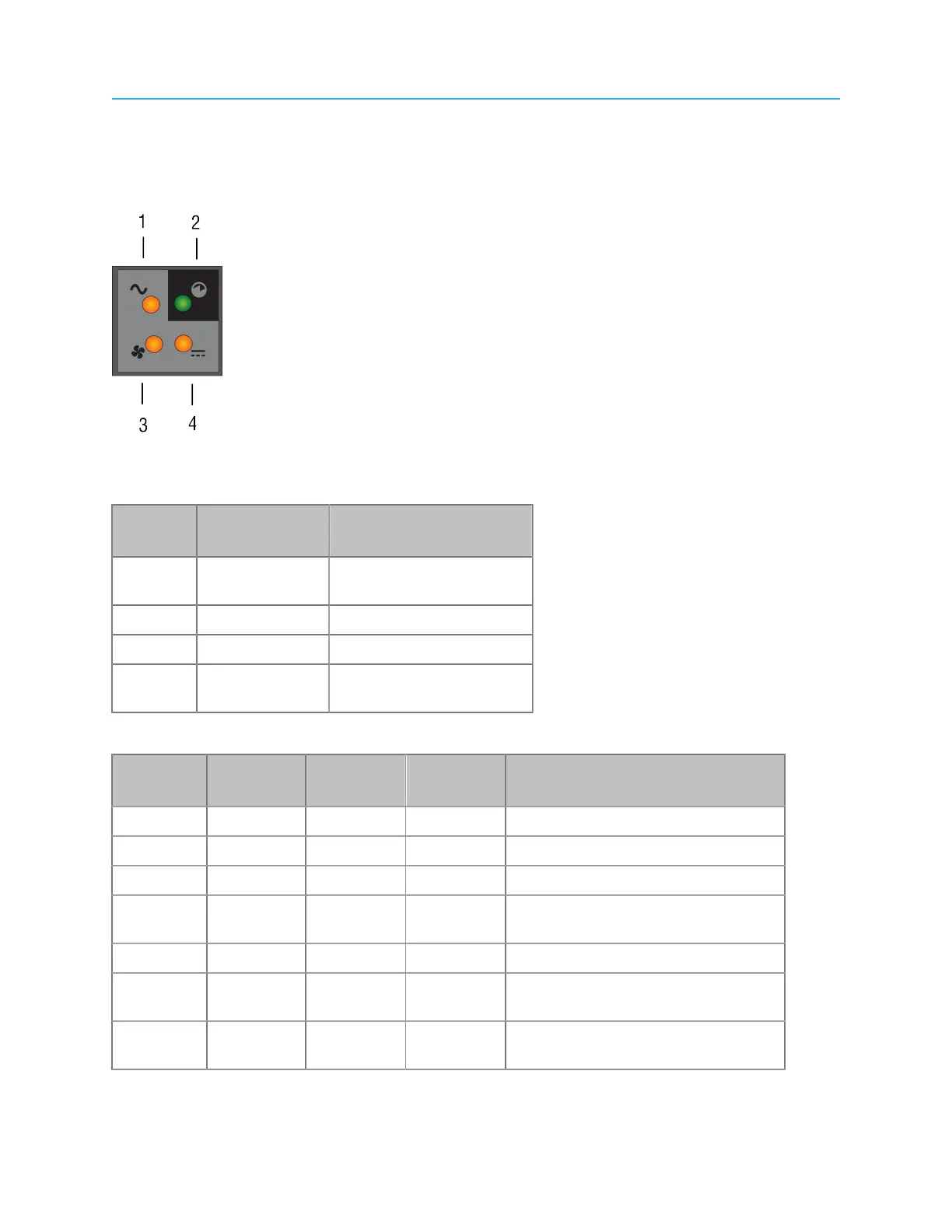
MediaStore 5100 and 5000 series: power cooling module status LEDs
Under normal conditions, the Power status LED is illuminated green and all other LEDs are off. If a
problem occurs, the relevant LED lights amber.
Figure 9-14: PCM status LEDs
Table 9-4: PCM symbols and definitions
Symbol Definition LED On (green or
amber)
1 AC Input
Status
Amber
2 Power Status Green
3 Fan Status Amber
4 DC Output
Power
Amber
Table 9-5: PCM LED states
PCM OK
(green)
Fan Fail
(amber)
AC Fail
(amber)
DC Fail
(amber)
Status
Off Off Off Off No AC on any PCM
Off Off On On No AC on this PCM only
On Off Off Off AC present; PCM working correctly
On Off Off On PCM fan is outside acceptable
limits
Off On Off Off Fan failure
Off On On On PCM fault (over temperature,
voltage, or current)
Off Blink Blink Blink PCM firmware download in
progress
205 Spectrum System 8.4 Installation Guide



 To Next Page