3.28 US (130519) 133/154
11 Troubleshooting
11.1 Indication of malfunctions
With HERMA 400 applicators the type of malfunction is indicated via the display (see section 11.2).
Also, the LEDs of the key pad will give an indication (see section 11.3 „Malfunction table (LED
indication)“).
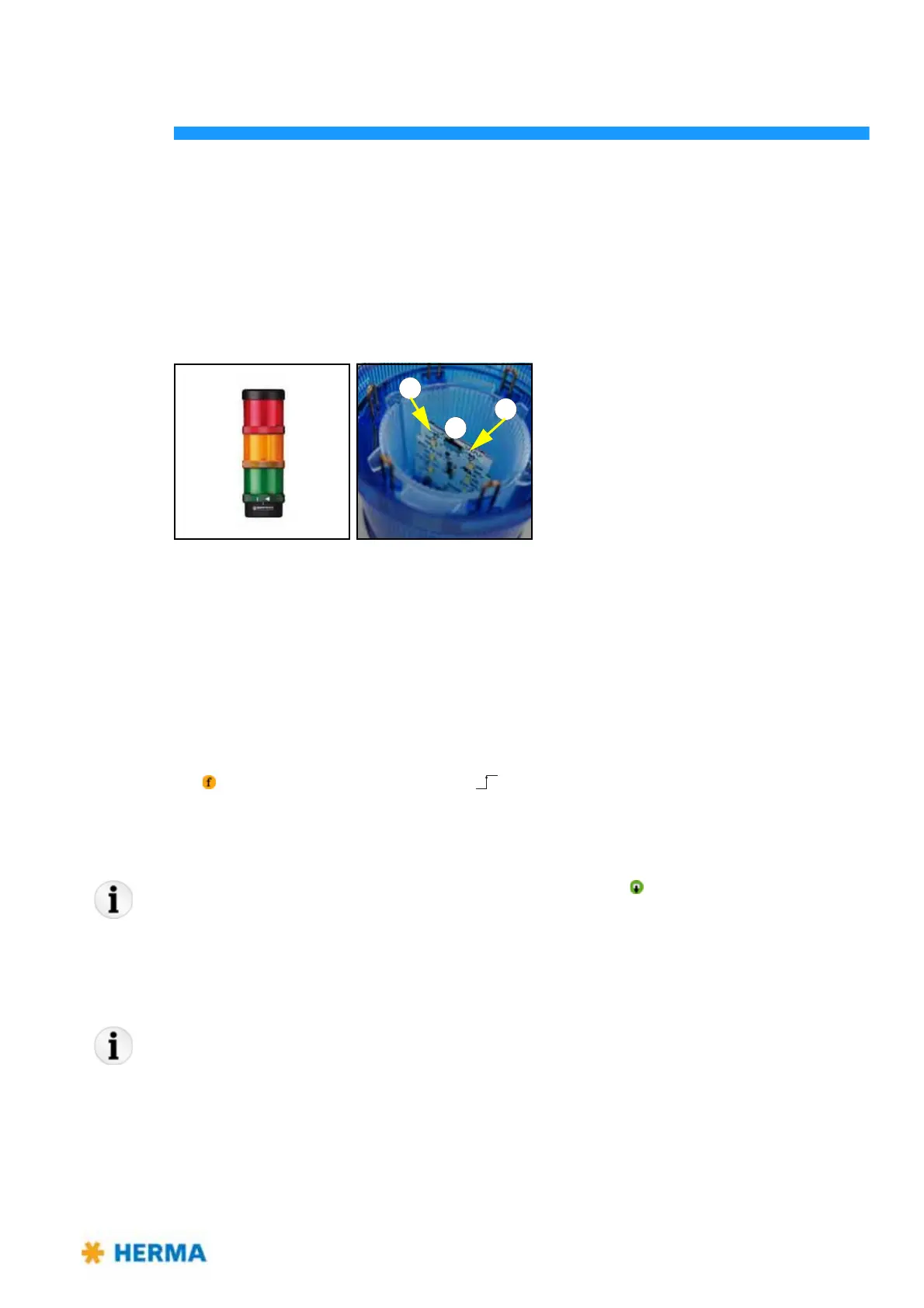
Furthermore there is the possibility to connect a signal coumn to X10. With the usual allocation red
stands for malfunction, yellow for warning, and green for production.
Note: The lamps can be switched over
between blinking (position a) and permanent light
(position b), or flash light and EVS flash. To do so actuate the little switch 1 at the LED
board. Switch positions are marked by symbols.
Acknowledging malfunctions
If the applicator is connected to a superordinate control malfunctions very often are acknowledged
centrally (e.g. at a touch display).
Directly at the applicator or via superordinate control malfunctions are acknowledged by pressing the
key or applying a signal (rising edge only ). See the following table (section 11.3, column
„Acknowledge“).
Note: Always dispense at least two labels (pressing the key
) after occurrence of a
malfunction in order to ensure a correct label‘s position at the dispensing beak. If there
are optional print or control sy
stems present and active, as many labels must be
dispensed as there are between dispensing beak and the remotest unit.
Note: The elements of the SlimLine winder system (motorized unwinder, loop unwinder and
rewinder) have their own error codes, indicated via their illuminated push-button and
ex
plained in the corresponding sections. See also the error messages as of SM800.



 To Next Page