4
Applicator description Operating instructions HERMA 400
50/154 3.28 US (130519)
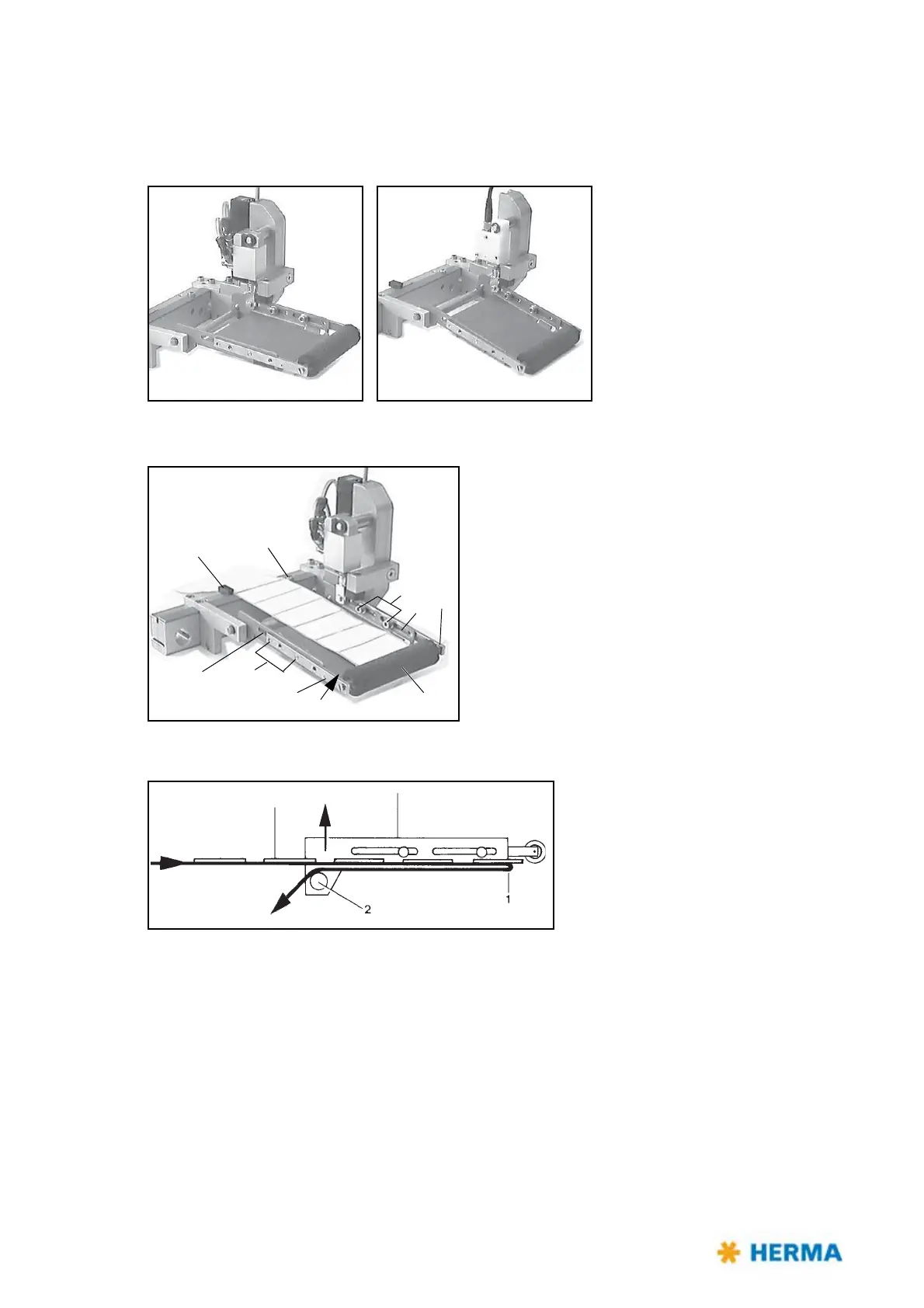
Pivot beak / Application unit
Pivot beak Application unit
Adjusting the pivot beak / the application unit
> Adjust paper guide 1 such that the label web sits
close to screw head 2 and paper guide 1.
> The distance between application roller 3 and
dispensing plate 4 must be smaller than the length
of one label. Adjust by loosening the four screws 5
and moving arms 6 in the elongated hole 7.
Cleaning
> Remove the guide roller 2 plus axle in the direction of the arrow and clean.



 To Next Page