4
Operating instructions HERMA 400 A
PPLICATOR DESCRIPTION
3.28 US (130519) 49/154
Dispensing plate, 15° angular
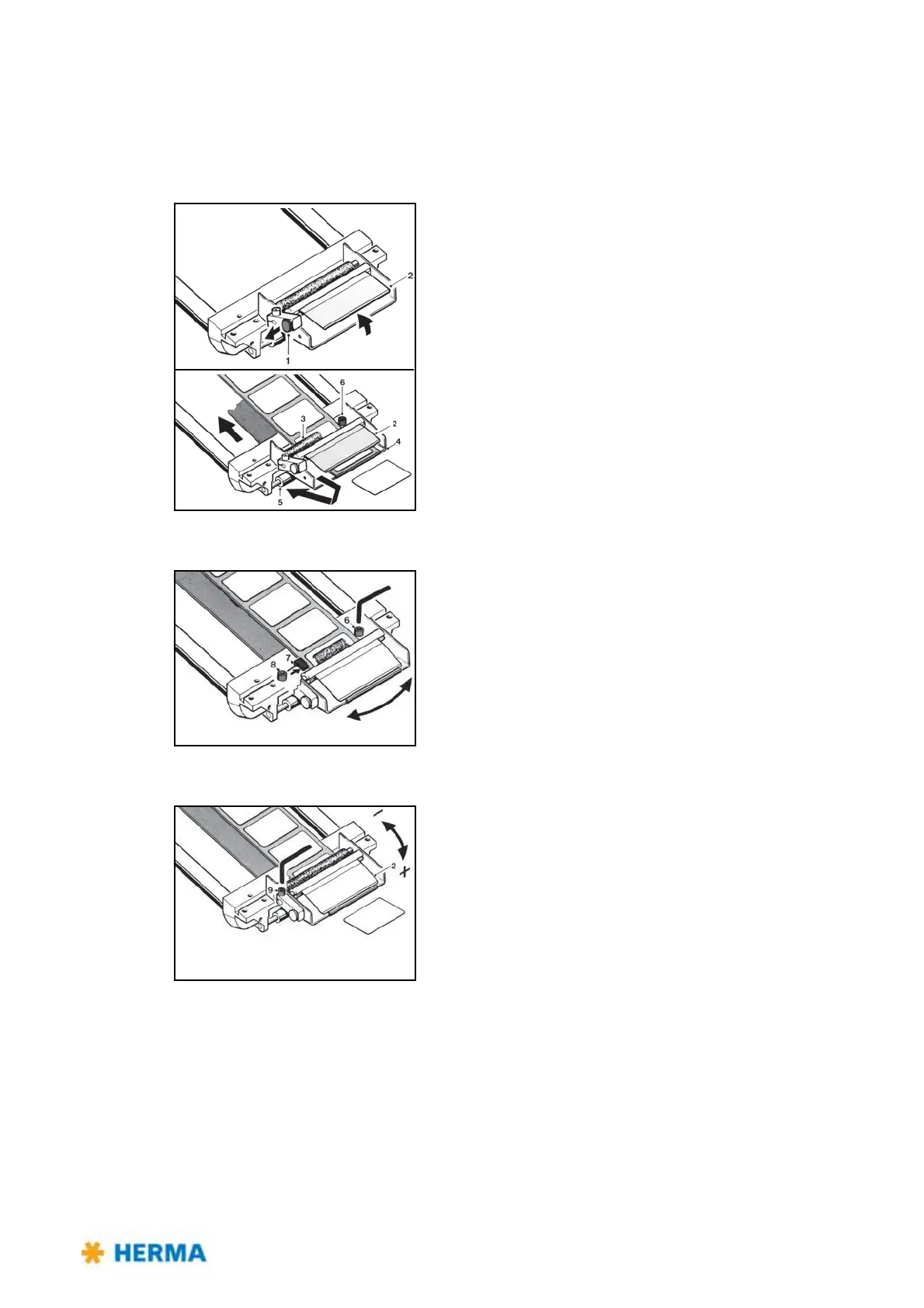
Inserting the label web
> Pull snaplock 1. Fold up holding-down plate 2.
> Pass label web below guide roller 3
and holding-down plate 2.
Run backing paper back around the dispensing plate 4 and
guide roller 5.
> Make sure the label web is in contact with screw head 6.
Adjusting the dispensing plate
> Move paper guide 7 against the label web.
> Correct label web tracking, if any, by loosening screws 6 and 8
an
d adjusting the dispensing plate as desired.
Adjusting the hold-down pressure
> Loosen screw 9.
> Turn holding-down plate 2 down (+) or up
(–) until label web
passes below the braking plate smoothly but with perceptible
resistance.
> Tighten screw 9.



 To Next Page