4
Operating instructions
HERMA 400 APPLICATOR DESCRIPTION
3.28 US (130519) 39/154
4.1.4 Label web brake
Rotating part. Do not reach into the area where the feed roller draws in the
web when machine is on! There is the risk of being caught or getting
entangled.
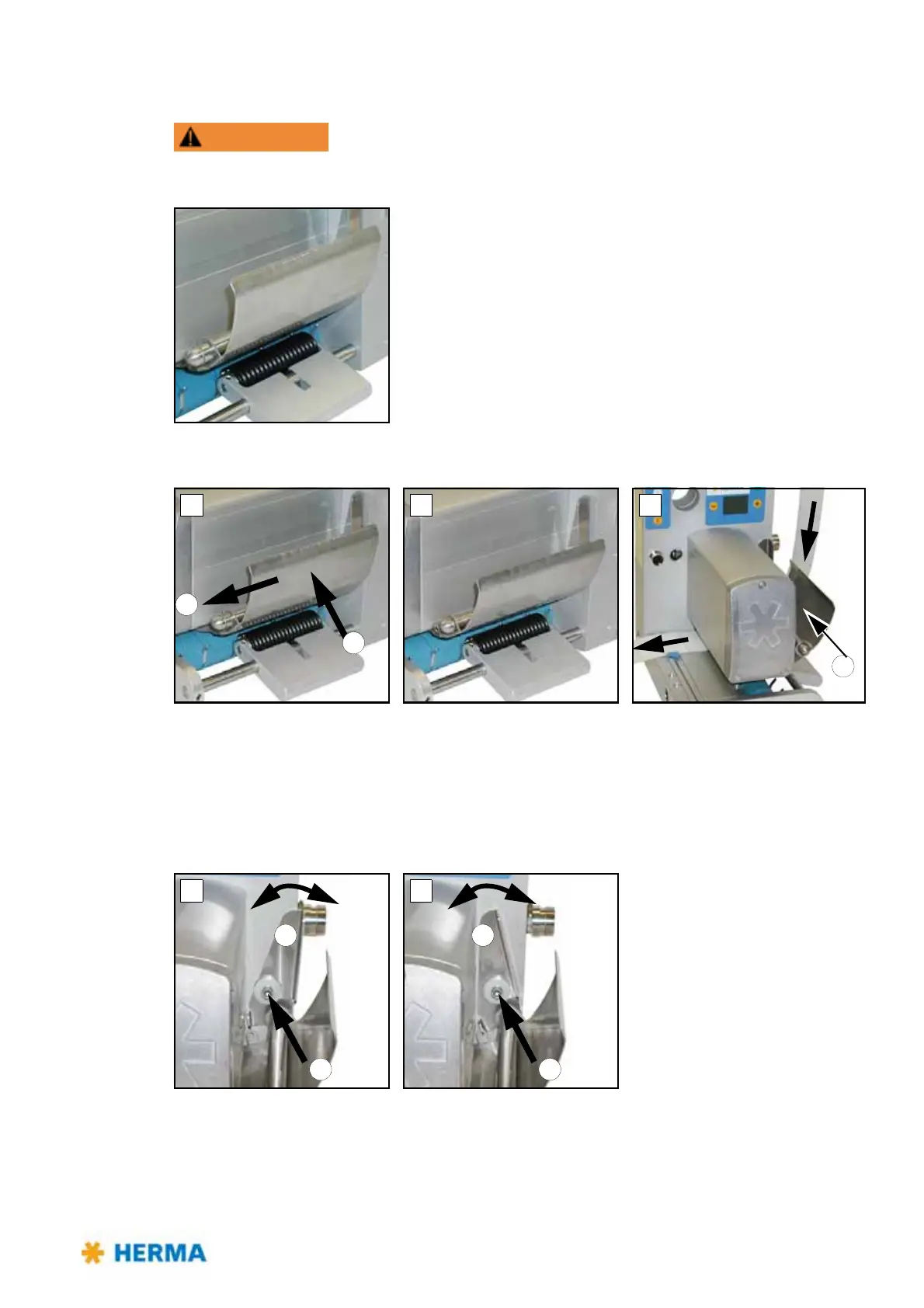
Inserting the label web
> A: Push brake plate towards direction a to disengage it and at the same time towards direction b to
loosen it (B).
> C: Pass label web below brake plate.
Push brake plate towards direction c and depress until brake plate engages.
Adjusting the braking pressure
Braking pressure was factory set.
Adjust if required as follows:



 To Next Page