4
Operating instructions HERMA 400 A
PPLICATOR DESCRIPTION
3.28 US (130519) 57/154
4.1.9 Drive/Transport roller
Rotating part. Do not reach into the area where the feed roller draws in the
web when machine is on! There is the risk of being caught or getting
entangled.
Inserting the backing paper
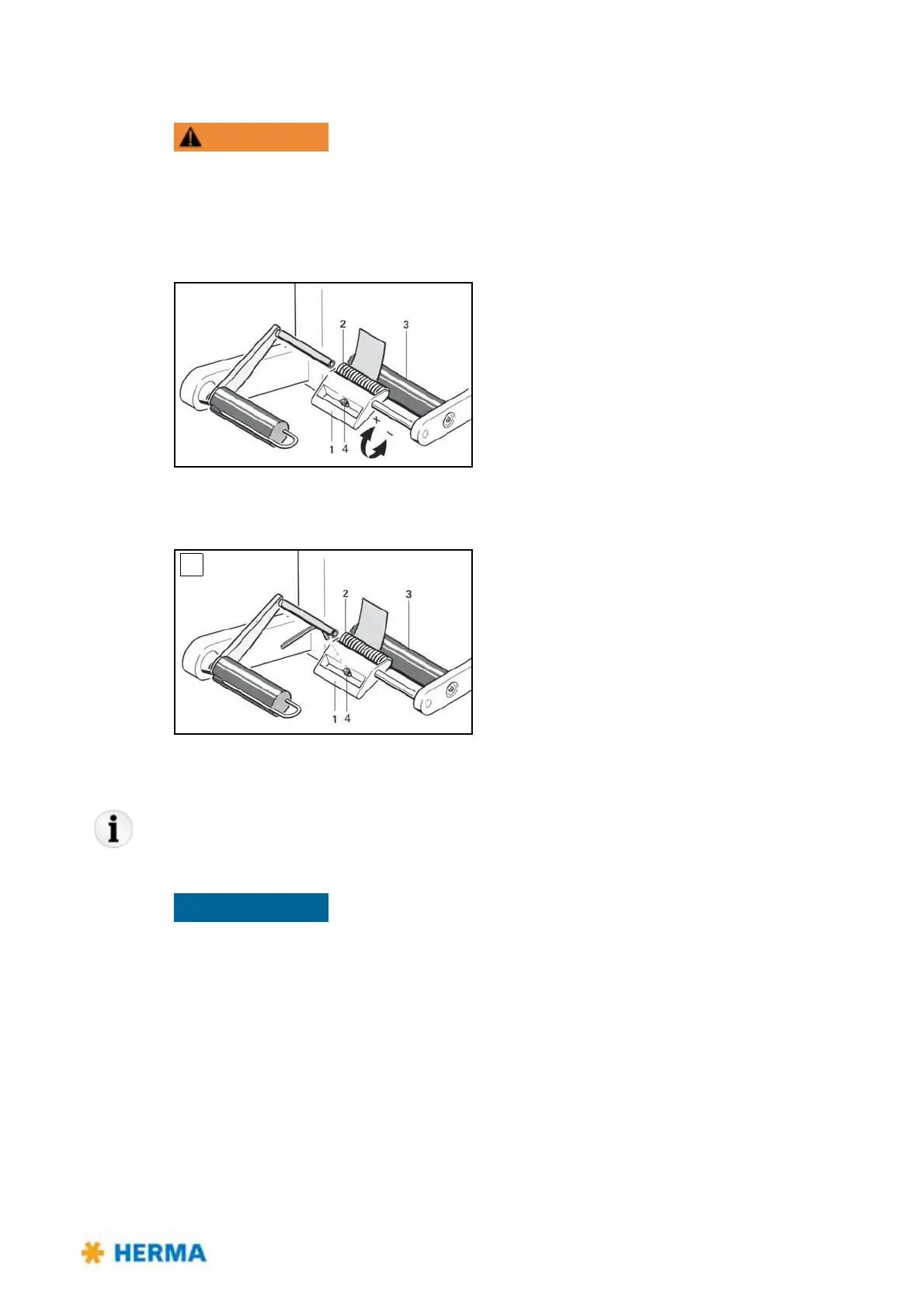
> Push the lever with the handle 1 in the direction of the
arrow (+).
> Overcome the resistance felt until pressure roller 2 is
free.
> Pass the backing paper between the feed roller 3 an
d
pressure roller 2 and place against the wall of the
housing.
> Swing lever in arrow direction (-) as far as possible;
you
will hear the pressure roller engage..
Adjusting the contact pressure
> Adjust contact pressure such that the backing paper
is firmly held between feed roller 3 and pressure
roller 2.
> To do this loosen screw 4 in
the stop 1, adjust the
contact pressure and firmly tighten the screw again.
> With wide backing paper slide pressure roller 2 on the
axl
e to the center of the web.
The contact pressure is determined by the position of the stop 1.
If pressure roller 2 only slightly runs
past the dead center of the feed roller 3 this results in a high contact pressure; if the distance of
movement is longer, contact pressure is lower.
Open the clamping lever at the transport roller of the applicator if it is not used
for several days to prevent the roller from getting sticky.
Cleaning
> A: Loosen screw in stop 4. Feed unit becomes disengaged.
Clean pressure roller 2 and feed roller 3.
After reassembling readjust the contact pressure.



 To Next Page