4
Applicator description Operating instructions HERMA 400
58/154 3.28 US (130519)
4.1.10 Standard rewinder
Rotating part. Do not reach into the area of this unit when the applicator is
on. There is the risk of being caught or getting entangled.
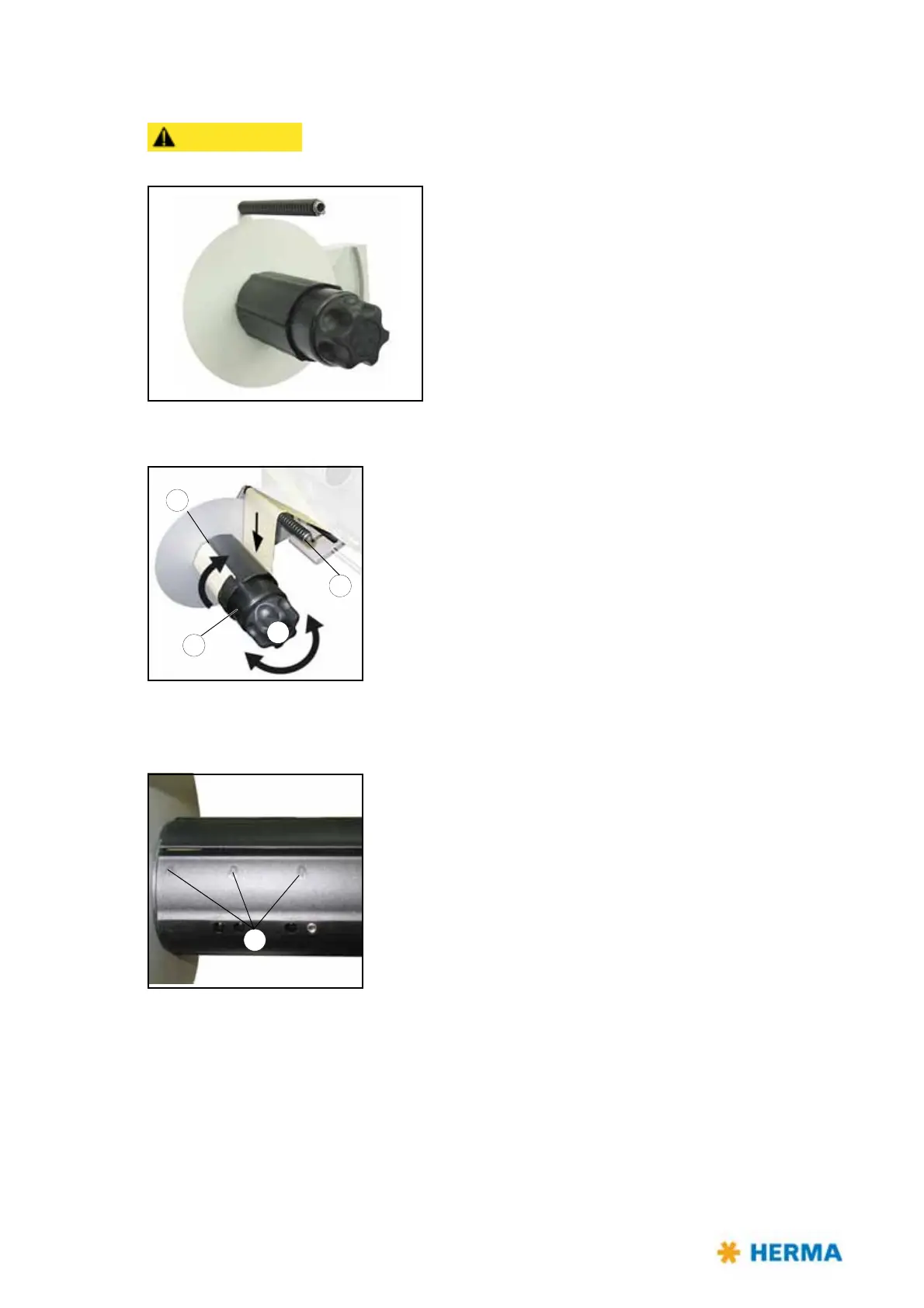
Inserting the backing paper
> Turn handle 1 completely to the left (maximum of five steps) to
unclamp the unit.
> Run backing paper around bar 2.
> Run backing paper around the take-up roll an
d insert into slit 3.
The backing paper should be inserted on a length of
approx. 3“ / 8 cm at least.
Correct direction is indicated with arrows 4.
> Turn handle 1
completely to the right (maximum of five steps) to
make sure the backing paper is clamped with the highest possible
force. This is required to ensure easy removal of the wound-up
backing paper.
> Tighten the web by turning take-up roll 5.



 To Next Page