4
Operating instructions HERMA 400 A
PPLICATOR DESCRIPTION
3.28 US (130519) 55/154
I You can mount the pressure indicator in two different positions to ensure best readability. Fix the
unit in position c or d.
Changing the suction plate
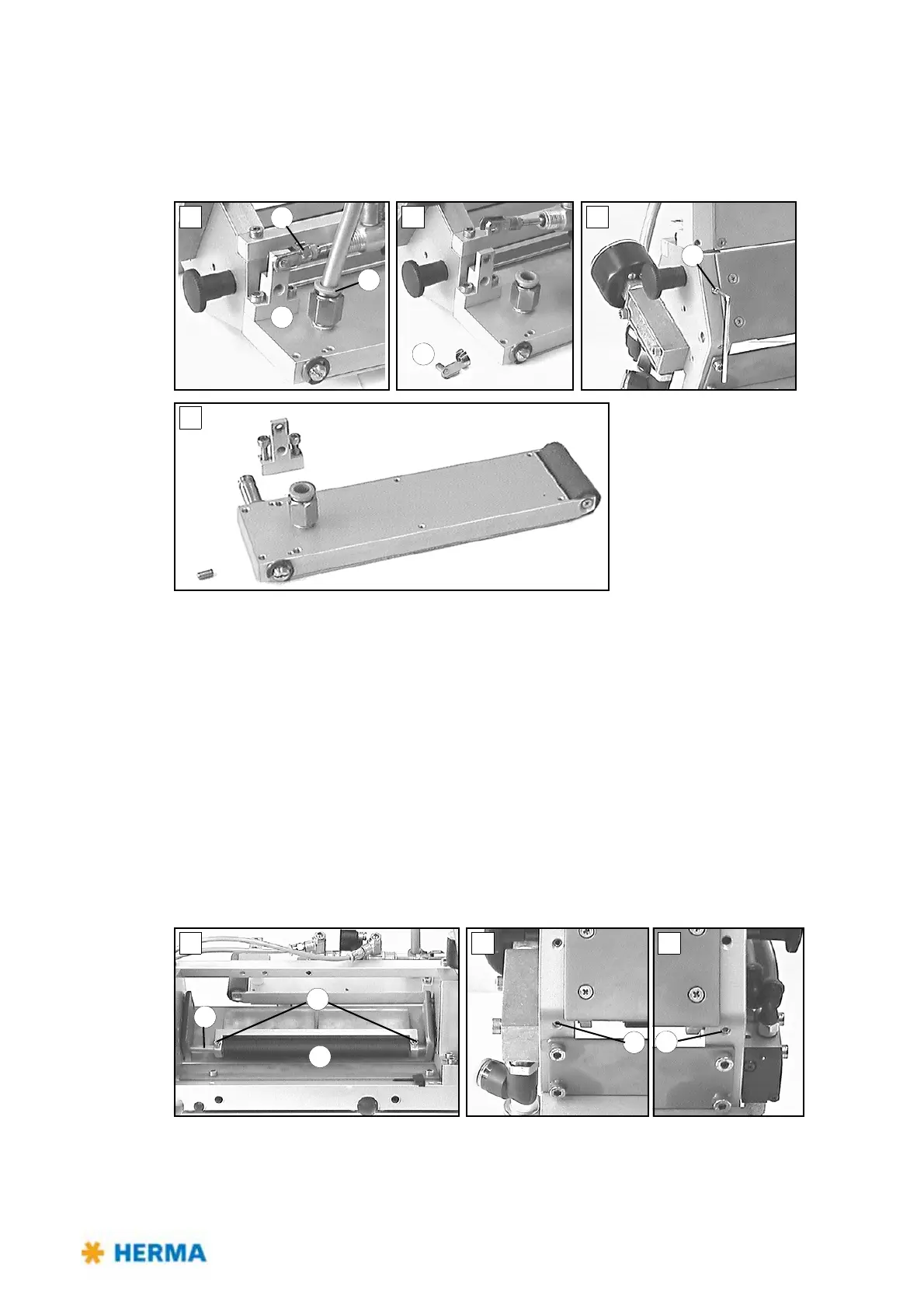
J – K
> Remove pneumatic hose from the suction plate. Fo
r this purpose press the blue collar 15 when
pulling.
> Remove bolt 13
to loosen the cylinder from holder 14.
> Loosen screw 16 at
the bottom.
> Remove the suction plate.
L
> Remove holder 14 from the suction plate.
Mount h
older 14 onto the new suction plate and mount the plate in reverse order. Position the new
suction plate as described above.
Cleaning
M – N
> Clean roller 17
if required. For disassembling loosen screws 18 of the braking plate holder and
screws 19 on the bottom to take out axle 20.



 To Next Page