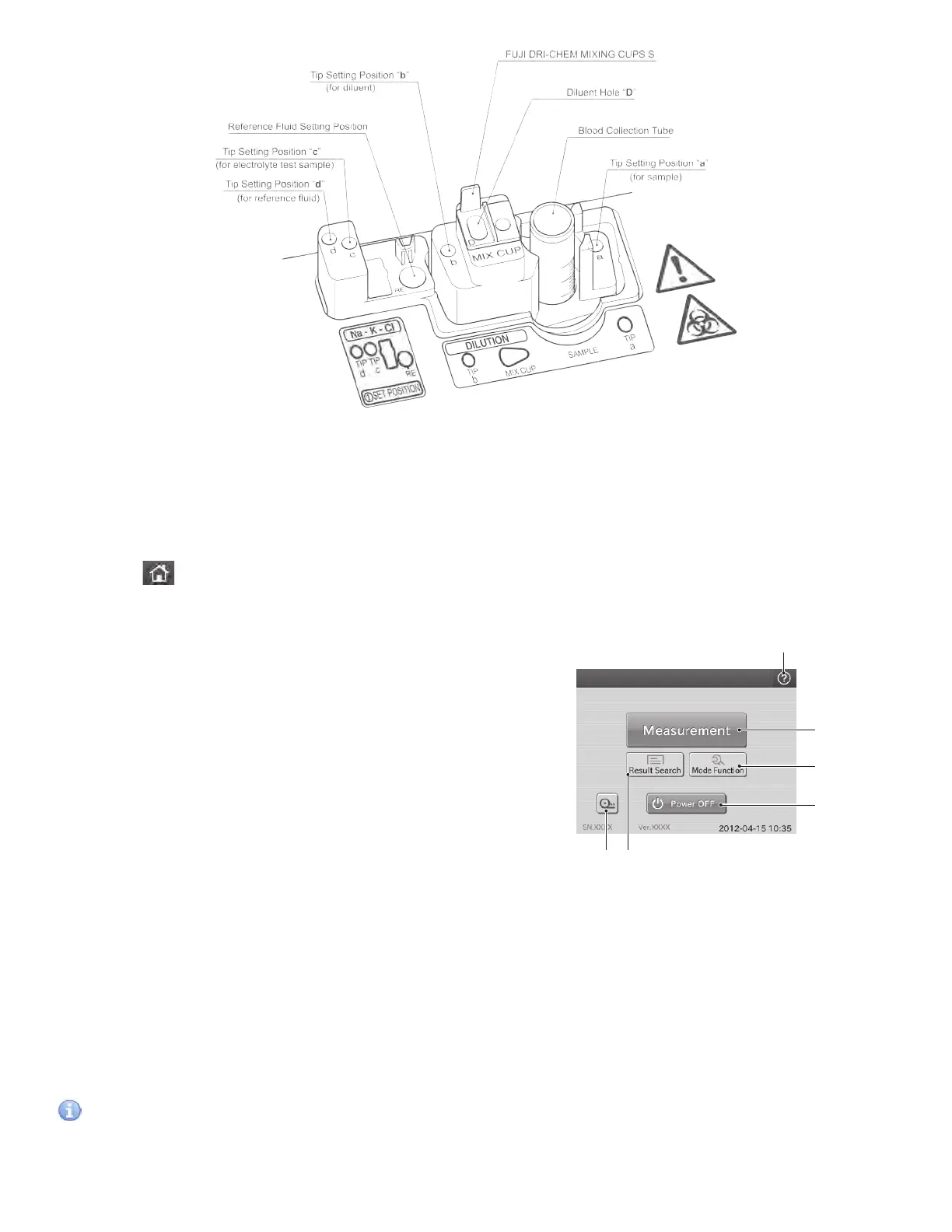
5. Result Search button
The Result Search button is used for displaying the result search dialogue. (Refer to Section 2.2.4)
6. Feed button
The feed button is used for advancing recording paper in the printer. Paper advances each time the button is pressed.
IMPORTANT
The test preparation dialogue displayed after rebooting the analyzer is the same one before the reboot (either the
basic or advanced dialogue).
2.2 Names and Functions of Touch Panel Display
Setting, measuring operation, and confirming test results and messages of the analyzer are performed with the touch
panel display. The analyzer employs a pressure-sensitive panel, and this makes it possible for users to operate wearing
gloves.
Element DC
①
②
③
④
⑥ ⑤
2.2.1 TOP Dialogue
By touching at the upper left of each dialogue, the TOP
dialogue is displayed.
1. Help button
The Help button is used for displaying the help dialogue.
(Refer to Section 2.2.5)
2. Measurement button
The Measurement button is used for displaying the test
preparation dialogue for a new test.
3. Mode Function button
The Mode Function button is used for displaying the
MODE FUNCTION menu dialogue. (Refer to Section 2.2.3
and Section 6.)
4. Power OFF button
The Power OFF button is used for turning off the power of
the analyzer. (Refer to Section 3.7.5)
12



 To Next Page