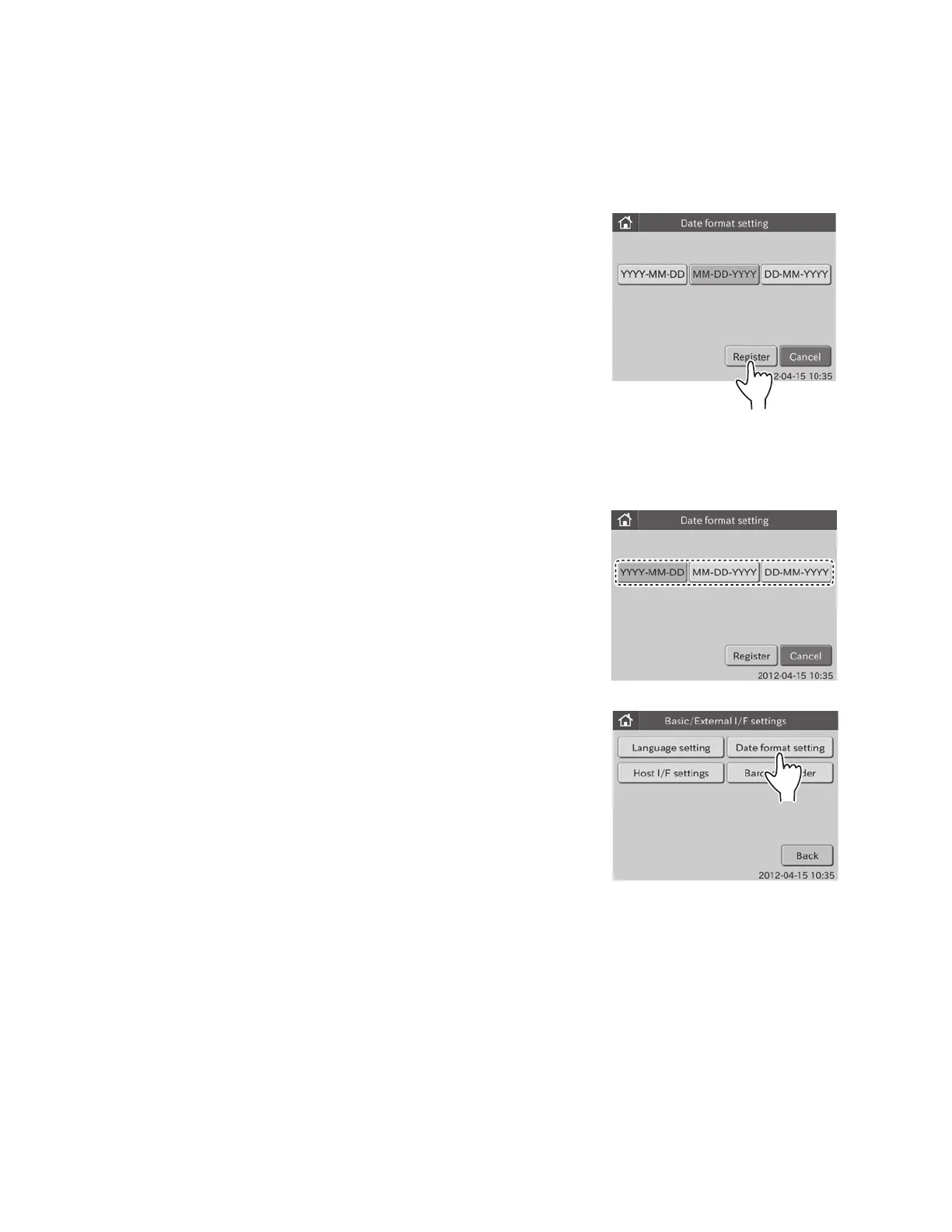
2. Touch DATE FORMAT SET TING in the menu dialogue.
The date format setting dialogue is displayed.
NOTE: The following 3 formats are selectable.
[YYYY–MM–DD]
(e.g., 2012–08–31)
NOTE: In order for results to transmit to PMS, date format must
be set to [YYYY–MM–DD].
[MM-DD-YYYY]
(e.g., 08–31–2012)
[DD-MM-YYYY]
(e.g., 31–08–2012)
3. Touch DESIRED DATE FORMAT.
4. Touch REGISTER.
The selected date format is registered, and then the display
returns to the BASIC/EXTERNAL I/F SETTING menu dialogue.
NOTE: The registered date format is reflected after rebooting the
equipment.
6.8.2 Date Format Setting
This mode is used to set the order of the date (year, month and day).
1. Touch BASIC/EXTERNAL I/F SETTINGS in the ADMINISTRATOR MODE FUNCTION menu dialogue.
The BASIC/EXTERNAL I/F SETTING menu dialogue is displayed.
NOTE: For information about how to display the ADMINISTRATOR MODE FUNCTION menu dialogue, refer to Section 6.1.2.
87



 To Next Page