2. Obtaining serum samples
a. Collect whole blood samples not processed with
anticoagulant into standard glass clinical plain tubes.
Allow sample to clot at room temperature for at least
20 minutes (40 minutes for horses).
b.
Centrifuge the sample using a commercially available
centrifuge.
c. Transfer the separated serum into a 0.5 ml non-
heparinized tube (red cap) and place in the instrument
for analysis.
1.5
1.0
0.5
0.5
0.3
0.1
電源OFF
測定する
キャリブレーション
測定できます
モード機能
測定履歴
QC card has been read.
Ca -PS
Lot. 150813
OK
i
3. Using QC cards
Read QC cards when a new test slide type will be used or
when changing to a new lot of slides.
a. Make sure [Ready to test] or [Warming up] is displayed.
b. Insert a QC card into the card reader on the right-hand
side of the Element DC, and pull it towards you slightly.
c. The test name and lot number are indicated on the
display and the printer.
d. This completes the input procedure.
NOTE: When [QC ERR] is displayed, read the QC card once again.
NOTE: If multiple QC cards are inserted into the card reader, the
information on the last QC card inserted is displayed.
4. Using DI cards
When you receive DI cards from the manufacturer due to
a change of the slide’s manufacturing process, read the DI
cards according to the instruction. Reading method is the
same as for the QC card.
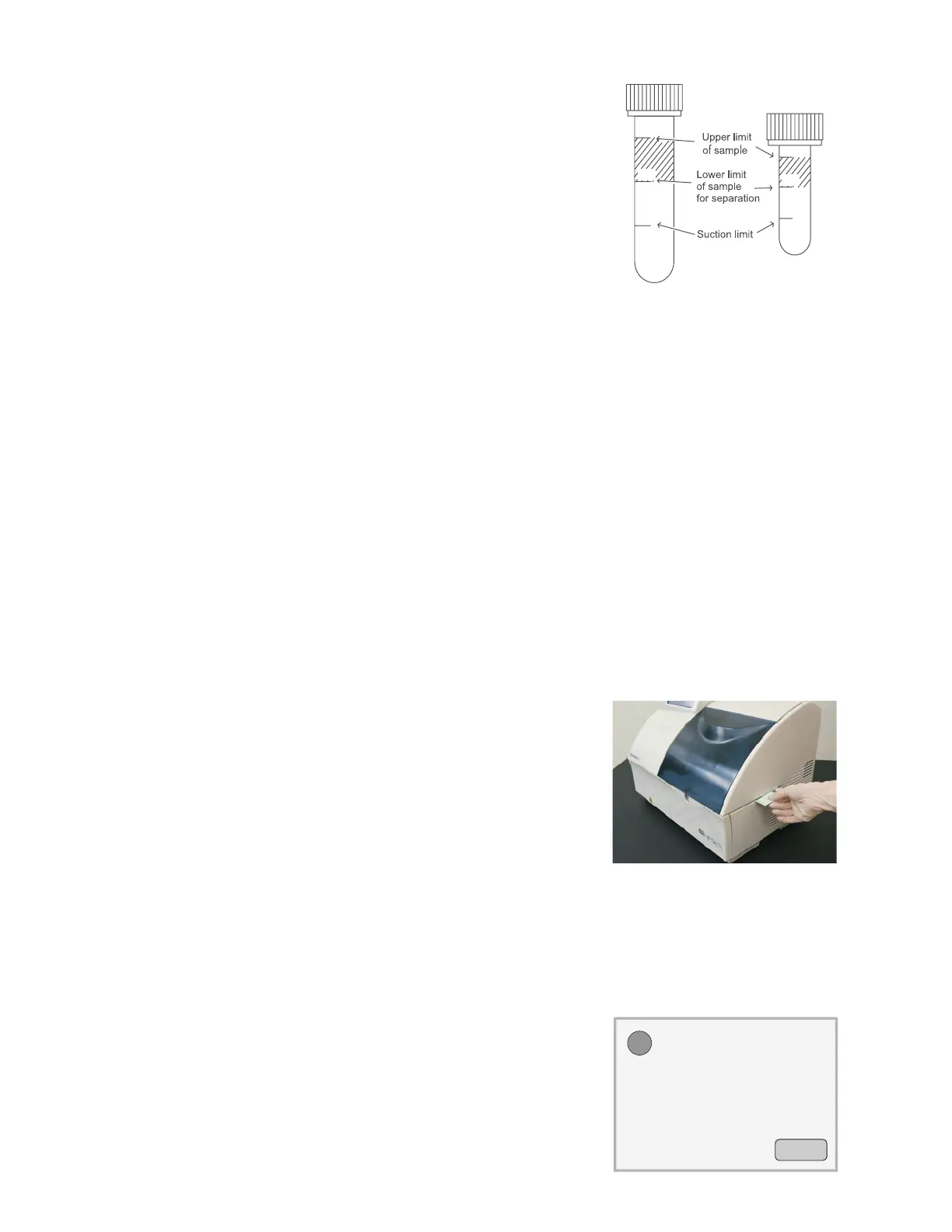
NOTE: The top surface of the sample fluid must be within the shaded section of the tubes as shown in the top-right figure.
If the serum in the tube is below the suction limit mark, the analyzer will indicate an insufficient sample volume error.
3.7.8 QC Card System
1. Overview
The QC card system compensates for variations between production lots of DRI-CHEM SLIDES and ensures uniform
performance.
2. Inputting lot compensation coefficients using the QC card
The lot compensation coefficients are magnetically recorded on QC cards, and one QC card is packed with
each box of slides. When data is input from a new card, the previously stored lot compensation coefficients are
updated. In addition to the lot compensation coefficients, each QC card also has slide data essential for performing
measurements. Therefore, read in the new QC cards when you switch to a new box of slides.
NOTE: The analyzer can memorize a maximum of 2 lots of slide information for each individual slide and each panel type.
When more than 2 lots of QC information are read, the oldest QC information will be deleted.
NOTE: A QC card is not supplied for ISE (Na, K, Cl) slides.
32



 To Next Page