Troubleshooting
WARNING
When performing troubleshooting, always follow biohazard procedures (e.g., wearing gloves, lab coat, and safety
goggles).
If any part of the body comes in contact with contaminated parts, immediately rinse the contaminated body part
thoroughly under running water and then use ethyl alcohol as a disinfectant. Seek medical assistance if necessary.
5.1 Error Indications
If analyzer errors are displayed or printed before/during test processing, or warning indications are printed out along
with test results, the test results may NOT be accurate. Refer to the related troubleshooting pages and rerun the test.
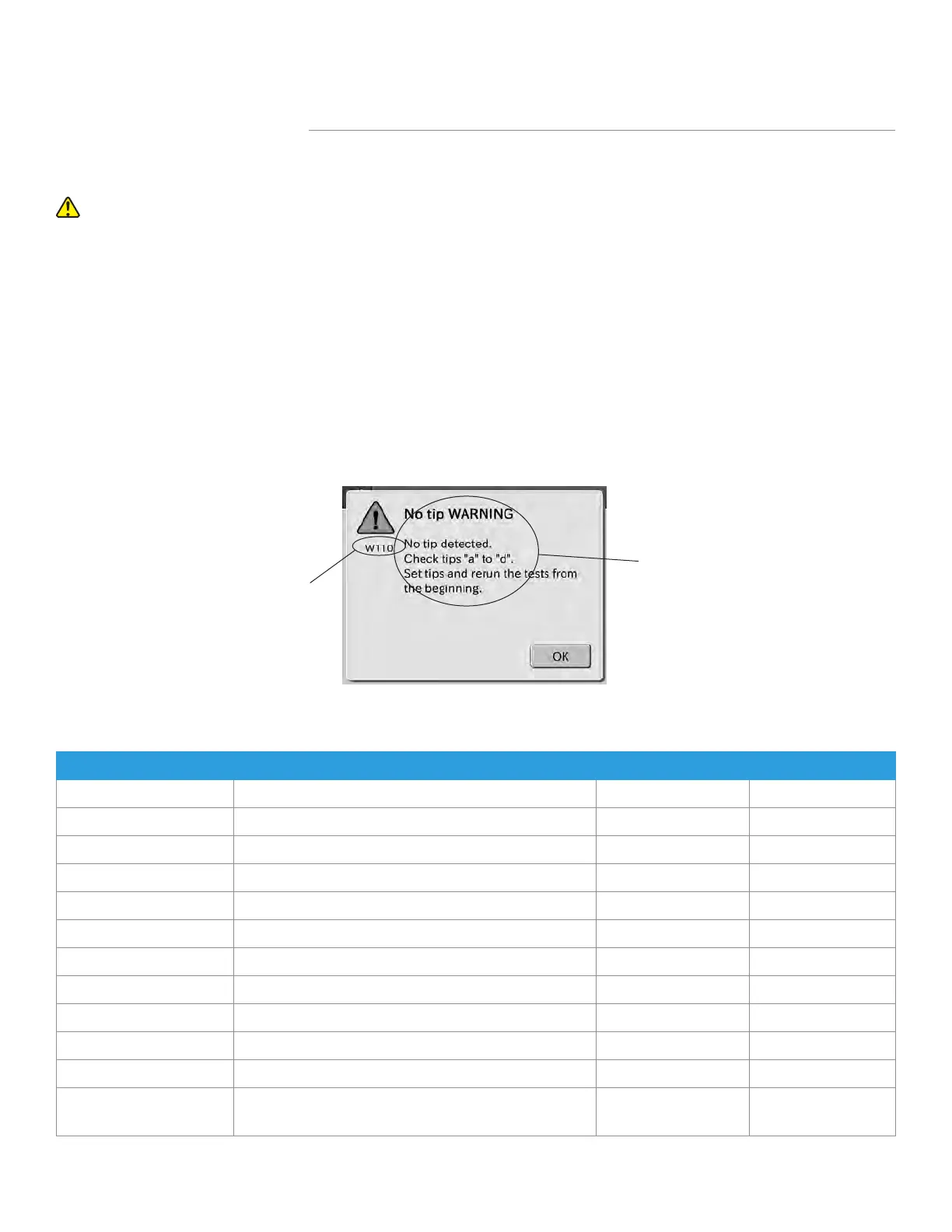
Printout Example
Error code
Error message
Section 5: Troubleshooting
5.1.1 Error Codes Table
Error Code
Error Description Reference Section Reference Page
E010 LCD under cover is open during test 5.2.13 88
E021 Disposal box is open during test 5.2.13 88
E035 Photometer controller malfunction 5.2.8 83
E036 Reference black plate error 5.2.5 80
E050 Burned-out light source lamp 5.2.5 80
E510 A/D controller malfunction 5.2.5 80
E0100 Tip sensor error 5.2.4 77
E0110–E0113 Clogging detected during sample sampling 5.2.4 77
E0120 Failed to detect sample surface 5.2.4 78
E0121, E0122 Clogging detected during diluent sampling 5.2.4 78
E0123 Failed to detect diluent surface 5.2.4 77
E0124–E0128
Clogging detected during sampling (diluted sample,
reference fluid)
5.2.4 78
61
Element DC
Veterinary Chemistry Analyzer



 To Next Page