6.9.3 Reference Interval Settings
This mode is used to change the display order of items shown in the dialogue, and also is used to edit or add items.
A reference interval must be set for each item name and sample type ([P/S or W]).
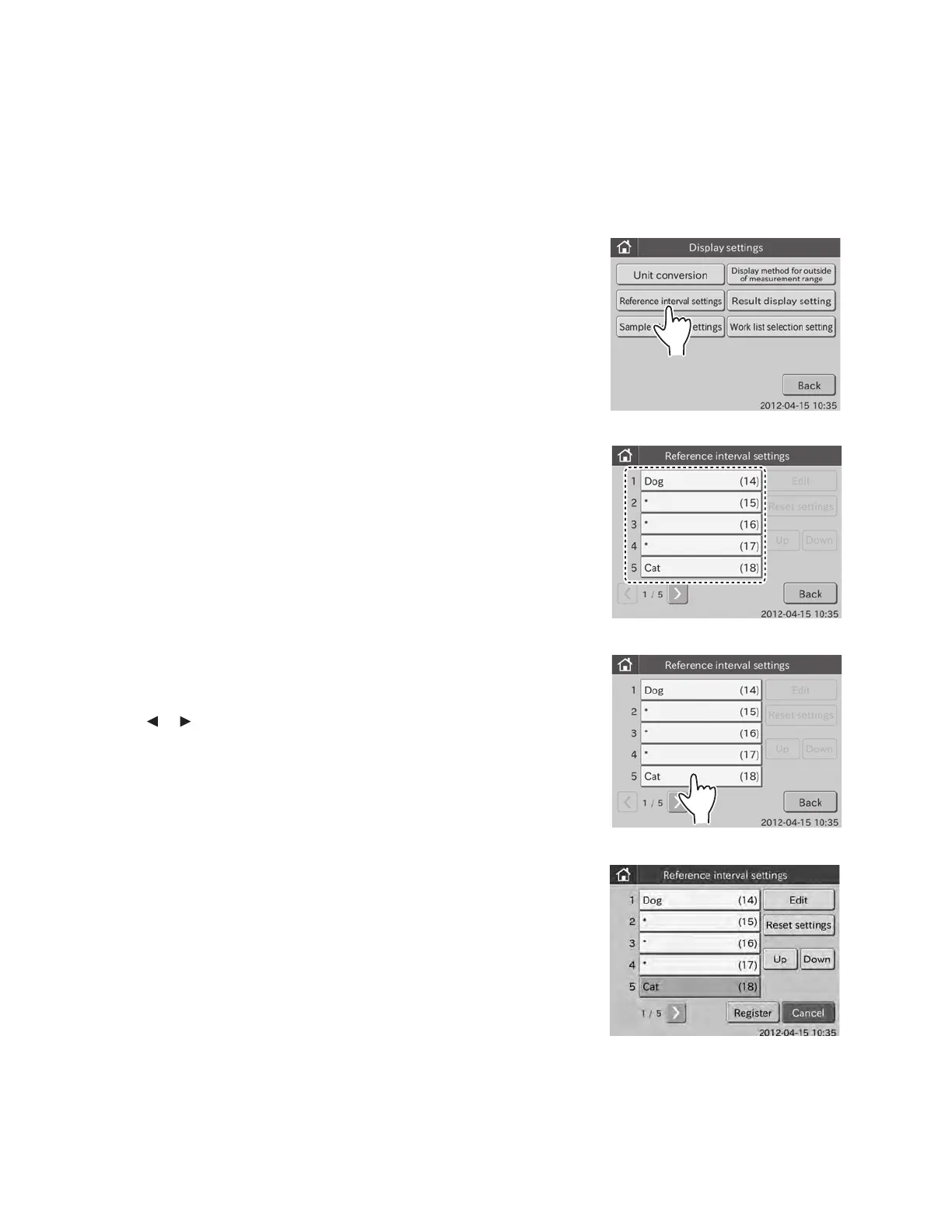
1. Touch DISPLAY SETTINGS in the ADMINISTRATOR MODE FUNCTION menu dialogue.
The display settings menu dialogue is displayed.
NOTE: For information about how to display the ADMINISTRATOR MODE FUNCTION menu dialogue, refer to Section 6.1.2.
2. Touch REFERENCE INTERVAL SETTINGS in the menu
dialogue.
The list dialogue is displayed.
3. Touch the desired name.
(e.g.,) Select [Cat (18)]
NOTE: Touch
or to display the desired name.
The selection dialogue is displayed.
NOTE: EDIT, RESET SETTINGS, UP and DOWN become selectable.
NOTE: When touching RESET SETTINGS, the lower and upper
limits for the selected name item are cleared.
97



 To Next Page