To change the display order of reference interval items in the
dialogue: 1
To edit a reference interval item : 2
To edit a reference interval item: 3
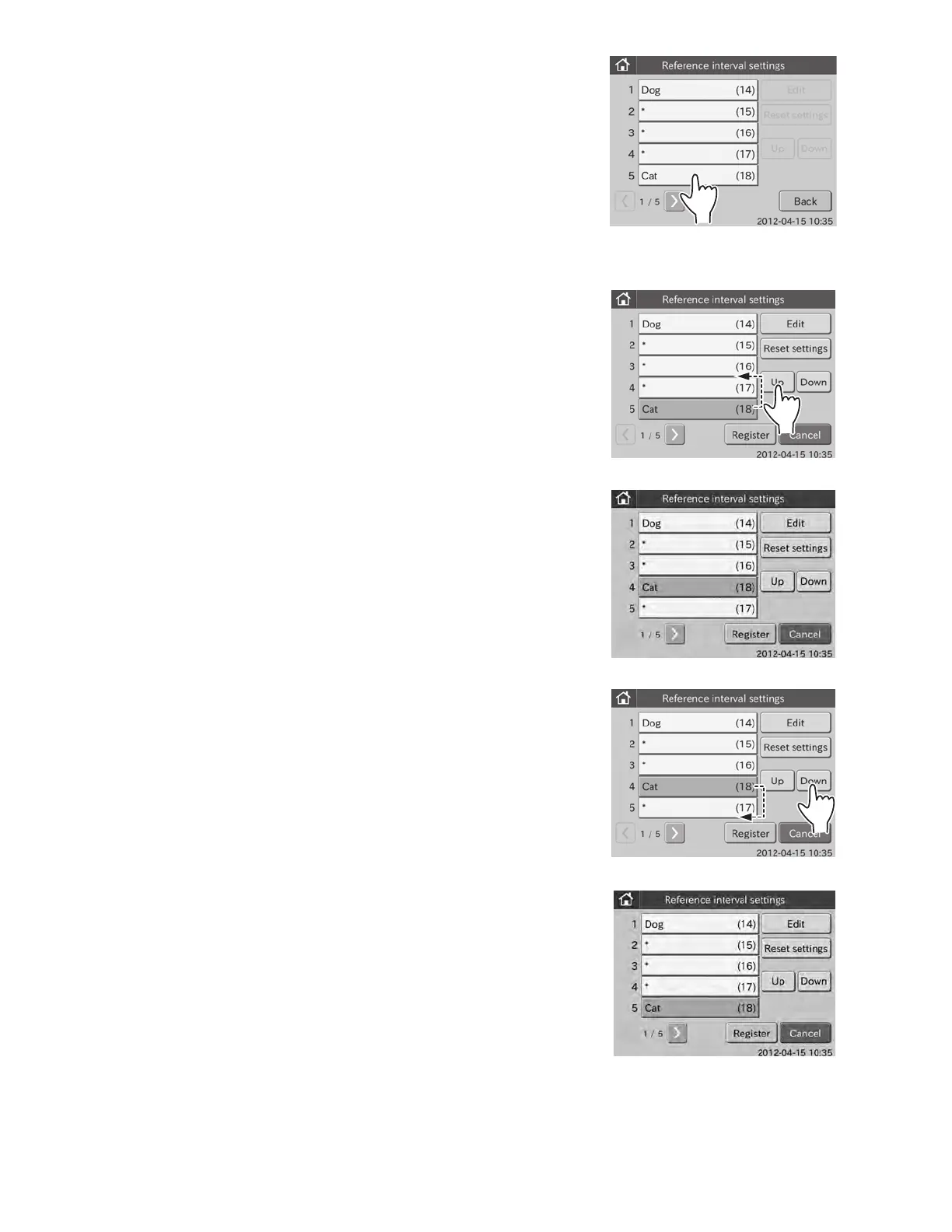
1. To change the display order of reference interval items in the
dialogue.
a. Touch the item to be changed.
(e.g.,) Select [Cat (18)]
The selection dialogue is displayed.
b. Touch UP.
The [Cat (18)] moves up by one row.
c. Touch DOWN.
The [Cat (18)] moves down by one row.
d. Touch REGISTER.
The changed display order is registered, and then the display
returns to the reference interval item list dialogue.
NOTE: To cancel setting, touch CANCEL
.
98



 To Next Page