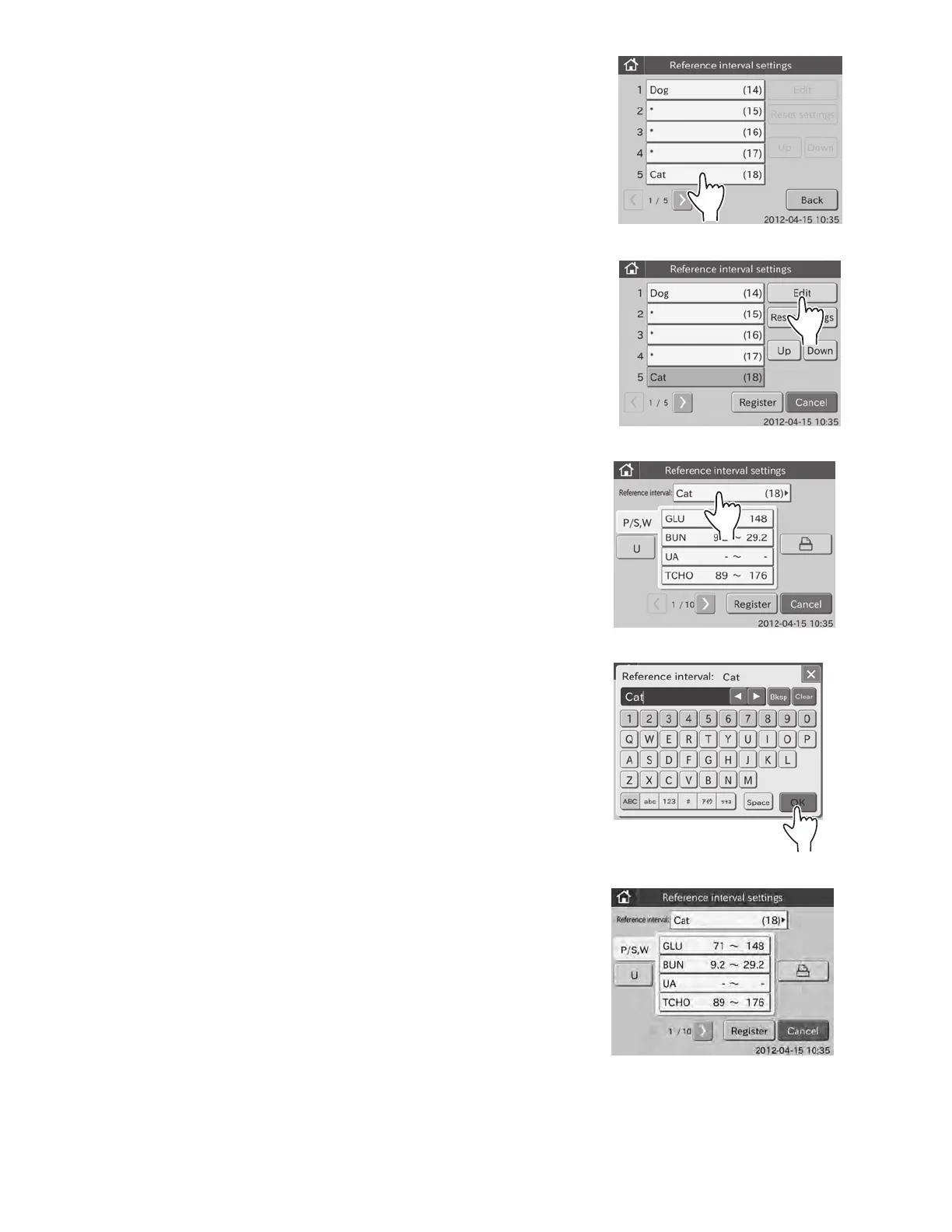
2. To edit a reference interval item
a. Touch the item to be changed.
(e.g.,) Select [Cat (18)]
The selection dialogue is displayed.
b. Touch EDIT.
The edit dialogue is displayed.
NOTE: By touching [P/S, W] the display switches from one tab to
another.
c. Touch REFERENCE INTERVAL ITEM.
The screen keyboard appears.
For information about input method of the screen keyboard
dialogue, refer to Section 2.3.
NOTE: To cancel editing and return to the edit dialogue, touch X.
d. Enter name in the [Reference interval:] field, and then touch
OK.
The edit dialogue is displayed.
e. Touch REGISTER.
The edited display order is registered, and then the display
returns to the reference interval item list dialogue.
NOTE: To cancel setting, touch CANCEL.
99



 To Next Page