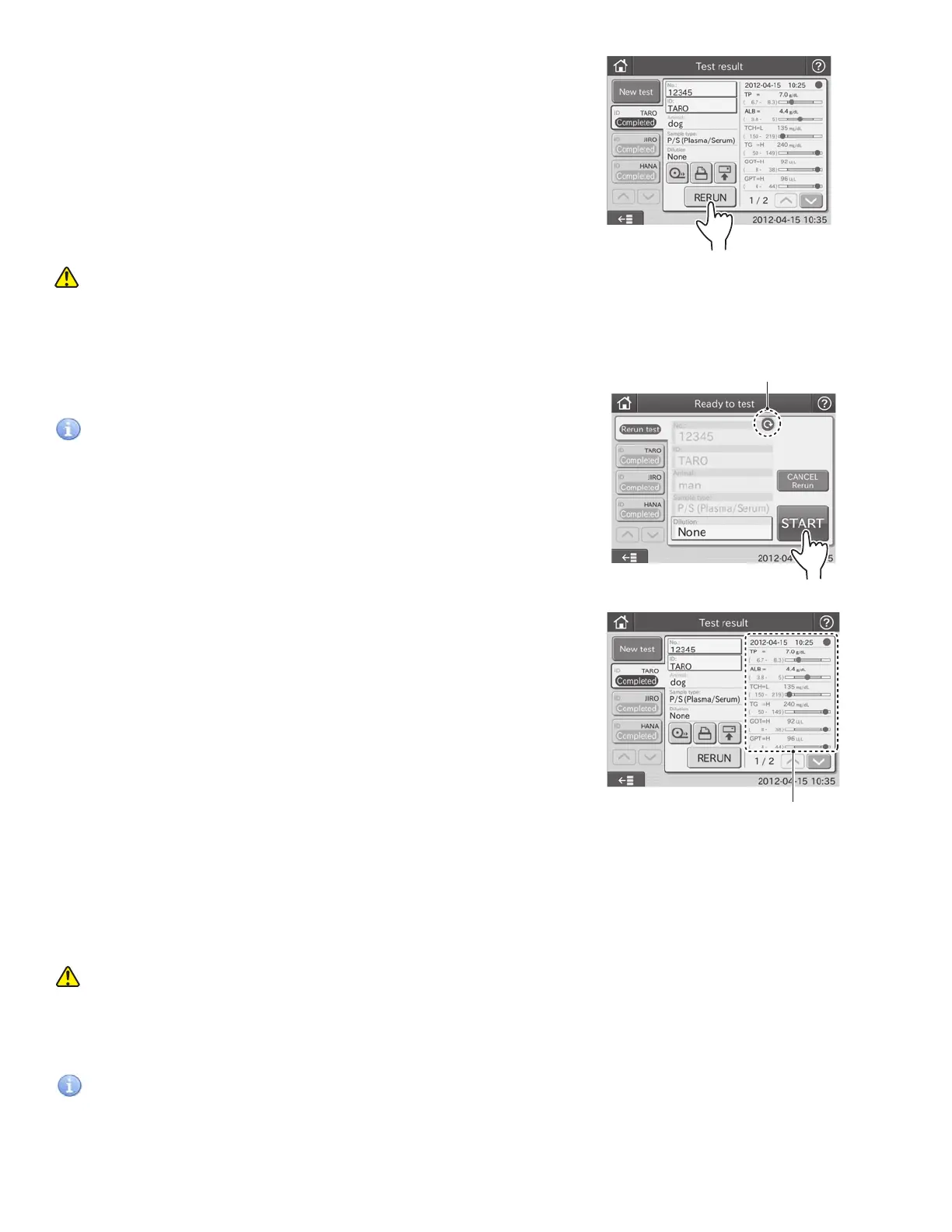
7. Touch RERUN.
Touching RERUN displays the previ-ous test information
of sample ID, sample No., Animal, Sample type, excluding
Dilution, in the rerun test preparation dialogue.
NOTE: When testing dilution, touch the Dilution field to set the
dilution factor.
8. Close the sampler cover.
9. Lock the sampler cover with the key.
WARNING:
During sample processing, ensure the LCD under cover and
sampler cover are closed to prevent inju-ries and biohazard.
When the display reads [Ready to test], the sampler cover can
be opened.
10. Touch START to start testing.
IMPORTANT
The disposal box must remain closed during testing.
Otherwise, the results may be affected by opening it.
NOTE: By touching CANCEL RERUN, the test preparation
dialogue for a new test is displayed.
11. After the test is completed, the test result dialogue is
displayed.
NOTE: When performing the next test with the same No., ID,
Animal and Sample type as those of the previous test, touch
RERUN. Only the setting of the Dilution field can be changed.
NOTE: When performing a new test by changing the test factors,
touch NEW TEST.
12. After the tests are completed, remove the sample container
Test result display area
3.9 Sample Barcode Reader
By using the sample barcode reader, the sample ID can be easily input.
Prior to using the sample barcode reader, it is necessary to set the communicating configuration by using the barcode
reader of mode function. (Refer to Section 6.8.4)
CAUTION
The sample barcode reader specified for the Element DC can be used.
Do not connect a barcode reader other than specified for the Element DC. Otherwise, physical damage or danger of
fire may result.
IMPORTANT
Depending on the printing quality of barcode labels or malfunction of the sample barcode reader, wrong barcode
data may be read. Make sure that the barcode data (sample ID) printed on the test results are correct.
The rerun test mark is displayed
44



 To Next Page