Mode Function Menu Main Setting Menu Sub-Setting Menu Reference Section Operator
For administrator Coefficients/Test settings
Correlation coefficients 6.10.1
Admin
Lot compensation
coefficients
6.10.2
Dilution factor 6.10.3
Spotting count 6.10.4
Print sheets of test
results
6.10.5
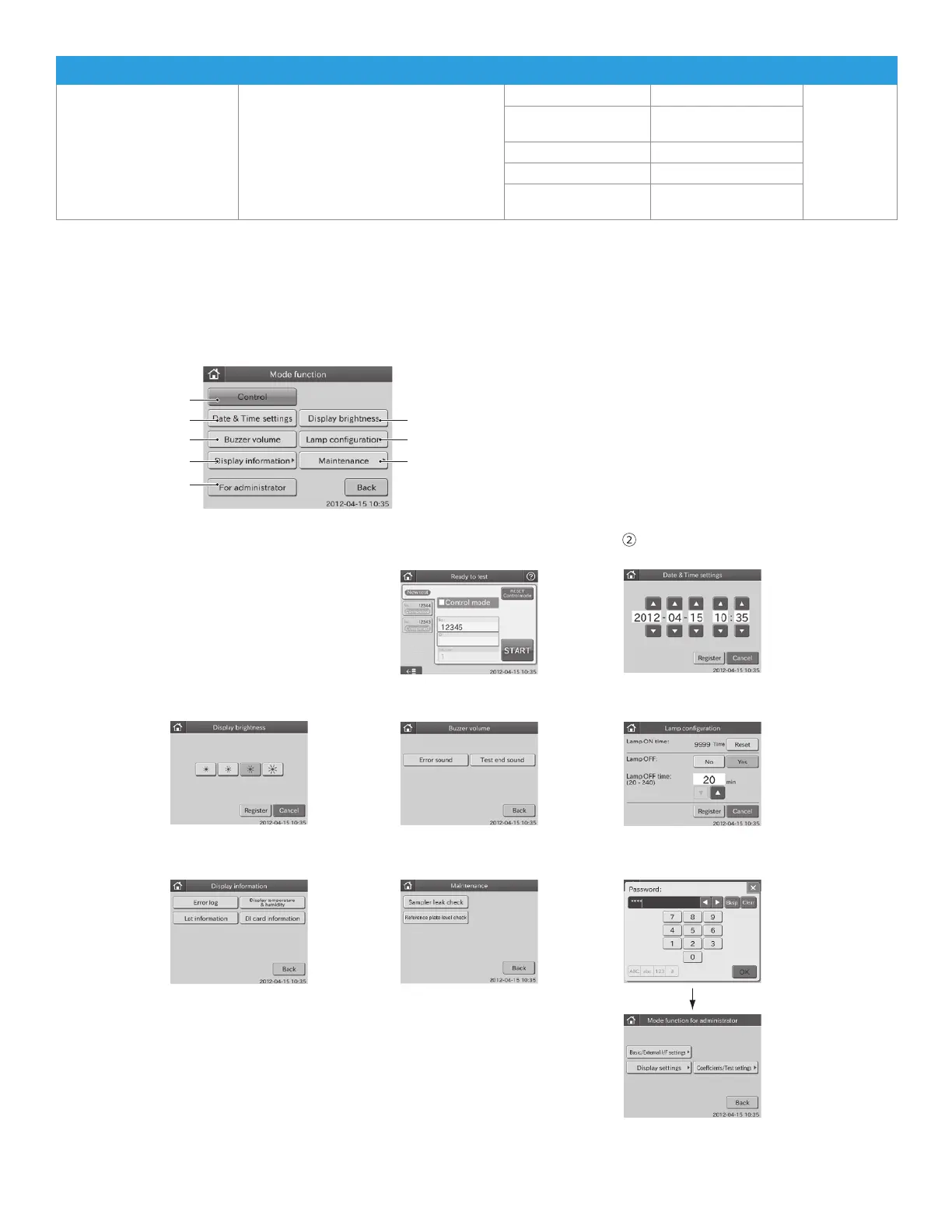
6.1.2 How to Select Each Mode
In the MODE FUNCTION menu dialogue, touch a MODE FUNCTION to be set.
NOTE: When touching FOR ADMINISTRATOR, a password entry dialogue appears. Enter a password. If you do not know
the password, touch X to return to the MODE FUNCTION menu dialogue.
Mode function menu dialogue
②
④
⑥
⑧
①
③
⑤
⑦
③
Display brightness
button pressed
⑤
Lamp configuration
button pressed
⑦
Maintenance
button pressed
①
Control button pressed
④
Buzzer volume
button pressed
⑥
Display information
button pressed
⑧
For administrator
button pressed
Administrator mode
function menu dialogue
Date & Time settings
button pressed
76



 To Next Page