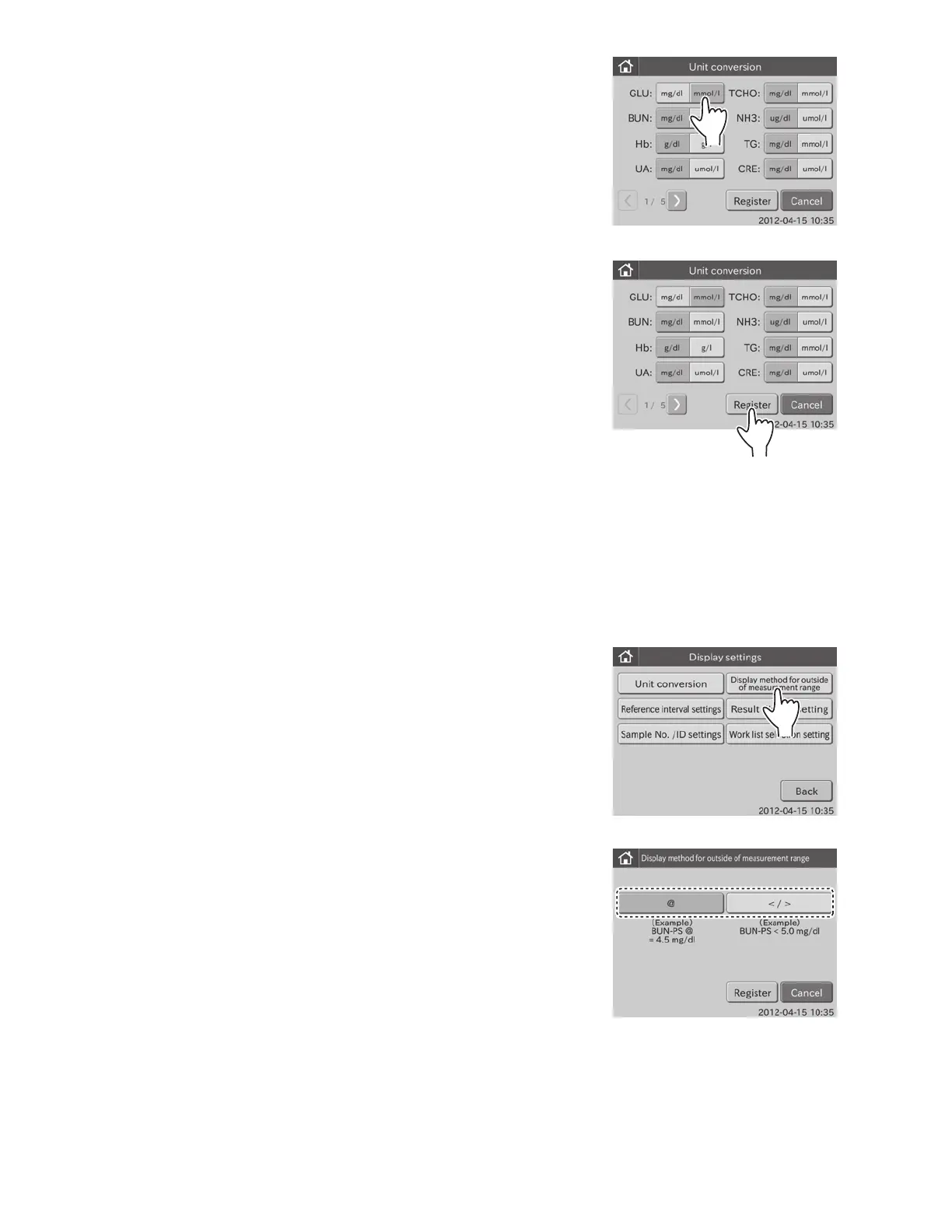
3. Touch UNIT to be changed.
(e.g.,) Change the unit for GLU from [mg/dl] to [mmol/l].
4. Touch REGISTER.
The set unit conversion is registered, and then the display
returns to the DISPLAY SETTINGS menu dialogue.
NOTE: To cancel setting, touch CANCEL.
6.9.2 Display Method for Outside of Measurement Range
This mode is used to switch the display method for results outside of the measurement range for all tests.
1. Touch DISPLAY SETTINGS in the ADMINISTRATOR MODE FUNCTION menu dialogue.
The display settings menu dialogue is displayed.
NOTE: For information about how to display the administrator MODE FUNCTION menu dialogue, refer to Section 6.1.2.
2. Touch DISPLAY METHOD FOR OUTSIDE OF
MEASUREMENT RANGE in the menu dialogue.
The display method for outside of measurement range
dialogue is displayed.
To display a numeric value with “@” mark for the value
outside of the measurement range: 3
To print out the value outside of the measurement range
using the “<” or “>” mark: 4
95



 To Next Page