6.7 Display Information <Normal>
This mode is used to display the following:
• Error log
• Display temperature & humidity
• Lot information
• DI card information
6.7.1 Error log
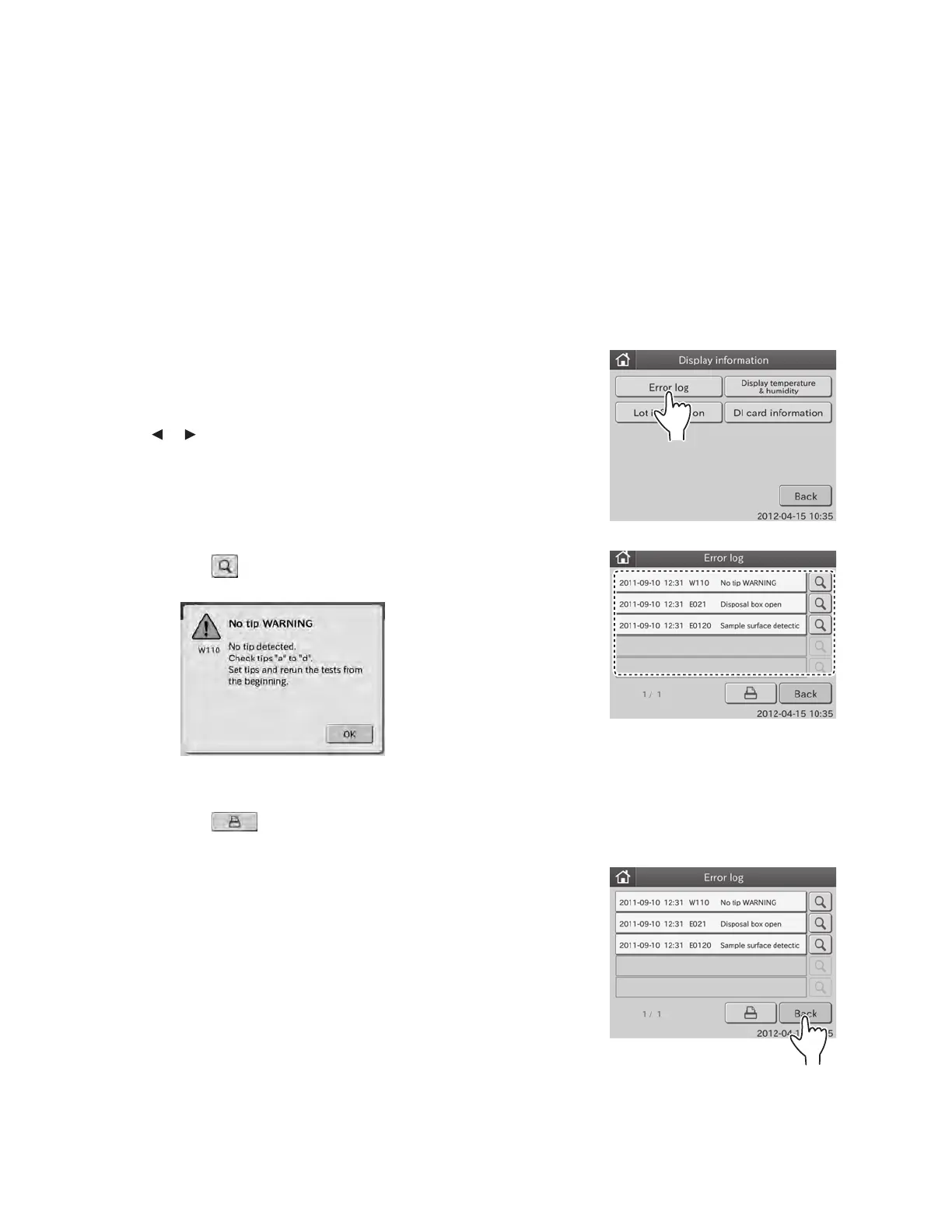
This mode is used to display error logs memorized in the analyzer.
1. Touch DISPLAY INFORMATION in the MODE FUNCTION
menu dialogue.
The display INFORMATION menu dialogue is displayed.
2. Touch ERROR LOG in the menu dialogue.
The error log dialogue is displayed.
If there are 6 or more error logs, you can see all error logs by
touching or .
NOTE: A maximum of 100 latest error logs can be displayed in
sequence beginning with newest log.
NOTE: Date and time of error, error code and error name are
displayed.
NOTE: When touching
, the error detail dialogue appears.
By touching OK, the error detail dialogue disappears.
NOTE: When touching
, all error logs, which have been
registered, are printed out.
3. Touch BACK.
The display returns to the INFORMATION menu dialogue.
82



 To Next Page