4.4.1 Cleaning procedure
1. Remove the slide cartridge and the sample rack.
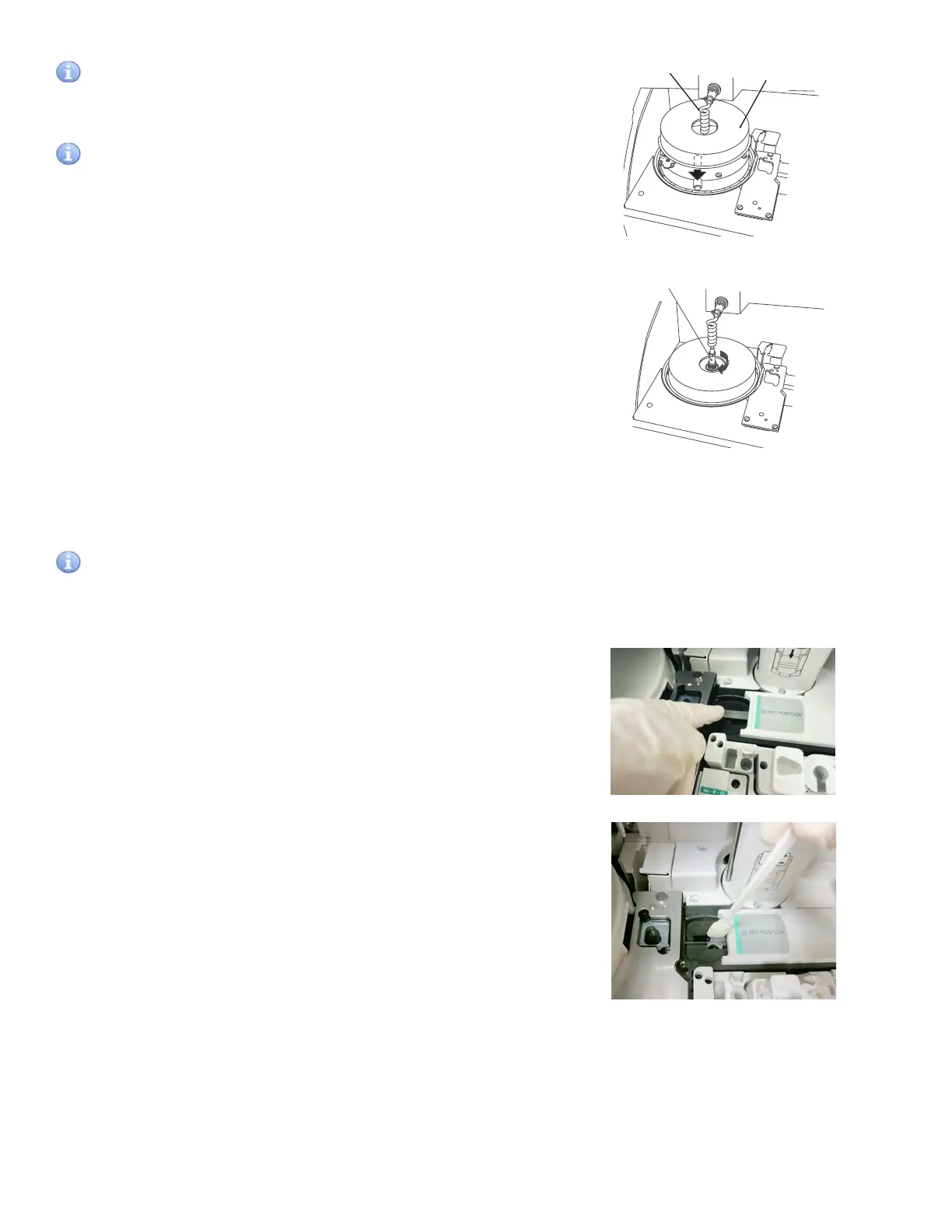
2. Shift the slide transfer bar beneath the cover on the right-
hand side.
3. Clean the slide reader.
Clean the glass window of the slide reader with a cotton
swab moistened with water, ethyl alcohol or isopropyl
alcohol for disinfection.
Immediately dry the window with a clean cotton swab.
Ensure there are no streaks present by inspecting the lens
using a flashlight or other light source.
Incubator cable
Incubator cover
Incubator cable
4.4 Cleaning the Slide Reader
When the slide reader is dirty, reading errors may occur frequently. Perform cleaning to avoid these errors.
IMPORTANT
If the analyzer is used without cleaning the slide reader, adverse effects on test results may occur.
IMPORTANT
Tighten the thumbscrews securely. Otherwise, adverse effects
on the test results may occur.
IMPORTANT
Be sure to set incubator cover. If the analyzer is used without
setting the cover, adverse effects on test results may occur.
NOTE: To avoid stressing the cable, ensure that the incubator
cable is not twisted. Otherwise, the cable will be damaged in a
short time.
c. After reassembly, re-execute Reference plate level check,
and confirm the results.
54



 To Next Page