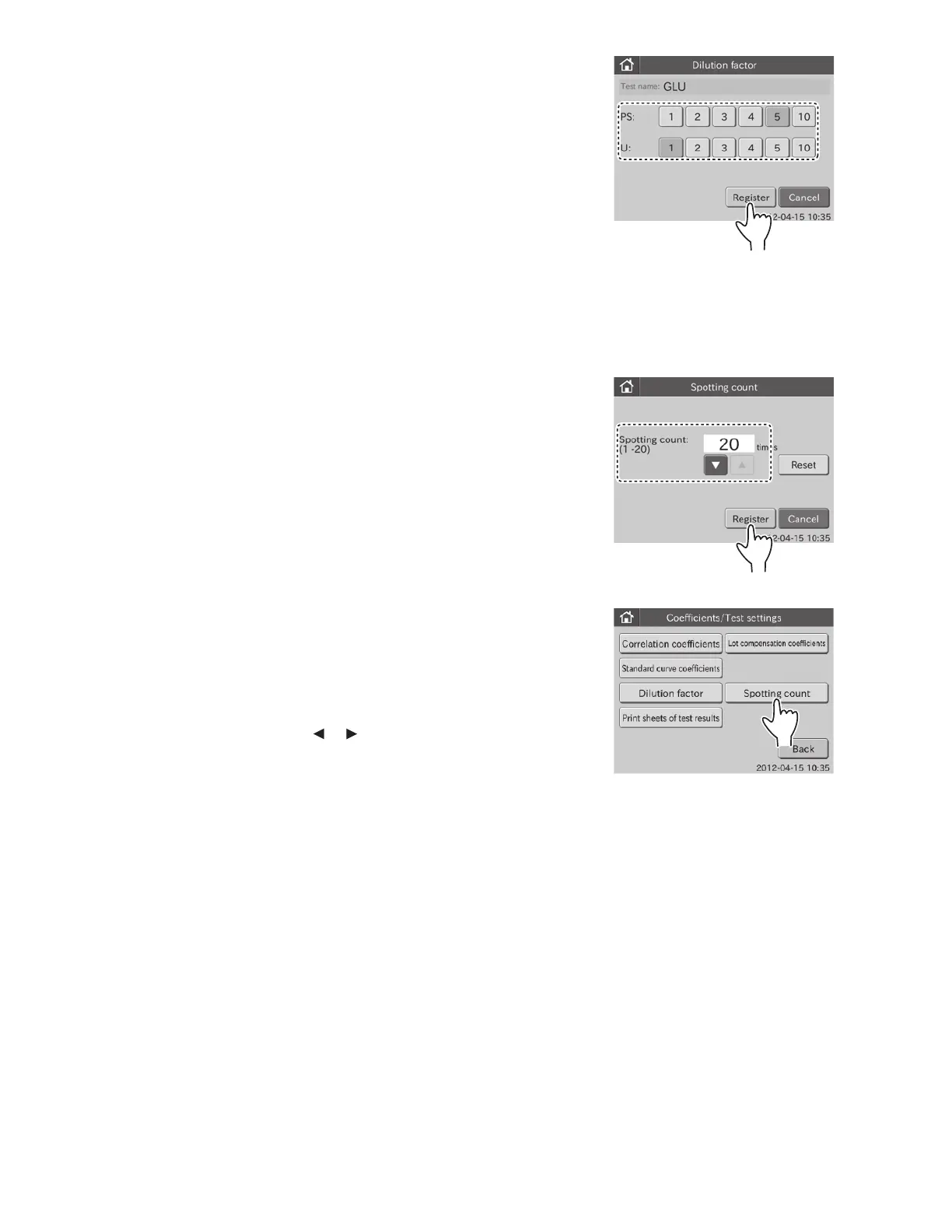
5. Select the desired dilution factors for the [PS:], and then
touch REGISTER.
Dilution factor settings are registered, and the display returns
to the dilution factor dialogue.
NOTE: A dilution factor of 1 means no dilution. A dilution factor
of 2 is a 1:1 dilution, etc.
NOTE: To cancel setting, touch CANCEL.
6.10.4 Spotting Count
The number of tests per one sample in automatic sampling can be
changed within the range of 1 to 20.
When the spotting count is reset, the number is set for 20. The
default setting of the spotting count is “RESET”.
1. Touch COEFFICIENTS/TEST SETTINGS in the
ADMINISTRATOR MODE FUNCTION menu dialogue.
The coefficients/test settings menu dialogue is displayed.
NOTE: For information about how to display the
ADMINISTRATOR MODE FUNCTION menu dialogue, refer to
Section 6.1.2.
2. Touch SPOTTING COUNT in the menu dialogue.
The dialogue to set spotting count is displayed.
NOTE: When touching RESET, the count becomes “20”.
NOTE: To cancel setting, touch CANCEL.
3. Specify the spotting count using or , and then touch
REGISTER.
The specified count is registered, and then the display
returns to the COEFFICIENTS/TEST SETTINGS menu
dialogue.
NOTE: To cancel setting, touch CANCEL.
6.10.5 Print Sheets of Test Results
This mode is used to set a number of test result print sheets (selectable 1, 2, or 3).
1. Touch COEFFICIENTS/TEST SETTINGS in the ADMINISTRATOR MODE FUNCTION menu dialogue.
The coefficients/test settings menu dialogue is displayed.
NOTE: For information about how to display the administrator MODE FUNCTION menu dialogue, refer to Section 6.1.2.
112



 To Next Page