3.9.1 Operating Procedures
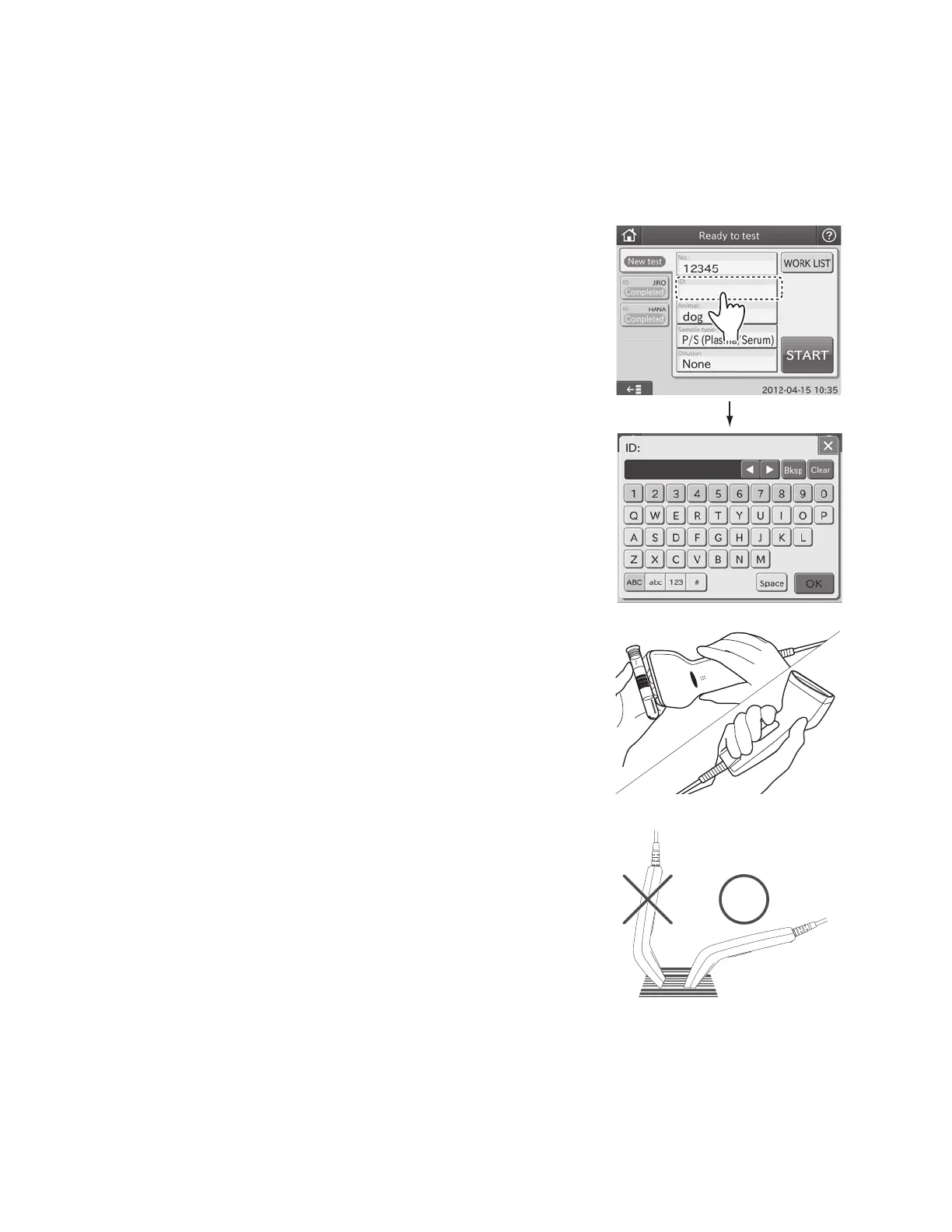
1. Touch ID FIELD to display the screen keyboard.
2. Read a barcode labeled on the sample tube by pressing the
sample barcode reader button.
NOTE: Position the sample barcode reader properly facing to the
barcode label. Otherwise, a wrong reading may occur.
NOTE: Please carefully read the instruction included with the sample barcode reader before using it. A maximum of 13
alphanumerical characters can be input for a sample ID. Always use the sample barcode reader below 3,000 cd/m
2
(lux),
avoiding direct sunlight.
NOTE: Turn on the analyzer after connecting the sample barcode reader to the analyzer.
NOTE: The sample barcode reader is an optional accessory.
45



 To Next Page