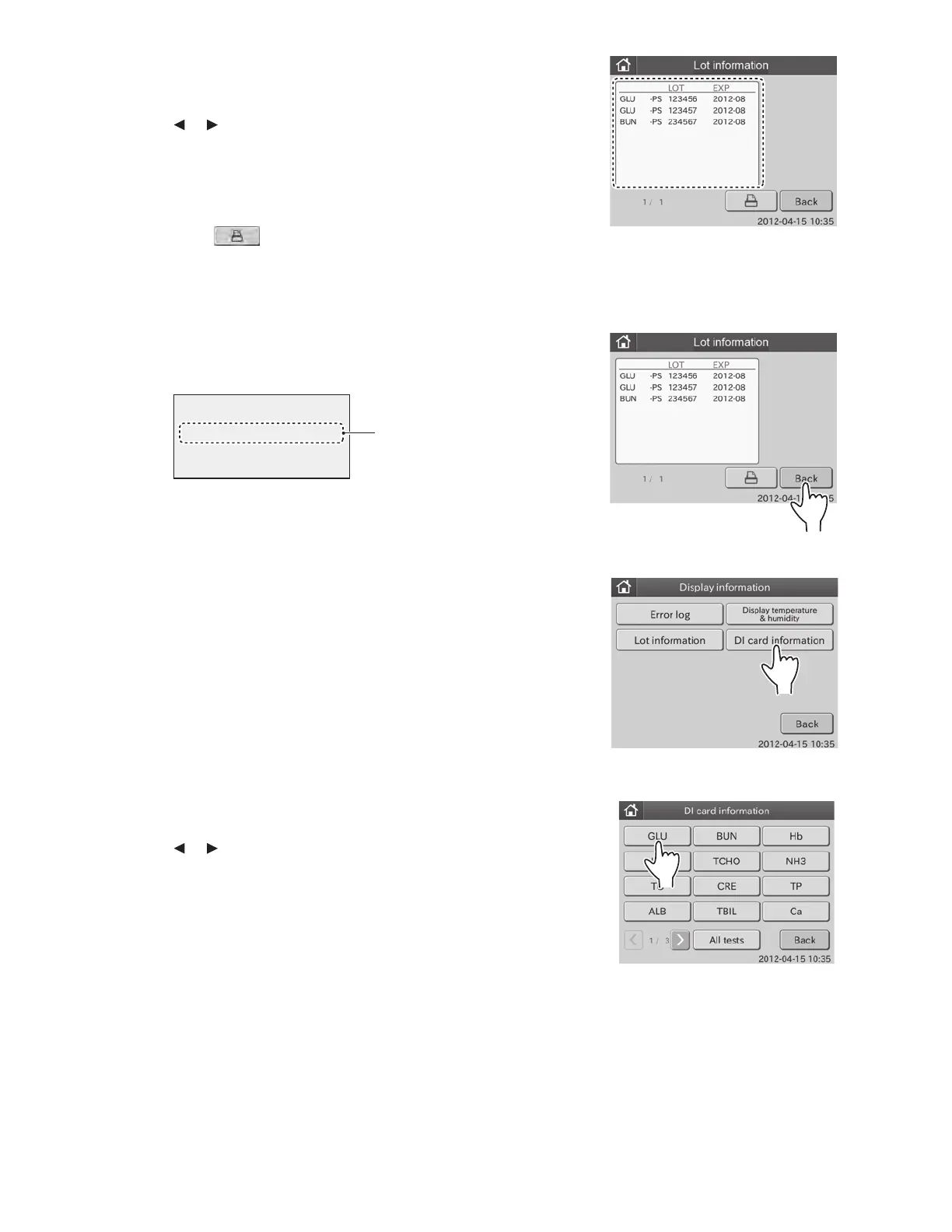
By touching or , you can see all lot information.
NOTE: Test name, test type, lot No. and expire date are displayed.
NOTE: Test names are displayed in ascending order of test code.
Sample types are displayed in order of: [P/S] and [W].
NOTE: When touching
, all lot information presently
registered are printed out.
NOTE: If the data of panel card is memorized, panel type is shown
with “[ ]”.
3. Touch BACK.
The display INFORMATION menu dialogue is displayed.
6.7.4 DI Card Information
This mode is used to display DI card information presently
recorded in the analyzer memory.
1. Touch DISPLAY INFORMATION in the MODE FUNCTION
menu dialogue.
The display INFORMATION menu dialogue is displayed.
㩷㩷㩷㩷㩷㩷㩷㪣㪦㪫㩷㩷㩷㩷㩷㪜㪯㪧㩷
㪲㪧㪊㪈㪴㩷㩷㩷㩷㪊㪋㪌㪍㪎㪏㩷 㩷 㪉㪇㪈㪉㪄㪇㪏㩷
Panel
information
2. Touch DI CARD INFORMATION in the menu dialogue.
The DI card information dialogue is displayed.
By touching or , you can see all test name buttons.
NOTE: A test name that DI card and QC card are read into the analyzer
is displayed as a button.
Display information on the selected test: 3
Display information on all tests: 4
2. Touch LOT INFORMATION in the menu dialogue.
The lot information dialogue is displayed.
84



 To Next Page