3.8.6 Rerunning Tests
To rerun tests, touching RERUN will run the test using the previous sample No., sample ID, sample type settings and
reference interval settings. Using RERUN can help avoid entering the test information and running the test again if an error
occurs and the test could not be run.
IMPORTANT
Only use the RERUN button for automatically entering the previous sample No. and sample ID.
1. Check that the display reads [Ready to Test].
2. Open the sampler cover.
MIX CUP
b
a
d
c
RE
3. Check the sampler cover.
Check that the sample rack is set in 1 SET POSITION and that the
amount of the sample is sufficient.
4. Set the slide into the slide cartridge.
Insert the slide cartridge above the name of the slide to be
tested. Be sure to put a slide weight on top of the slide cartridge.
NOTE: Slide cartridges must be set in the correct slide order for each
sample when testing dilution or testing electrolyte.
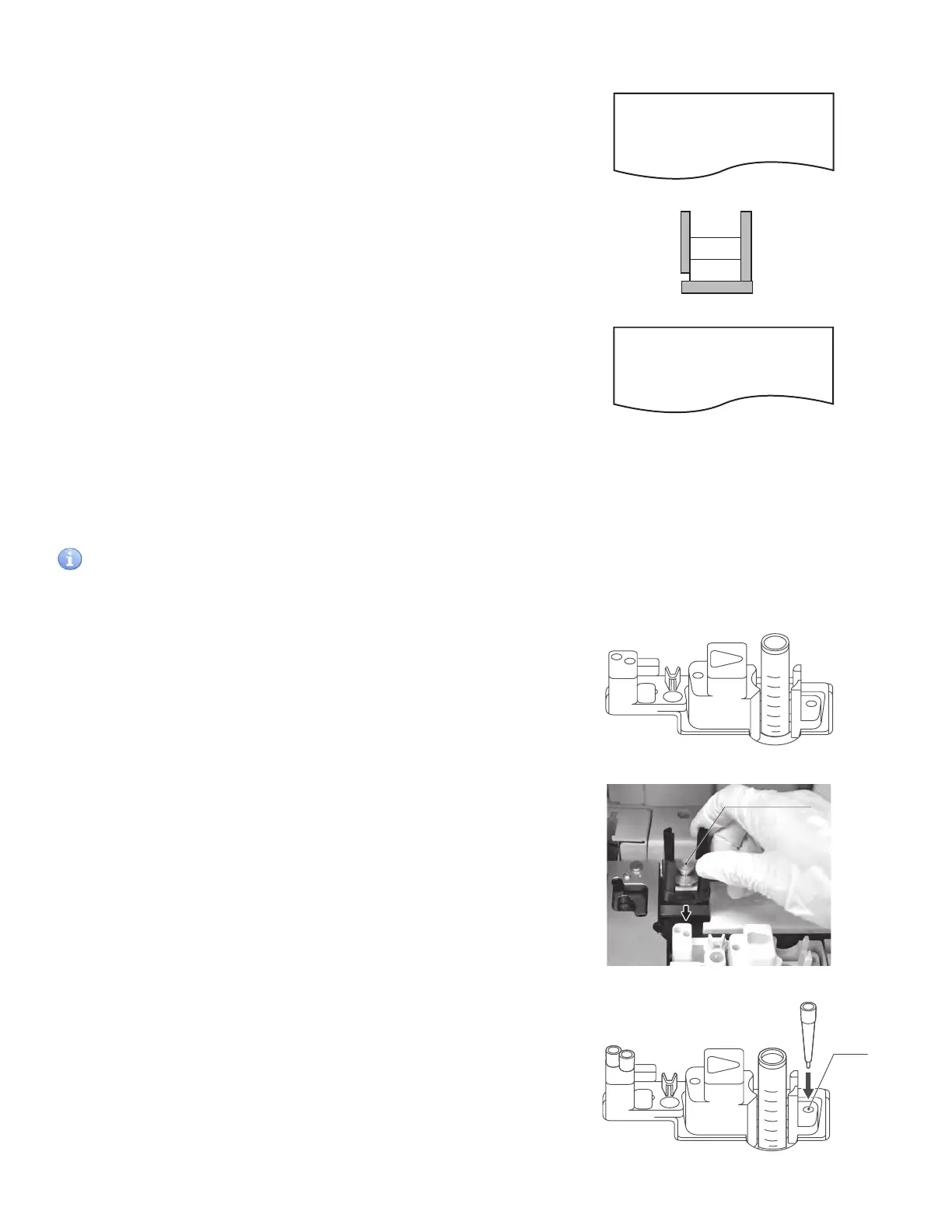
5. Set the slide cartridge.
Align orientation of the cartridge and set in 2 SET POSITION.
NOTE: Firmly set the slide cartridge so that it is not raised. Failure to
do so may result in the slide being read incorrectly.
6. Set the tip into hole a of the sample rack.
NOTE: When testing dilution, set the tip into hole b of the sampler
rack and the mixing cup into the MIX CUP position of the sample
rack, and inject the diluent into the hole (highlighted with arrow D)
on the left side of the mixing cup.
NOTE: When testing the electrolyte, set the tip in holes c and d, and
reference fluid in the set position.
Inappropriate slide stacking orders
Avoid performing tests with more than one dilution factor
setting for one sample.
NOTE: One dilution factor can be set for one sample.
The example shows 2 ISE slides stacked on the slide cartridge.
When performing an ISE test, tips are disposed of each time an
ISE slide is measured. As a result, the warning will occur before
starting the test for the second ISE slide to stop the sampling
process.
When the warning occurs, the analyzer has already finished the
measurements for the sample and an ISE slide is remaining on
the slide cartridge. When performing the ISE test, perform the
test from the beginning.
NOTE: Avoid performing 2 or more ISE tests for one sample.
9
&KNHCEVQT'44
ISE
ISE
:
1RWLS
Slide weight
MIX CUP
b
a
d
c
RE
hole a
43



 To Next Page